We use cookies to analyse traffic and improve your experience. Accept all to help us make Hopper HQ better, or reject non-essential cookies. See our Privacy Policy.
Plan a month of content in one afternoon. Drag, drop and preview posts for nine networks in one visual planner, then let Hopper HQ publish them for you.
14-day free trial · Cancel anytime













Hopper HQ’s social media content planner supports nine major networks, so your whole content plan lives in one place, no matter where you post.
A planning workflow built for people who’d rather run their business than live inside social media apps.
Link Instagram, TikTok, Facebook, LinkedIn, X, Pinterest, YouTube, Threads and Bluesky in a couple of clicks. Every account lives on one dashboard.
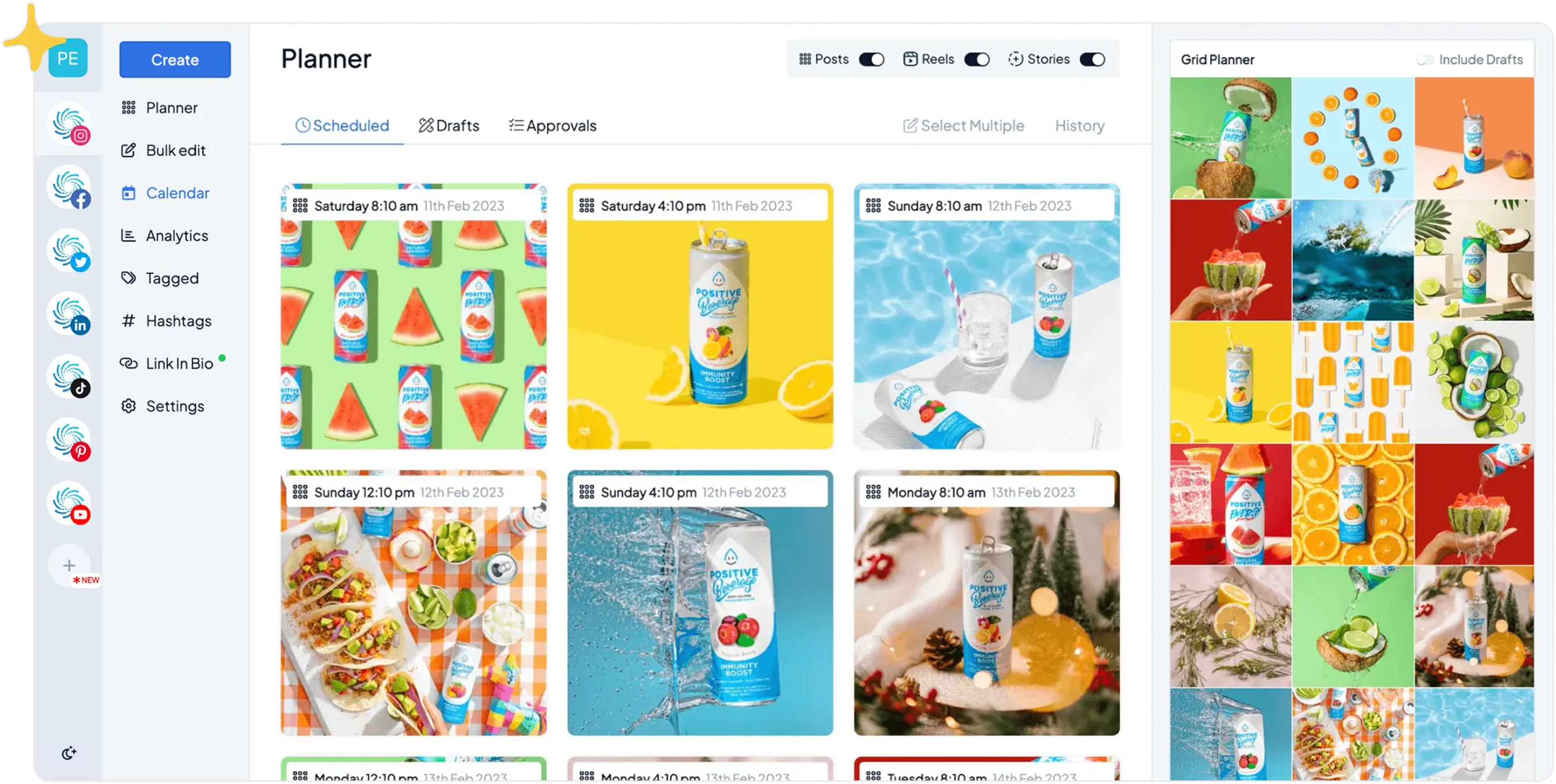
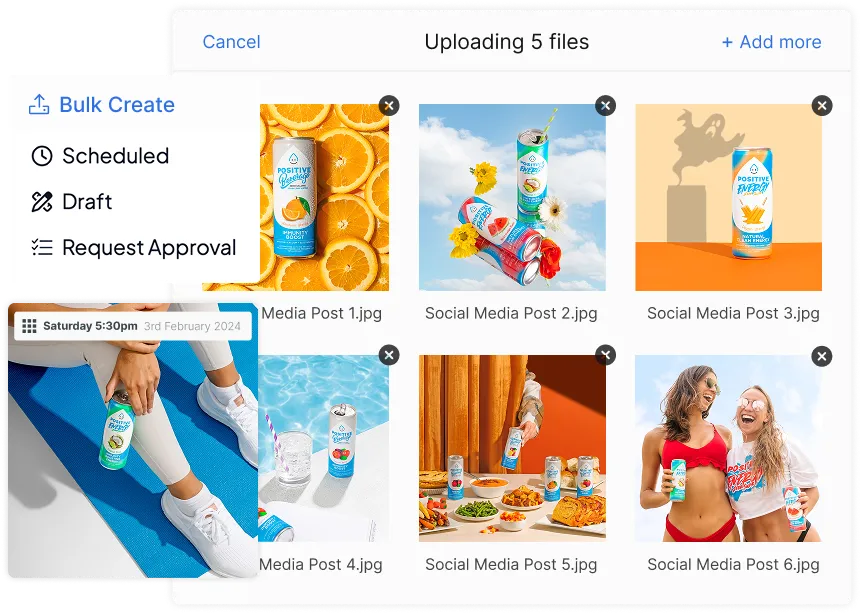
Drag posts onto your calendar, preview your Instagram grid, write captions with AI help, and bulk upload weeks of content in one sitting.
Every planned post auto-publishes at the scheduled time, no reminder notifications, no manual posting, no missed slots.
14-day free trial. Cancel anytime.
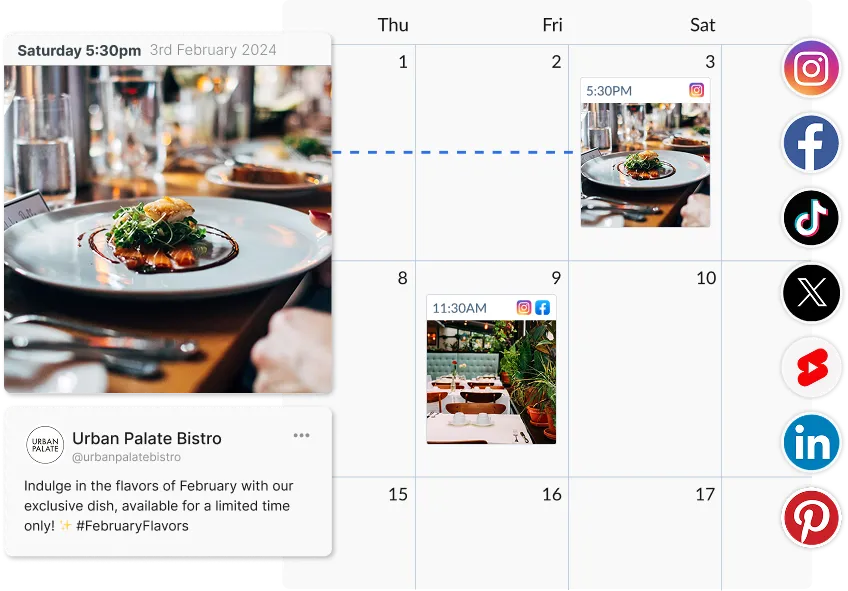
Your entire content plan on one drag-and-drop calendar, every network, every post, every gap you still need to fill. No more guessing what’s going out this week.
Move posts between days and time slots on the visual calendar, changes save instantly.
See scheduled posts in your feed exactly as they’ll appear, and rearrange until the grid looks right.
All nine networks and every account on a single calendar, no tab-hopping.
Launch moved? Drag the whole campaign to next week and get on with your day.
Queue evergreen content as far out as you like, most users plan one to four weeks ahead.
Empty days stand out at a glance, so you fix holes in the plan before they become missed posts.
The slowest part of any content plan is producing the posts. Hopper HQ compresses it: bulk upload, AI captions and cross-posting turn one batch session into weeks of scheduled content.
Load a whole campaign at once with bulk upload, and spread it across the calendar.
Draft, rewrite and tighten captions in a click, so every post lands with impact.
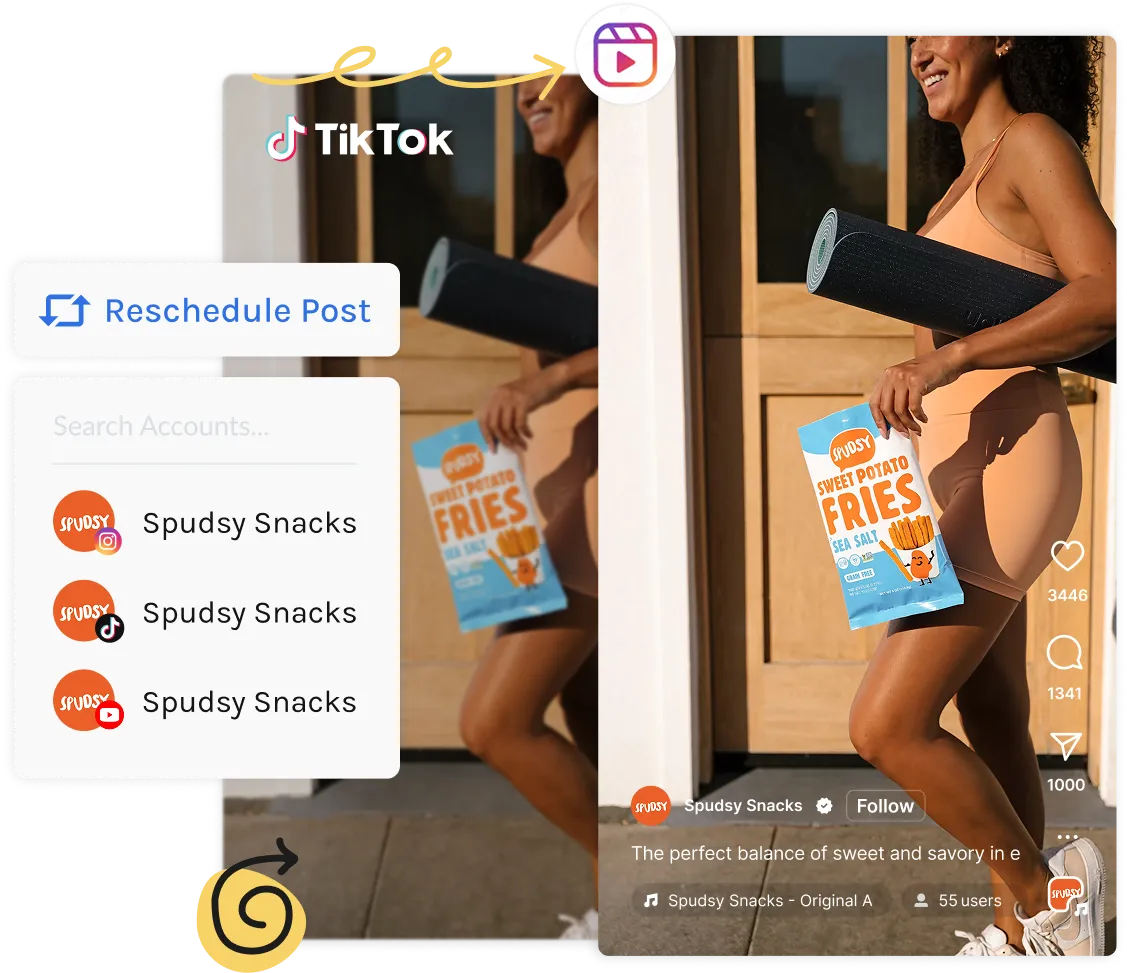
Cross-post to every network with per-platform captions, no re-uploading, no crop headaches.
Find and save winning tags with the hashtag explorer, then reuse them in a click.
Auto-add a first comment to keep captions clean and hashtags out of sight.
Plan from a real keyboard in your browser, made for focused planning sessions.
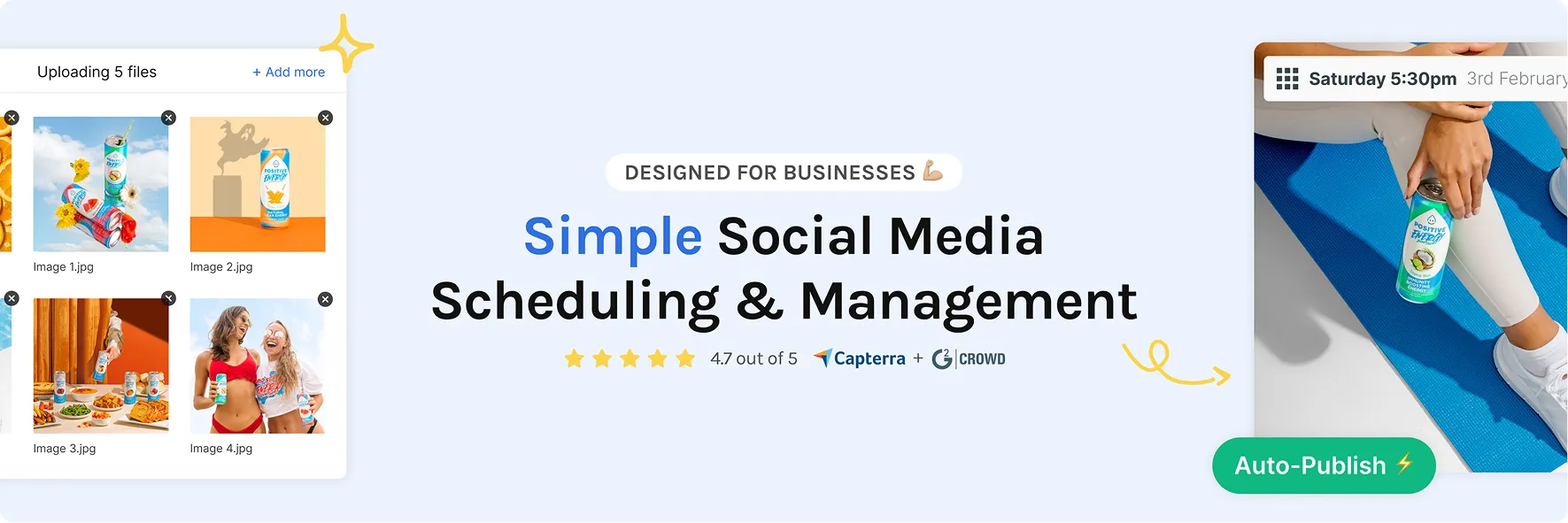
Planning is only half the job. Hopper HQ publishes every post automatically, keeps your team in the loop, and shows you what to plan more of next month.
Posts go live via each network’s official API with auto-posting, even on your day off.
If a network rejects a post, you get an alert with one-click retry, nothing slips silently.
VAs and freelancers draft; you or your client approve before anything goes live.
See what worked in performance insights and feed it into next month’s plan.
Every brand, every team-mate, one dashboard, built for agencies too.
Live chat, personalised demos and onboarding walkthroughs whenever you need a hand.
Planning in a spreadsheet and posting by hand eats time, breaks consistency, and gives you zero visibility. A real planner fixes all three.
| Planning workflow | Hopper HQ planner | Spreadsheet + native apps |
|---|---|---|
| Every network on one visual calendar | ✓ | ✗ |
| Drag-and-drop rescheduling | ✓ | ✗ |
| Preview your Instagram grid before posting | ✓ | ✗ |
| Posts publish themselves at the planned time | ✓ | ✗ |
| Bulk upload a month of content in one go | ✓ | ✗ |
| Team approval before anything goes live | ✓ | ✗ |
| Time to plan and schedule a month | One afternoon | Hours, every single week |
| Risk of missed or forgotten posts | None, it’s queued | High |
If your content plan lives in a spreadsheet and your posting happens on your phone, the plan and the posting will keep drifting apart. Putting both in one tool is the fix.
14-day free trial. Cancel anytime.
A social media content plan is your decision, made in advance, about what you’ll post, where, and when. Instead of waking up wondering what to publish, you map your content onto a calendar and work ahead. A social media planner like Hopper HQ is the tool that turns that plan into scheduled, auto-published posts across nine networks.
Your content plan is the strategy: content pillars, goals, and posting cadence. Your content calendar is that plan laid out over real dates. Hopper HQ gives you both in one place, a visual calendar that holds the plan and the scheduling engine that executes it.
Pick two or three content pillars your audience cares about, decide how often you’ll post per network, then batch-create content against those pillars. Load it all into your planner with bulk upload, spread it across the calendar, and review what worked at the end of each month.
Consistency beats volume. Three to five posts a week on your primary network is plenty for most small brands, and a planner makes that cadence sustainable. Because Hopper HQ cross-posts to every network from one upload, one planning session covers all of them.
A visual calendar, multi-network scheduling, bulk upload, a grid preview for Instagram, team approvals, auto-publishing and analytics to close the loop. Hopper HQ ships with every one, without the enterprise price tag.
Plan a month of posts in one afternoon, then get back to running the business while your content publishes itself.
Keep every platform fed from one calendar. Batch your shoots, plan your grid, and never scramble for a post idea at 9pm.
Plan campaigns weeks ahead, route posts through approval workflows, and show clients exactly what’s going out when.
Run every client’s content plan from one dashboard, with unlimited accounts. See our agency tools.
14-day free trial. Cancel anytime.

A social media planner is a tool that lets you plan, schedule, and manage your posts across multiple platforms from one place. Instead of publishing each post manually in real time, you set your content schedule in advance and the tool handles publishing automatically. Hopper HQ is a visual social media planner, which means you can see your full social media calendar before anything goes live.
A content calendar is the schedule itself, what's going out and when. A social media planner is the tool that builds and executes that schedule: composing posts, previewing your feed, scheduling, and publishing automatically. Hopper HQ gives you both, a drag-and-drop social media calendar plus the planning and publishing tools wrapped around it.
Start with two or three content pillars your audience cares about, then decide how often you'll post on each network. Batch-create your content against those pillars, load it into Hopper HQ with bulk upload, and drag each post into place on the calendar. From there, auto-posting handles publishing. Most Hopper HQ users plan a full month of content in a single afternoon.
As far ahead as you want. Most Hopper HQ users plan content one to four weeks in advance. You can schedule months ahead if you prefer. Once your posts are queued, Hopper HQ publishes them automatically so you don't have to think about it.
Hopper HQ supports Instagram, TikTok, Facebook, LinkedIn, X (Twitter), Pinterest, YouTube Shorts, Threads, and Bluesky. You can plan and schedule content for all nine networks from a single planner view.
Yes. Hopper HQ's grid planner shows your scheduled posts alongside your published ones, exactly as they'll appear on your profile. Drag posts around until the grid looks right, then let them publish on schedule. See the Instagram scheduler page for the full feature set.
Yes. Planned posts go live automatically at their scheduled time through each network's official API, no reminder notifications to tap, no manual posting. Feed posts, Reels, carousels and videos all auto-publish. Instagram Stories use a one-tap notification flow, as Meta's API still gates direct Story publishing.
Yes, but it depends on what you need. Hopper HQ is often chosen over Later and Buffer for its visual calendar view, straightforward onboarding, and value at its price point. If you're a small business owner or creator who wants simplicity and structure without a steep learning curve, Hopper HQ is worth trying. Start with a free 14-day trial and see for yourself.
Yes. Hopper HQ includes team roles and approval workflows, so you can give your VA, freelancer, or colleague access to draft and submit posts for review before they're scheduled. Everything stays in one place, which cuts down on back-and-forth over email or DMs.
Hopper HQ doesn't have a permanent free plan, but it does offer a free 14-day trial so you can explore all the features before committing. No surprise charges during the trial period.
Plan a month of content in one sitting. Hopper HQ publishes it for you while you focus on running your business.








