


Abstract composition of small yellow and blue squares scattered and arranged in rows around a large white square on a black background.Abstract pattern of small colored squares and circles arranged in a grid with varying colors including blue, green, yellow, white, and pink on a black background.
YOUTUBE SHORTS SCHEDULER

YouTube scheduler:
plan, schedule, and auto-publish
your YouTube content

Stop uploading one Short at a time. Hopper HQ lets you plan, schedule and automatically publish YouTube Shorts — so your channel stays consistent without being chained to your phone.

Thank you! Your submission has been received!
Oops! Something went wrong.
Capterra 4.7 out of 5 rating
Free-trial arrow
YouTube Shorts logo
HOW IT WORKS

Three steps to a fully automated Shorts channel.

No daily uploads. No missed posts. Just consistent YouTube Shorts going live on autopilot.

1

Upload Your Vertical Video

Drop your 9:16 Short into Hopper HQ’s visual calendar and add your title, description, and hashtags. Plan a full week of Shorts in one focused session — from desktop.

2

Choose Your Time

Pick the date and time you want each Short to go live. Use our guide on the best time to post Shorts to publish when your audience is most likely to watch all the way through.

3

Auto-Publish and Go

Your Short publishes directly to YouTube at the scheduled time. No push notification, no manual upload, no phone required — your channel runs itself.

SCHEDULING

Repost your best YouTube Shorts

Found a Short that performed? Bring it back. Hopper HQ lets you reshare and reschedule your best-performing Shorts to keep them earning views — without starting the upload from scratch.
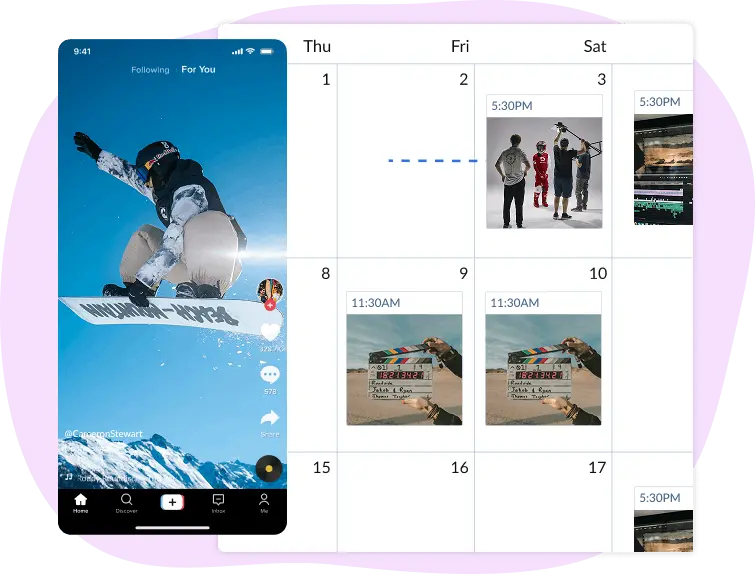
  • Reschedule top-performing Shorts in a couple of clicks
  • Tweak the title, description or hashtags before reposting
  • Spread reshares across the week so the feed stays fresh
  • Plan a full Shorts calendar in one focused session
  • Start your free 14-day trial →
Hopper HQ visual calendar with YouTube Shorts thumbnails scheduled across the week
Visual YouTube Shorts content calendar in Hopper HQ
VISUAL CALENDAR

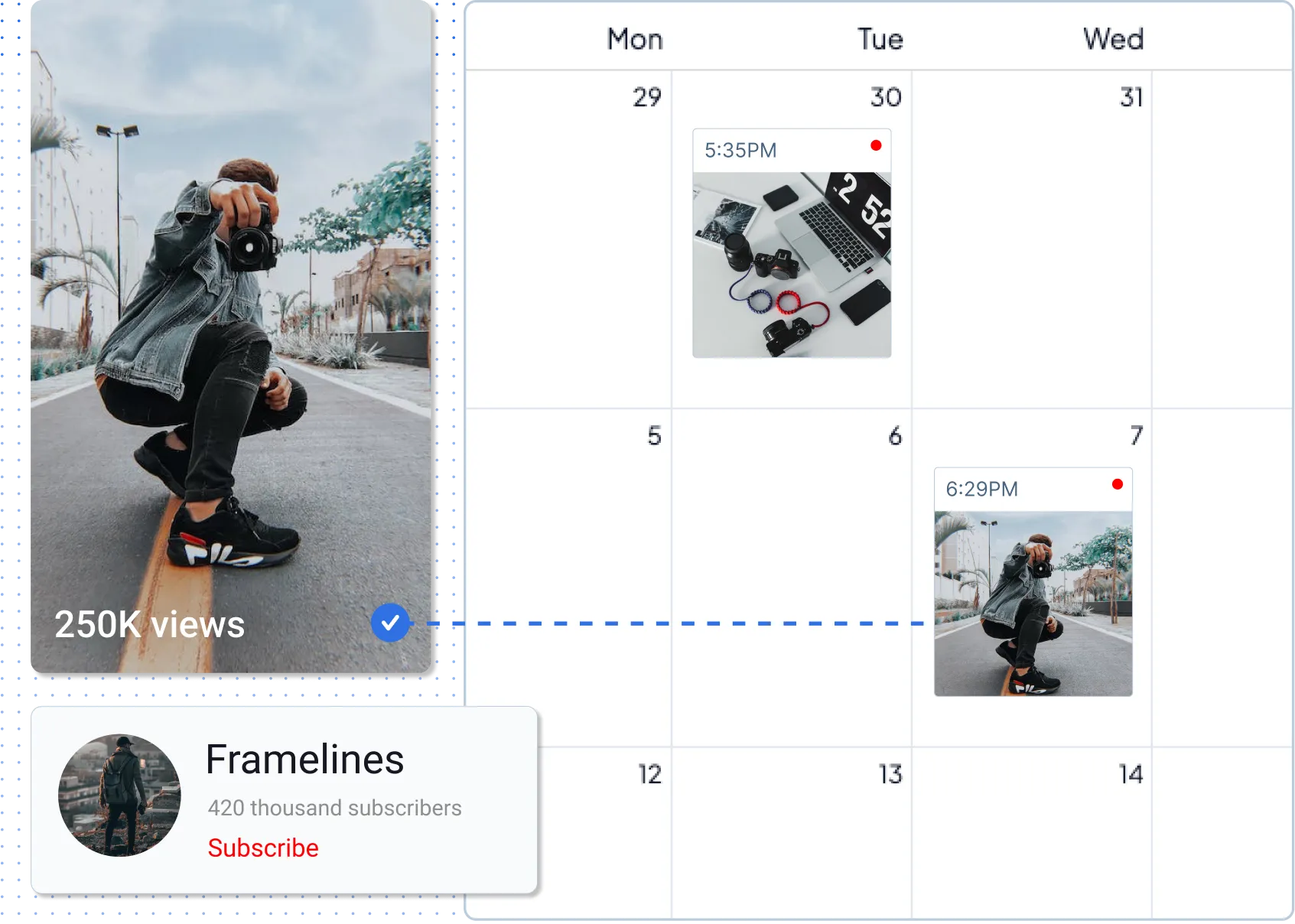
See your Shorts schedule at a glance

Hopper HQ’s visual calendar shows every scheduled Short by day, week or month. Spot gaps, drag posts around, and review every Short before it goes live — no more uploading one at a time.

  • Day, week and month calendar views
  • Drag-and-drop to reschedule without rewriting titles
  • Spot gaps in your Shorts schedule before they happen
  • Team approval workflow before publishing
  • Start your free 14-day trial →

The top-rated software among all social media schedulers — Capterra

Capterra review badges showing Hopper HQ ratings
AUTO-PUBLISH

Auto-publish Shorts — no push notification needed

Hopper HQ uploads and publishes Shorts directly to your YouTube channel via the official API. No phone ping at midnight, no manual tap — set the schedule once and your Short goes out exactly when it should.
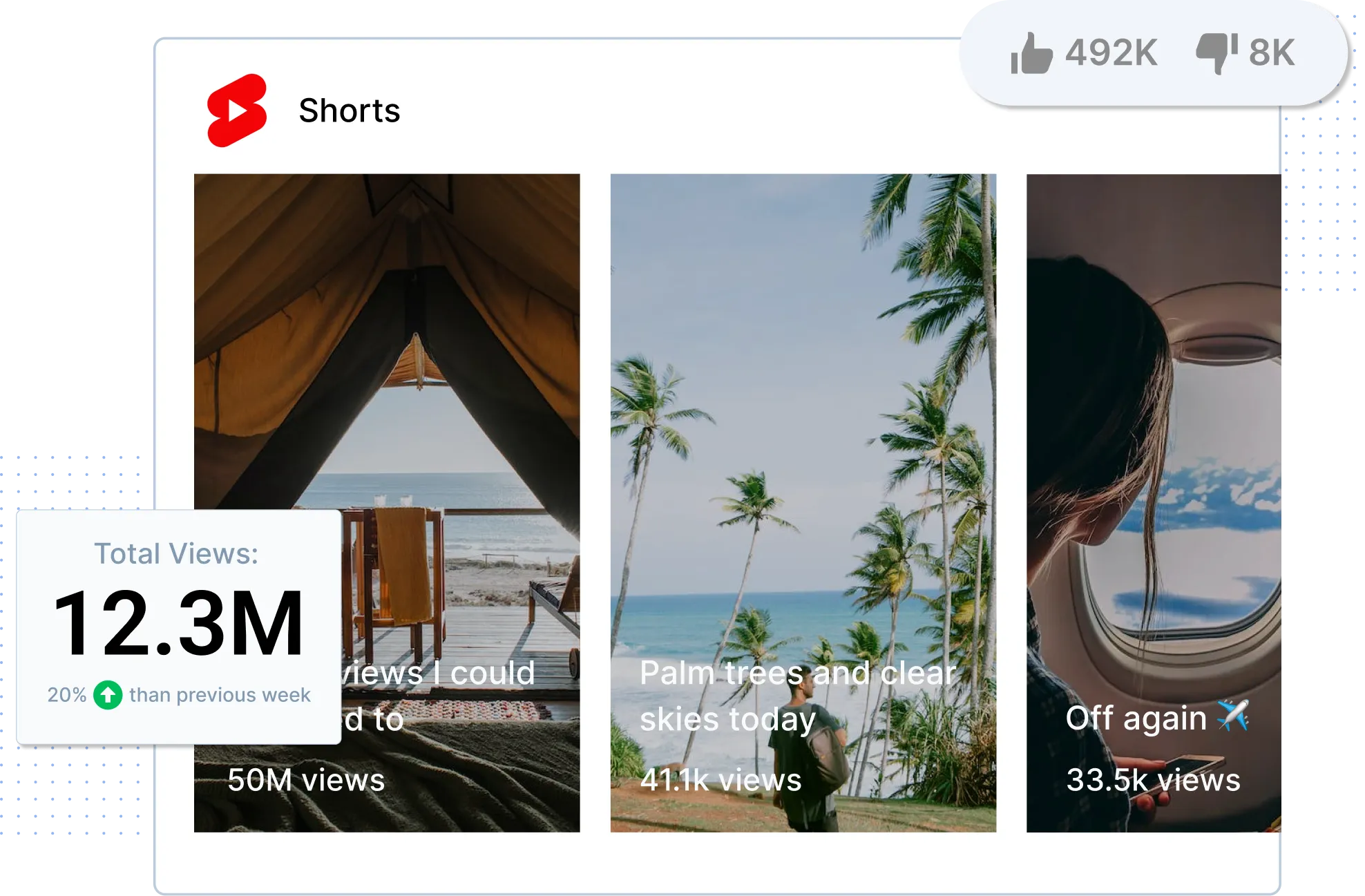
  • True auto-publishing — no push notification required
  • Native 9:16 vertical preview before you schedule
  • Aspect-ratio and length checks so Shorts qualify on upload
  • Timezone-aware scheduling for global audiences
  • Start your free 14-day trial →
YouTube Shorts performance dashboard with three video thumbnails and view counts

Why a dedicated Shorts scheduler beats YouTube Studio

YouTube Studio lets you set a publish time on an uploaded Short — but you still have to upload each video one at a time. If you batch your Shorts, cross-post to TikTok and Reels, or run more than one channel, you’ll hit its limits fast.

Feature Hopper HQ YouTube Studio
Auto-publish Shorts at a scheduled time ✓ (once uploaded manually)
Bulk-schedule multiple Shorts in one session ✗ (one at a time)
Visual content calendar (day, week, month)
Cross-post to TikTok & Instagram Reels ✗ (YouTube only)
Bulk upload from desktop (50+ files at once)
Team approval workflows Channel-level permissions only
Multi-channel management from one dashboard ✓ (unlimited channels)

Hopper HQ is built for creators and brands who batch Shorts and post across more than one platform. If you’ve outgrown YouTube Studio’s single-video scheduler, it’s a natural next step.

Cross-posting a vertical video to YouTube Shorts, TikTok and Instagram Reels with Hopper HQ
CROSS-POSTING

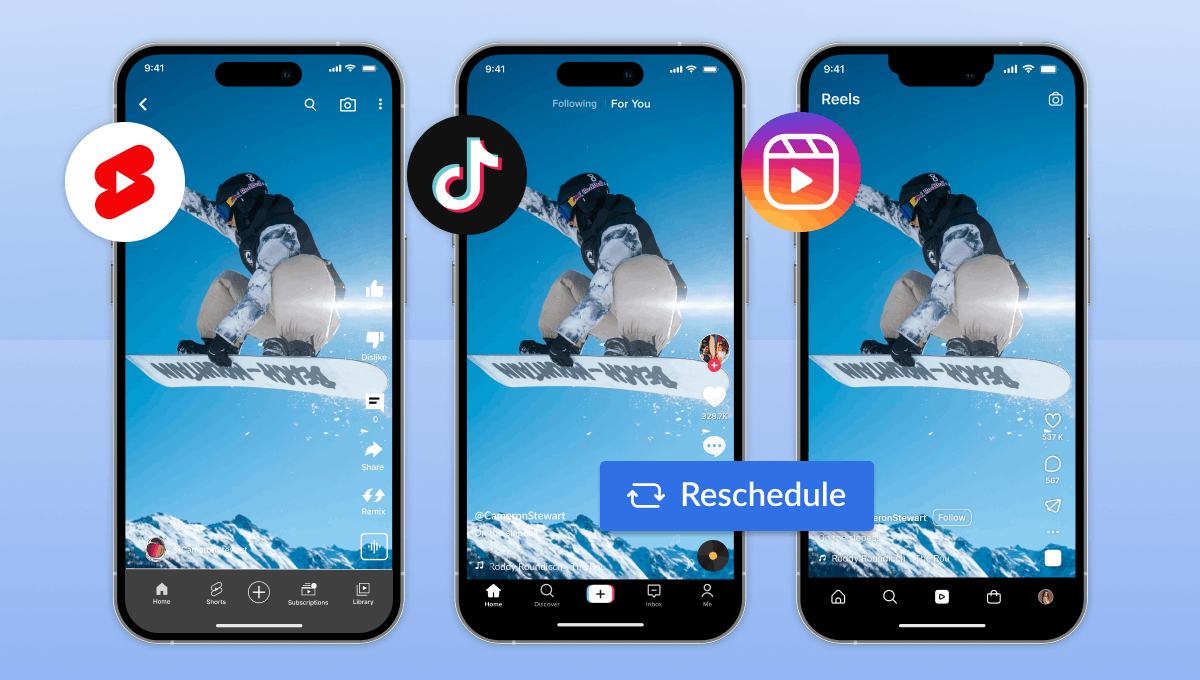
Post once. Shorts, TikTok and Reels in one step.

Upload the vertical video once and publish it across YouTube Shorts, TikTok, Instagram Reels, Facebook Reels and Pinterest in a single step. Tailor the caption, title and hashtags per platform so each version fits where it’s landing — queued from one social media scheduler.

  • One vertical video, every short-form platform — scheduled at the same time
  • Edit titles, captions and hashtags per channel without starting over
  • Supports Shorts, TikTok, Reels, Facebook Reels, Pinterest and more
  • Visual calendar shows every platform side by side
  • Start your free 14-day trial →
HASHTAGS

Find hashtags that lift your Shorts reach

Use our free YouTube hashtag generator to pull relevant tags for your niche, then drop them straight into your Short’s description inside Hopper HQ. Skip the guesswork and pair every scheduled Short with hashtags that actually fit.
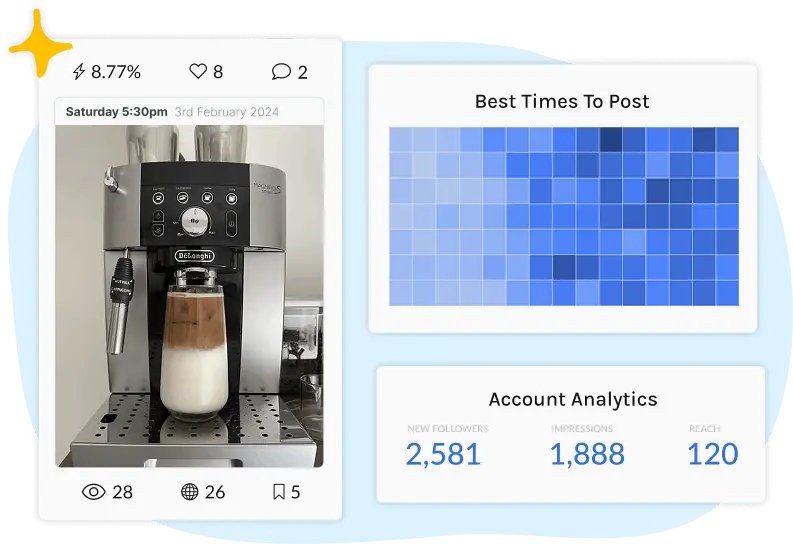
  • Free YouTube hashtag generator tuned for the Shorts algorithm
  • Grouped suggestions you can copy into Hopper HQ in one click
  • Mix broad and niche tags to balance reach and relevance
  • Save your favourite hashtag sets for repeat content series
  • Try the YouTube hashtag generator →
YouTube hashtag generator and analytics dashboard in Hopper HQ
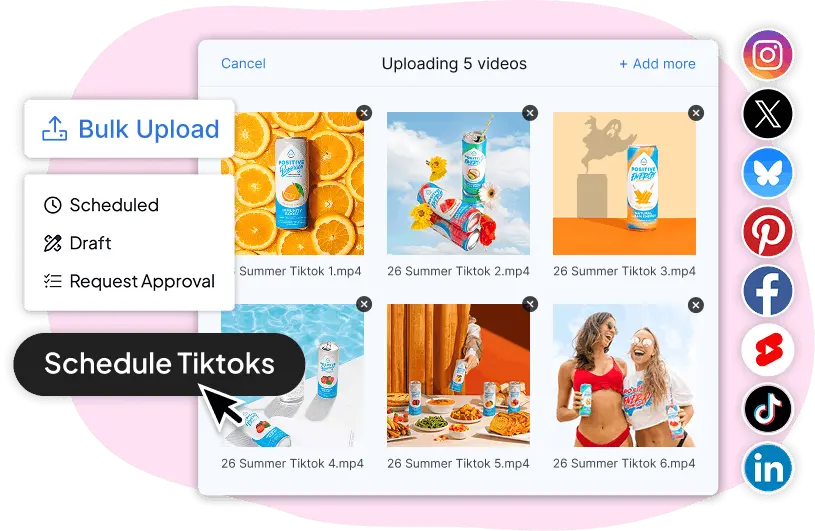
Hopper HQ bulk upload interface scheduling multiple YouTube Shorts at once
BULK UPLOAD

Bulk upload and schedule Shorts all at once

Upload dozens of YouTube Shorts in a single session and drag them onto time slots across your calendar. Built for agencies, content teams and creators who batch a month at a time.

  • Upload dozens of Shorts in a single session
  • Assign each Short to a calendar slot with one drag
  • Add titles, descriptions and hashtags inline as you go
  • Built for agencies and creator teams running multiple channels
  • Start your free 14-day trial →

Using Hopper HQ for other platforms too?

Schedule posts for Instagram, TikTok, LinkedIn, Facebook, X and more from the same dashboard. One tool, every channel.

Start your FREE 14-day trial
WHO IT’S FOR

Who schedules YouTube Shorts with Hopper HQ?

Whether you’re a solo creator or running a portfolio of brand channels, Hopper HQ fits the workflow.

Content creator filming a vertical YouTube Short

Creators growing a Shorts channel

Protect your weekends. Batch a month of Shorts in one session, queue them up, and let Hopper HQ handle distribution while you focus on filming the next round of content.
Small business owner planning YouTube Shorts content

Brands & small business owners

You’re running the business and the marketing. Hopper HQ lets you plan a month of Shorts once, then go quiet. Your channel stays active and consistent without daily effort.

Social media manager handling multiple YouTube client channels

Agencies & social teams

Managing multiple client channels? Hopper HQ pulls every YouTube account into one dashboard with approval workflows, team access and a clear content calendar per client.

Elizabeth Rose, CEO of Patisserie 46

I was introduced to Hopper HQ and I think it’s one of the best tools I have. It really streamlines the process. I can plan it out, set it, forget it, and move on.

As a business owner juggling so many different facets, using a tool that makes things manageable saves me time and helps me focus on everything else.


Elizabeth Rose

CEO of Patisserie 46

TRUSTED BY 10,000+ BRANDS — IN MORE THAN 70 COUNTRIES

Frequently asked questions

Everything you need to know about scheduling YouTube Shorts with Hopper HQ.

YouTube Studio lets you set a publish time on an uploaded Short, but you still have to upload each video one at a time from the device you’re signed in on. To batch-schedule a month of Shorts from desktop, plan them on a visual calendar, and have them auto-publish without you touching the app, you need a third-party scheduler like Hopper HQ.
No. YouTube’s algorithm rewards retention and consistency, not how the Short was uploaded. Scheduling through Hopper HQ helps you stay consistent — which is what actually drives Shorts growth.
Hopper HQ auto-publishes YouTube Shorts directly to your channel via the official YouTube API. There’s no push notification to tap and no manual upload step at publish time — you set the schedule once and the Short goes out on its own.
Yes. Upload the vertical video once and Hopper HQ can publish the same Short to YouTube, TikTok, Instagram Reels, Facebook Reels and Pinterest in one workflow. Titles, captions and hashtags can be edited separately per platform.
YouTube Shorts are vertical 9:16 videos, 60 seconds or shorter, ideally at 1080×1920. Hopper HQ validates aspect ratio and length on upload and shows a vertical preview before you schedule, so you don’t waste a slot on a video that won’t qualify as a Short.
You can schedule Shorts up to a year ahead in Hopper HQ. Most creators batch a month at a time on the visual calendar, then queue evergreen Shorts further out for steady channel growth.
GET STARTED TODAY

Start scheduling your YouTube Shorts today.

Plan a month of Shorts in one sitting. Hopper HQ handles the publishing while you focus on creating.

10,000+
businesses worldwide
4.7 / 5
Capterra rating
8+ platforms
in one dashboard
Start your FREE 14-day trial