


PINTEREST SCHEDULER

Pinterest scheduler:
plan, schedule, and auto-publish
your Pinterest content

Stop pinning manually. Hopper HQ lets you plan, schedule, and automatically publish Pins, Idea Pins and Video Pins — so you stay consistent, grow Pinterest search traffic, and never reach for your phone again.

Thank you! Your submission has been received!
Oops! Something went wrong.
Capterra 4.7 out of 5 rating
Free-trial arrow
Pinterest logo
HOW IT WORKS

Three steps to a Pinterest profile that runs itself.

No daily pinning. No missed campaigns. Just a steady stream of Pinterest content driving search traffic on autopilot.

1

Upload Your Pin

Drop your image or video into Hopper HQ’s visual calendar. Add a keyword-rich title, description, and destination URL — everything Pinterest needs to surface your pin in search.

2

Pick Your Board & Time

Choose the board you want the pin to land on and the exact date and time it should go live. Plan a week of pins across your boards in one focused session.

3

Auto-Publish and Go

Your pin publishes directly to Pinterest at the scheduled time. No reminder notification, no manual tap on your phone — your Pinterest runs itself.

AUTO-PUBLISH

Auto-publish Pins, Idea Pins and Video Pins

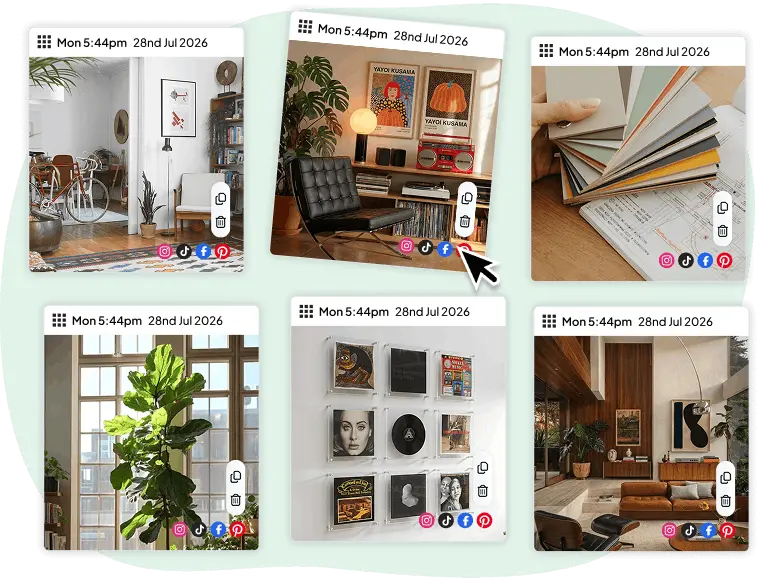
Build out your Pinterest queue in advance with our social media scheduler, pick a date and time, and Hopper HQ pins for you. Image Pins, Video Pins and Idea Pins all publish directly to Pinterest — no reminder notifications, no manual step on your phone.
  • True auto-publishing via the official Pinterest API
  • Supports Pins, Video Pins and Idea Pins
  • No reminder notifications, no phone required
  • Timezone-aware scheduling for global audiences
  • Start your free 14-day trial →
Hopper HQ auto-publishing Pins, Idea Pins and Video Pins to Pinterest
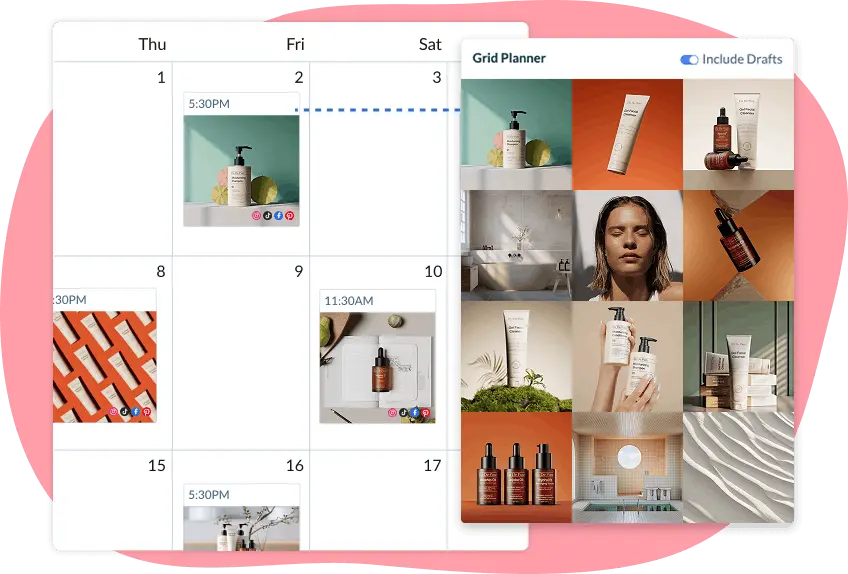
Visual Pinterest content calendar in Hopper HQ
VISUAL CALENDAR

See your Pinterest queue at a glance

Hopper HQ’s visual calendar shows every scheduled pin by day, week, or month. Spot gaps, move pins around, and review every title and destination URL before it goes live. No more spreadsheets, sticky notes, or guessing what’s queued.

  • Day, week, and month calendar views
  • Drag-and-drop to reschedule without rewriting captions
  • Spot gaps in your schedule before they happen
  • Team approval workflow before publishing
  • Start your free 14-day trial →

The top-rated software among all social media schedulers — Capterra

Capterra review badges showing Hopper HQ ratings
ANY BOARD

Schedule pins to any of your boards

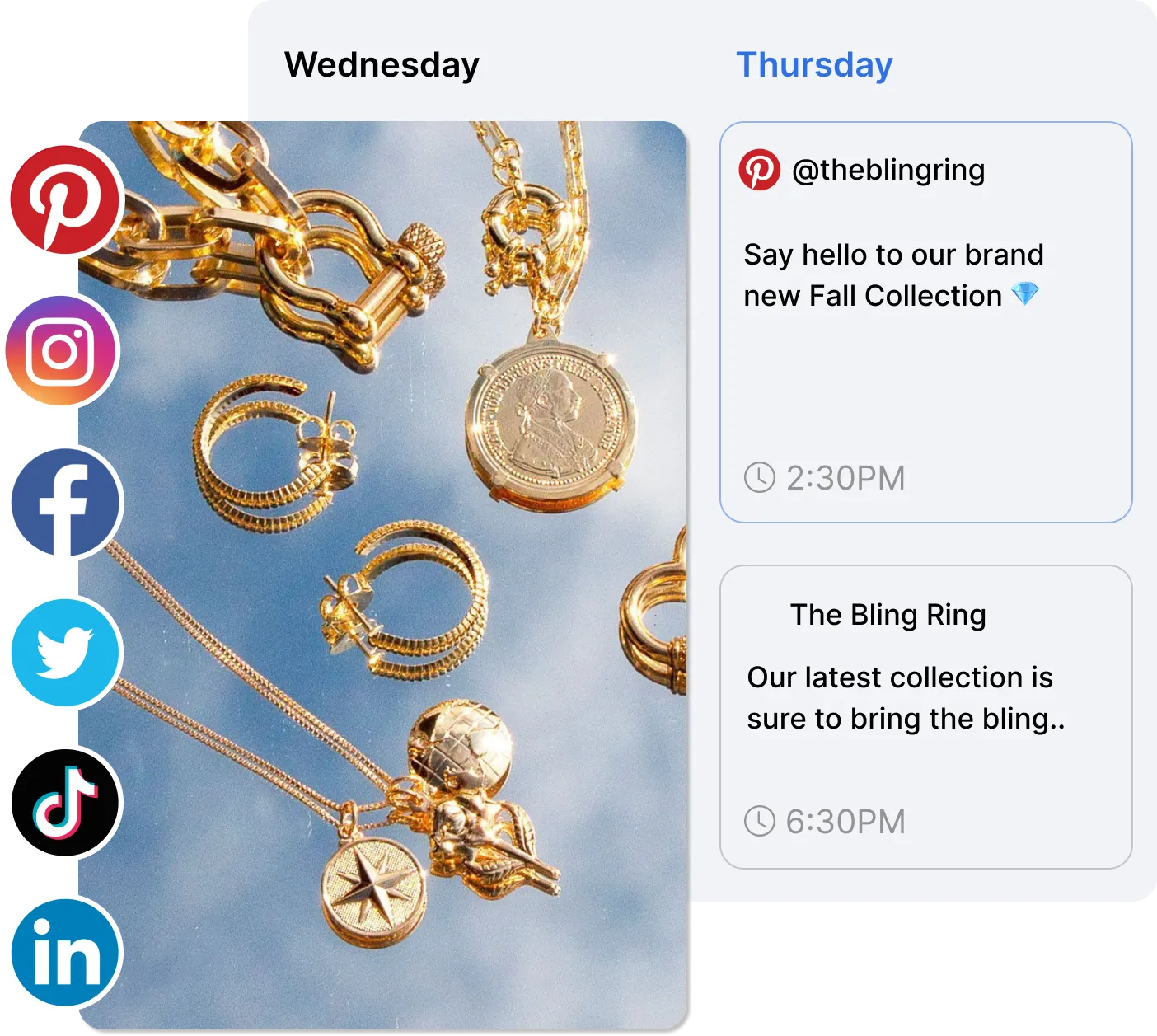
Run multiple Pinterest boards? Pick the right board for every scheduled pin and Hopper HQ publishes it there at the time you set. Want the same pin on a different board? Duplicate the post in a click and choose another board — great for staggering reach across seasonal, niche, and campaign boards.
  • Choose any of your Pinterest boards per scheduled pin
  • Duplicate a scheduled pin to send it to another board
  • Switch the target board on a scheduled pin without re-uploading
  • Plan board-by-board content alongside the rest of your calendar
  • Start your free 14-day trial →
Choosing a Pinterest board when scheduling a pin in Hopper HQ
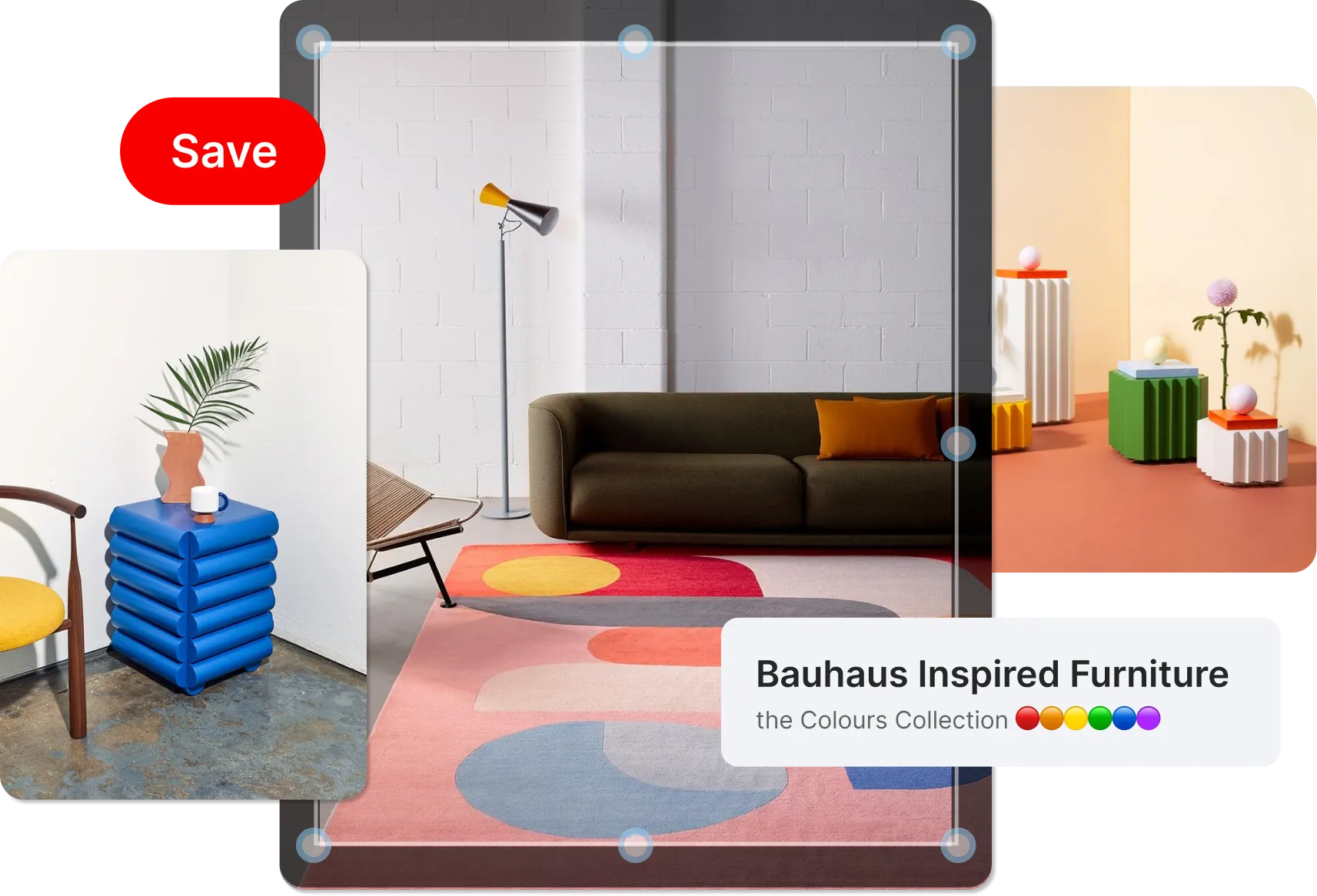
Pin editor showing title, description and destination URL fields with image cropping
PIN SEO

Set titles, descriptions and destination URLs in advance

Pinterest is a search engine. Hopper HQ lets you write pin titles, keyword-rich descriptions and destination links up front, then crops your images to Pinterest’s optimal 2:3 ratio so every pin is search-ready before it goes live.

  • Pin titles and descriptions tuned for Pinterest search
  • Set destination URLs to drive traffic and conversions
  • Auto-crop images to Pinterest’s 2:3 vertical ratio
  • Save title and description templates for repeat campaigns
  • Start your free 14-day trial →
BULK UPLOAD

Bulk upload a month of pins in minutes

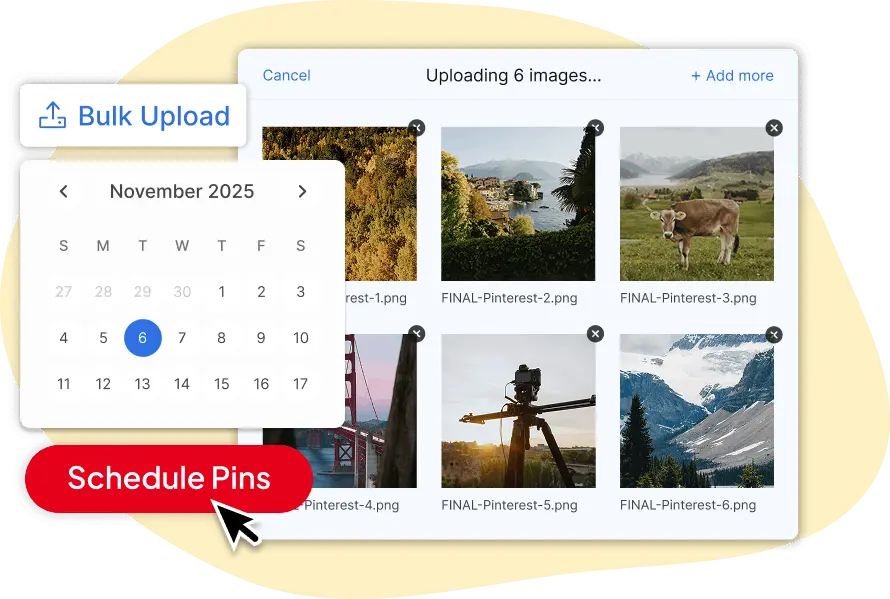
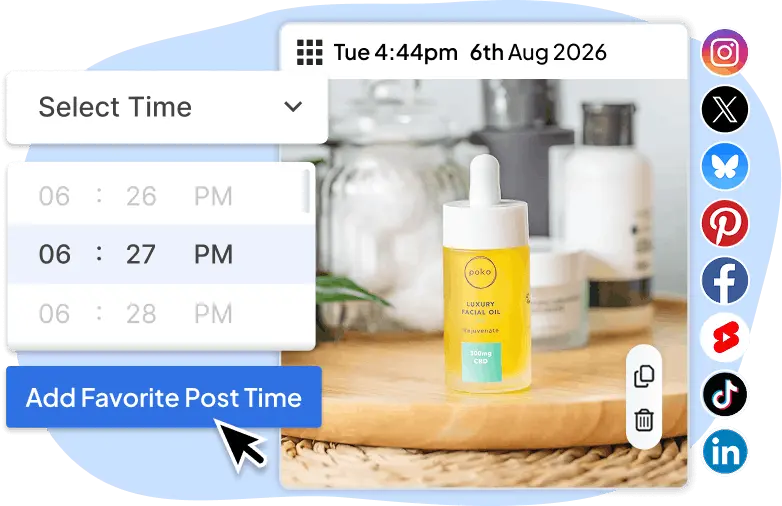
Drag and drop dozens of images and videos at once, assign each pin a title, description and target board, and let Hopper HQ space them out across the week. Batch your Pinterest content the way agencies and serious creators do.
  • Upload dozens of pins in a single session
  • Assign each pin to a calendar slot with one drag
  • Add titles, descriptions and URLs inline as you go
  • Built for agencies and creators running multiple accounts
  • Start your free 14-day trial →
Multiple pins being bulk-uploaded into the Hopper HQ calendar
Cross-posting to Pinterest and other social platforms with Hopper HQ
CROSS-POSTING

Post to Pinterest and every other platform all at once

Write your post once and publish it across Pinterest, Instagram, TikTok, Facebook, LinkedIn, X, Threads, Bluesky and YouTube in a single step. Hopper HQ lets you tailor each caption per platform before it goes out, so your content always fits where it’s landing — all queued from one social media scheduler.

  • One post, every platform — scheduled at the same time
  • Edit captions, titles and URLs per channel without starting over
  • Supports Pinterest, Instagram, TikTok, Facebook, LinkedIn, X, Threads, Bluesky and YouTube
  • Visual calendar shows all platforms side by side
  • Start your free 14-day trial →

Using Hopper HQ for other platforms too?

Schedule posts for Instagram, TikTok, Facebook, X, LinkedIn, Threads, Bluesky and YouTube from the same dashboard. One tool, every channel.

Start your FREE 14-day trial
WHO IT’S FOR

Who uses Hopper HQ to schedule Pinterest pins?

Whether you’re a solo creator or managing a portfolio of brands, Hopper HQ fits your Pinterest workflow.

Blogger and content creator scheduling Pinterest pins

Bloggers & content creators

Turn every post into a stream of pins. Schedule fresh Pins, Idea Pins and Video Pins linking back to your site so Pinterest sends search traffic to your latest content while you’re writing the next one.

Marketing agency managing multiple Pinterest client accounts

Marketing agencies

Managing multiple client Pinterest accounts? Hopper HQ brings every account into one dashboard with approval workflows, team access, and a clear visual calendar for each client.

Small business owner planning Pinterest content

Small business owners

You’re running the business and the marketing. Hopper HQ lets you batch a month of Pinterest content in one session and forget about it — your boards stay active and on-brand without daily effort.

Elizabeth Rose, CEO of Patisserie 46

I was introduced to Hopper HQ and I think it’s one of the best tools I have. It really streamlines the process. I can plan it out, set it, forget it, and move on.

As a business owner juggling so many different facets, using a tool that makes things manageable saves me time and helps me focus on everything else.


Elizabeth Rose

CEO of Patisserie 46

TRUSTED BY 10,000+ BRANDS — IN MORE THAN 70 COUNTRIES

Frequently asked questions

Everything you need to know about scheduling Pinterest pins with Hopper HQ.

Yes, Pinterest has a basic built-in scheduling tool, but it’s limited. You can only schedule pins up to two weeks in advance, one at a time, and only from the desktop site. It doesn’t support bulk upload, a visual calendar, or cross-posting to other platforms. Hopper HQ fills those gaps and connects your Pinterest schedule with every other channel you’re active on.
No. Hopper HQ uses Pinterest’s official API to publish pins, so they’re treated exactly the same as pins added directly from Pinterest. What actually drives Pinterest growth is consistency, keyword-rich titles and descriptions, and posting fresh content — all of which scheduling makes easier, not harder.
Yes. Standard Pins, Video Pins and Idea Pins are all supported. Upload your image or video, set a title, description and destination URL, and Hopper HQ publishes in the correct format for each pin type — cropped to Pinterest’s 2:3 ratio automatically.
Hopper HQ schedules Pinterest alongside Instagram, TikTok, Facebook, LinkedIn, X, Threads, Bluesky and YouTube from one calendar — with one subscription. Pinterest-only tools force you to pay separately for every other channel you post to. You also get bulk upload, drag-and-drop rescheduling, and team approval workflows in every plan.
Each scheduled post targets one Pinterest board. To send the same pin to several boards, duplicate the scheduled post and pick a different board (and ideally a different time) for each copy. It’s a clean way to keep niche, seasonal or campaign boards active without rebuilding the pin from scratch every time.
As far ahead as you like. With Hopper HQ you can plan your Pinterest content weeks or months in advance — not just two weeks like Pinterest’s built-in tool. Many users batch a full month of pins in one session and let Hopper HQ handle the rest.
Yes. Every Hopper HQ plan starts with a 14-day free trial, no credit card required. You get full access to Pinterest scheduling, bulk upload and every other channel for the whole trial.
GET STARTED TODAY

Start scheduling your Pinterest pins today.

Plan a month of pins in one sitting. Hopper HQ handles the publishing while you focus on growing Pinterest search traffic.

10,000+
businesses worldwide
4.7 / 5
GetApp rating
8+ platforms
in one dashboard
Start your FREE 14-day trial