Abstract composition of small yellow and blue squares scattered and arranged in rows around a large white square on a black background.Abstract pattern of small colored squares and circles arranged in a grid with varying colors including blue, green, yellow, white, and pink on a black background.
LINKEDIN SCHEDULER

LinkedIn scheduler:
plan, schedule, and auto-publish
your LinkedIn posts

Batch a week of LinkedIn content in one sitting and let Hopper HQ publish it for you, automatically.

Thank you! Your submission has been received!
Oops! Something went wrong.
Capterra 4.7 out of 5 rating
Free-trial arrow
HOW IT WORKS

Three steps to a fully automated LinkedIn presence.

No daily scramble. No missed posts. Just consistent LinkedIn content on autopilot.

1

Plan your content

Write your LinkedIn posts and upload images in Hopper HQ’s visual calendar. See your whole month at a glance and drag posts to reschedule without starting over.

2

Set your post time

Choose the date and time for each post. Use Hopper HQ’s best-time suggestions or set your own recurring slots to reach your audience when they’re most active.

3

Auto-publish and go

Hopper HQ publishes directly to your LinkedIn profile or company page at the scheduled time. No reminders, no manual posting. Your LinkedIn content runs itself.

SCHEDULING

Schedule LinkedIn posts weeks in advance

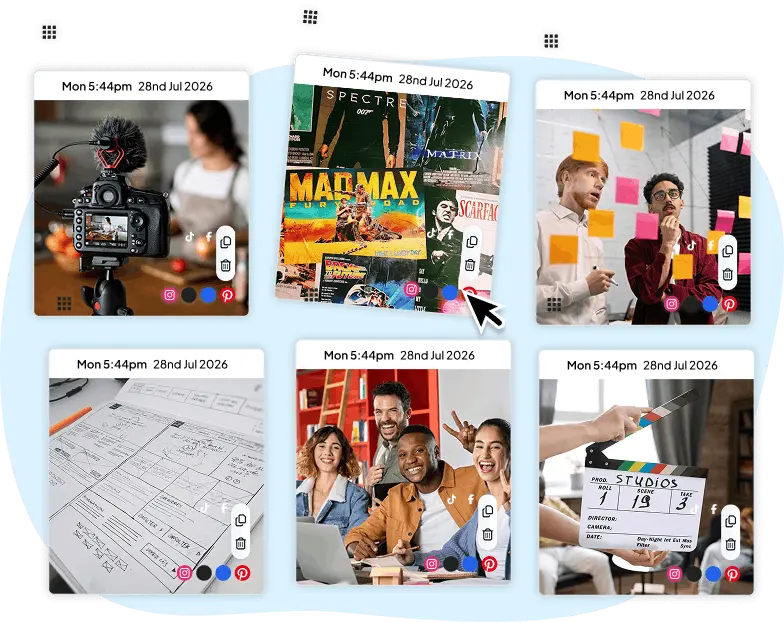
Plan your LinkedIn content calendar in one sitting. Write captions, upload images or videos, pick your time slot, and Hopper HQ handles the rest. Your profile stays active and consistent even when you’re not.
  • Schedule to personal profiles and company pages
  • Drag-and-drop calendar to reschedule posts instantly
  • Upload images, carousels, and video content
  • Batch-create a month of content in one session
  • Start your free 14-day trial →
Hopper HQ LinkedIn post scheduling interface with calendar and content tiles
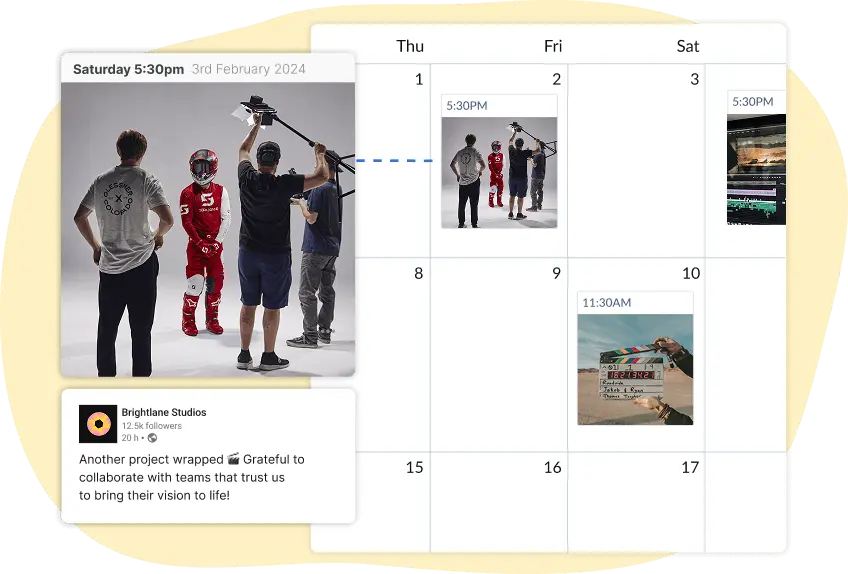
Visual LinkedIn content calendar in Hopper HQ
VISUAL CALENDAR

See your LinkedIn content at a glance

Hopper HQ’s visual calendar shows all your scheduled LinkedIn posts by day, week, or month. Spot gaps, move posts around, and review content before it goes live. No more spreadsheets or sticky notes.

  • Day, week, and month calendar views
  • Drag-and-drop to reschedule without rewriting
  • Preview posts exactly as they’ll appear on LinkedIn
  • Team approval workflow before publishing
  • Start your free 14-day trial →

The top-rated software among all social media schedulers, per Capterra

Capterra review badges showing Hopper HQ ratings
AUTO-PUBLISH

Auto-publish to LinkedIn with no reminders needed

Unlike tools that just send you a push notification to post manually, Hopper HQ publishes directly to LinkedIn at the scheduled time. Set it once and it keeps going, whether you’re in a meeting, on holiday, or offline.
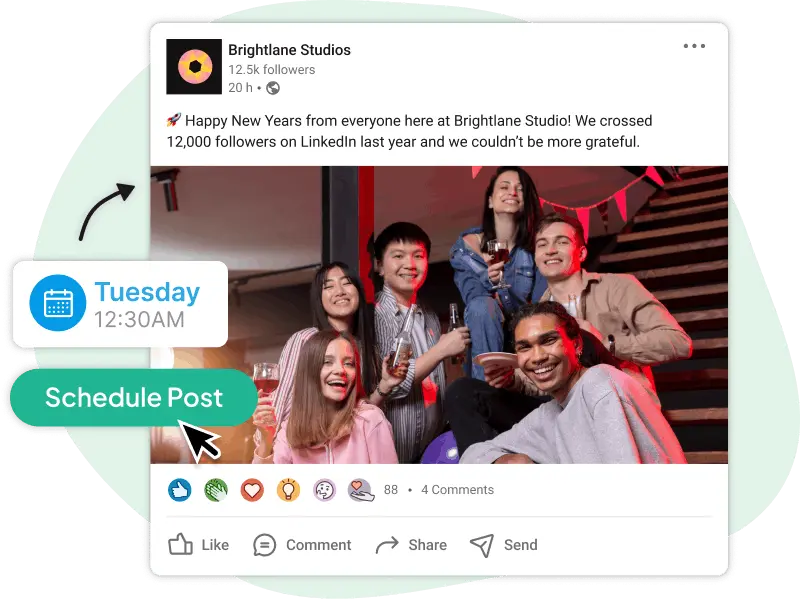
  • True auto-publishing, no manual step required
  • Publishes to personal profiles and company pages
  • Supports images, video, and text-only posts
  • Timezone-aware scheduling for global audiences
  • Start your free 14-day trial →
Hopper HQ auto-publishing a LinkedIn post
Cross-posting to LinkedIn and other social platforms with Hopper HQ
CROSS-POSTING

Post to LinkedIn and every other platform all at once

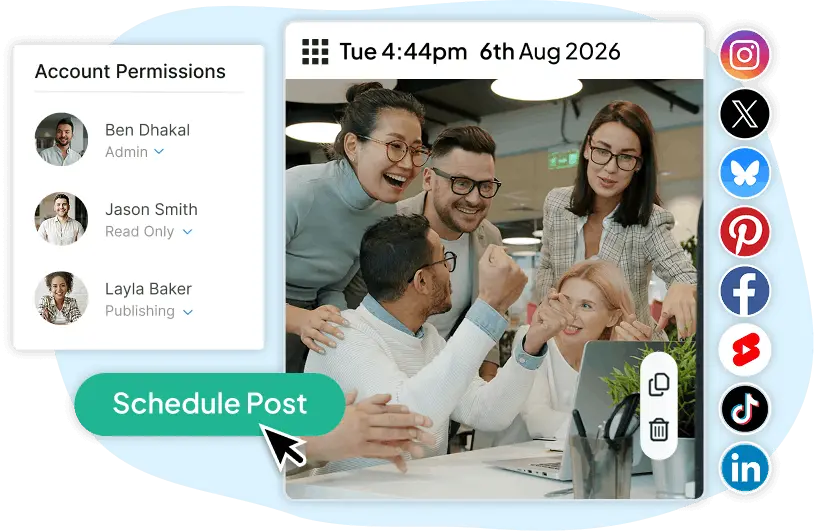
Write your post once and publish it across LinkedIn, Instagram, TikTok, Facebook, and more in a single step. Hopper HQ lets you tailor the caption per platform before it goes out, so your content always fits where it’s landing, queued from one social media scheduler.

  • One post, multiple platforms, scheduled at the same time
  • Edit captions per channel without starting over
  • Supports LinkedIn, Instagram, TikTok, Facebook, Threads, X, and more
  • Visual calendar shows all platforms side by side
  • Start your free 14-day trial →
ANALYTICS

Track what’s working on LinkedIn

See how each post performs directly in Hopper HQ. Track impressions, likes, comments, and engagement rate without leaving the app. Use the data to refine your LinkedIn scheduling strategy over time.
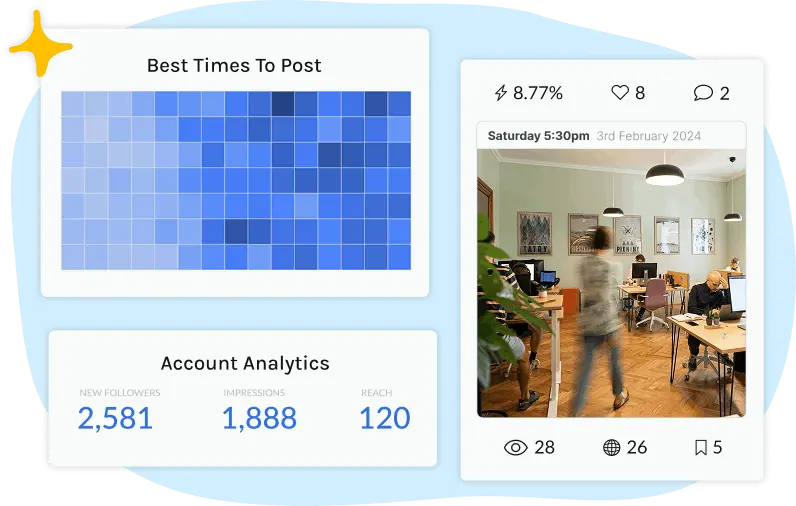
  • Post-level performance: impressions, likes, comments
  • Engagement rate tracked per post
  • Compare performance across time periods
  • Identify your best-performing content formats
  • Start your free 14-day trial →
LinkedIn analytics dashboard in Hopper HQ

Using Hopper HQ for other platforms too?

Schedule posts for Instagram, TikTok, Facebook, X, and more from the same dashboard. One tool, every channel.

Start your FREE 14-day trial
WHO IT’S FOR

Who uses Hopper HQ to schedule LinkedIn posts?

Whether you’re a solo founder or managing a portfolio of brands, Hopper HQ fits your workflow.

Small business owner planning LinkedIn content

Small business owners

You’re running the business and the marketing. Hopper HQ lets you batch your LinkedIn content once a week and forget about it. Your profile stays active and consistent without the daily effort.

Content creator scheduling LinkedIn posts in advance

Content creators

Protect your weekends. Plan a month of LinkedIn content in one session, schedule it all, and let Hopper HQ handle distribution while you focus on making content worth sharing.

Social media manager handling multiple LinkedIn client accounts

Social media managers

Managing multiple client LinkedIn pages? Hopper HQ brings all your accounts into one dashboard with approval workflows, team access, and a clear content calendar for each client.

Start your free 14-day trial
Elizabeth Rose, CEO of Patisserie 46

I was introduced to Hopper HQ and I think it’s one of the best tools I have. It really streamlines the process. I can plan it out, set it, forget it, and move on.

As a business owner juggling so many different facets, using a tool that makes things manageable saves me time and helps me focus on everything else.


Elizabeth Rose

CEO of Patisserie 46

TRUSTED BY 10,000+ BRANDS, IN MORE THAN 70 COUNTRIES

Frequently asked questions

Everything you need to know about scheduling LinkedIn posts with Hopper HQ.

Yes. LinkedIn has a built-in scheduler in the post composer for personal profiles and company pages. It covers basic scheduling but doesn’t include a visual calendar, bulk scheduling, cross-platform posting, or team workflows. Tools like Hopper HQ add those on top.
Yes. Hopper HQ supports scheduling to both LinkedIn personal profiles and company pages, and you can manage multiple of each from one dashboard, with a single visual calendar across every account.
No. Hopper HQ publishes your post directly to LinkedIn via LinkedIn’s official API, so it’s treated the same as a post you would publish manually. Reach depends on timing, format, and audience, not on whether the post was scheduled.
LinkedIn’s own native scheduler is free but limited to one profile or page at a time. Hopper HQ gives you a free 14-day trial that covers multiple LinkedIn accounts, a visual calendar, cross-posting to other platforms, and team workflows.
With Hopper HQ you can schedule LinkedIn posts as far ahead as you like, weeks or months out. Everything sits on a drag-and-drop calendar, so you can reschedule at any time before a post goes live.
GET STARTED TODAY

Start scheduling your LinkedIn posts today.

Plan a month of content in one sitting. Hopper HQ handles the publishing while you focus on running your business.

10,000+
businesses worldwide
4.7 / 5
GetApp rating
8+ platforms
in one dashboard
Start your FREE 14-day trial