If you’ve ever Googled ‘best social media scheduler’ and immediately regretted it, you’re not alone.
There are dozens of tools, each promising to save you time, grow your audience, and magically make consistency effortless. In reality, most small business owners end up paying for features they never use or abandoning the tool altogether because it feels too complicated.
The truth is, not all social media schedulers are built for the same kind of business.
The right scheduler depends on:
- How you create content
- How often you post
- How much time and mental energy you realistically have
In this guide, we’ll help you cut through feature overload, understand what actually matters, help you make an informed decision, and confidently choose a scheduler that fits how you work and not the other way around.
Let’s begin!
Why Choosing the Wrong Scheduler Creates More Work (Not Less)

Most social media schedulers are built with large teams, agencies, or data-heavy marketing departments in mind. And that’s great… unless you’re a:
- Coach or consultant running your business solo
- Wellness professional juggling clients and content
- Small retail brand managing everything yourself
- Creative posting visually-led content
When a tool is too complex, it leads to:
- Endless setup and onboarding
- Confusing dashboards and analytics
- Feature overwhelm that slows you down
- Inconsistent posting because the tool feels like ‘another job’
If you’ve tried tools like this before, it’s not a productivity problem. It’s a tool mismatch.
Step 1: Get clear on how you actually work
- Do you create content visually or in bulk?
If you plan posts around images, videos, and aesthetics, you’ll want a visual-first planner.
If you mostly repurpose texts, links, or long-form content, a text-heavy scheduler may work better. This is one of the biggest differences between tools like hopper HQ and more analytics-heavy platforms such as Buffer or Hootsuite. If you’re still comparing familiar names before narrowing things down, this head-to-head look at Hootsuite vs Buffer is helpful for understanding where complexity and cost start to creep in. If you’re weighing up simpler tools against more traditional schedulers, this guide on alternatives worth considering if Buffer isn’t for you can help clarify what fits best.
- How much time can you realistically dedicate to scheduling?
Be honest here.
- 10-20 minutes a week?
- One focused session per month?
- A little time most days?
If you don’t have time to learn complex workflows, automation rules, or approval systems, a simple intuitive scheduler will keep you consistent far longer than a powerful but overwhelming one.
- Are you posting solo or with a team?
Some schedulers shine for teams, built with approvals, permissions, and layered workflows. But if you’re:
- A solo business owner
- A small brand with one content creator
- A creative managing your own accounts
Those features often add friction instead of value.
Step 2: Focus on the Features That Actually Matter
Visual planning and drag-and-drop scheduling
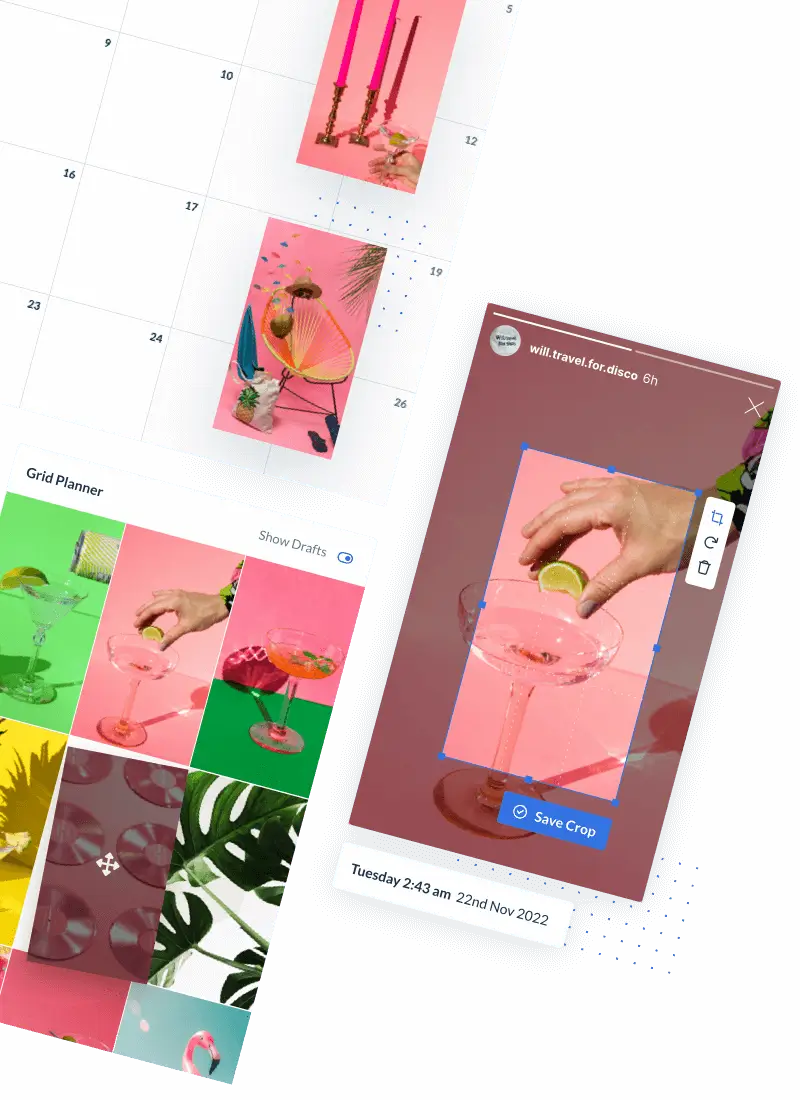
For Instagram, TikTok, Pinterest, and visually-led brands, seeing your content laid out matters. A visual grid allows you to:
- Spot gaps in your content
- Maintain a cohesive aesthetic
- Balance promotions and value posts
- Plan faster with less second-guessing
This is where visual tools like Hopper HQ stand apart from more text-based schedulers.
Support for the platforms you actually use
More platforms isn’t always better. Ask yourself:
- Do I really need LinkedIn, Twitter/X, Reddit, and Google Business…or just Instagram, TikTok, and Pinterest?
Choosing a social media scheduler that specializes in your platform often leads to a smoother experience and better results.
Simple analytics (not data overload)
You don’t need enterprise-level reporting to know what’s working. For most small businesses, useful analytics mean:
- Which posts performed best
- When your audience is most active
- What content to repeat or stop posting
Overly complex dashboards can actually slow decision-making. If you’re torn between popular tools and trying to decide how much functionality you really need, this Buffer vs Sprout Social comparison breaks down where each shines and where they may be more than small business needs. Moreover, if you’re curious about what a data-heavy platform like Sprout Social offers, and where it may be more than a small business needs, this honest look at Sprout Social is worth reading.
Step 3: Understand the Different Types of Schedulers
Here’s a simple way to categorize most tools on the market.
- Enterprise and agency schedulers
Best For:
- Large teams
- Agencies managing multiple clients
- Data-heavy strategies
Examples include platforms like Hootsuite and Sprout Social. Powerful but often expensive and overwhelming for smaller businesses, which is why many business owners start looking for alternatives. This breakdown of how Hootsuite compares with Sprout Social is a useful reference.
- Automation-first schedulers
Best For:
- High-volume posting
- Repurposing content at scale
- Advanced automation workflows
These tools focus on rules, queues, and bulk systems. Great if you love processes but less ideal if you prefer visual planning.
- Visual, simplicity-first schedulers
Best For:
- Creators and visual brands
- Service-based businesses
- Anyone who wants consistency without complexity
This is where Hopper HQ sits: simple, visual, and intentionally focused on doing fewer things well.
Why Many Small Businesses Choose Hopper HQ
Hopper HQ is designed for people who want to:
- Plan content quickly
- See everything visually
- Stay consistent without stress
- Avoid feature bloat
Key reasons users choose Hopper HQ:
- Clean, visual dashboard
- Drag-and-drop planning
- Strong Instagram, TikTok, and Pinterest support
- No unnecessary complexity
Instead of trying to be everything to everyone, Hopper HQ focuses on helping small teams and solo creators actually stick to their posting schedule.
How to Make Your Final Decision (Without Overthinking It)
If you’re stuck between tools, ask yourself:
- Does this tool match how I already create content?
- Will I enjoy using it every week?
- Can I realistically see myself using this in three months?
The best social media scheduling tool isn’t the one with the most features. It’s the one you’ll keep using.
If you’re visually-led, short on time, and want a calm, straightforward way to plan content, Hopper HQ is a strong place to start.
Final Thoughts
Choosing a social media scheduler shouldn’t feel like a high-stakes decision, but it often does when tools are overbuilt for your needs.
By focusing on how you work, what you post, and how much time you actually have, you can choose a scheduler that supports consistency instead of creating pressure. And for many small business owners and creators, simple, visual, and no-fluff wins every time.
Frequently asked questions
What should I look for in a social media scheduler?
Look for a scheduler that matches how you actually work. The most important things are ease of use, support for the platforms you post on, visual planning if your content is image led, and simple analytics that help you improve without overwhelming you.
How do I know if a social media scheduler is too complicated for my business?
If the tool feels like another job, takes too long to learn, or includes lots of features you are unlikely to use, it is probably too complex for your needs. A good scheduler should make posting easier, not add friction.
Is a visual social media planner better for Instagram and TikTok?
Yes. If you create content around images, videos, and overall aesthetic, a visual planner makes it easier to see your content mix, spot gaps, and schedule posts with more confidence.
Do small businesses need advanced social media analytics?
Usually not. Most small businesses benefit more from simple analytics that show which posts performed best, when their audience is active, and what content is worth repeating.
Should I choose a scheduler with lots of features?
Not necessarily. More features do not always mean a better fit. For many small businesses, solo creators, and service based brands, a simpler tool is more useful because it is easier to stick with consistently.
What type of social media scheduler is best for solo business owners?
Solo business owners often do best with a simple, visual scheduler that helps them plan content quickly and stay consistent without needing approvals, complex workflows, or advanced team features.
How can I compare social media scheduling tools without getting overwhelmed?
Start by narrowing your decision to a few practical questions: Does the tool support the platforms you use most? Does it fit how you create content? Can you realistically see yourself using it every week? That makes comparison much easier.
Why do many small businesses choose Hopper HQ?
Many small businesses choose Hopper HQ because it is designed to be simple, visual, and easy to use. It helps users plan content quickly, stay organized, and keep posting consistently without unnecessary complexity.