Quick answer: An Instagram grid planner helps you preview, organize, and schedule posts so your feed looks cohesive before anything goes live. With a grid planner like Hopper HQ, you can drag and drop posts, test layouts, and schedule content in the correct order to maintain a consistent Instagram feed.
If don’t know how to plan your Instagram feed this is for you. While it takes more than gathering a collection of posts, it should be considered your digital storefront and first impression for new visitors. A beautifully planned feed can keep people scrolling, increase engagement, and strengthen your brand identity.
But without a strategy, your feed can look disjointed and confusing. That’s where an Instagram grid planner comes in: it lets you visualize, organize, and test your posts before they go live so you post with confidence and purpose.
What is an Instagram feed planner?
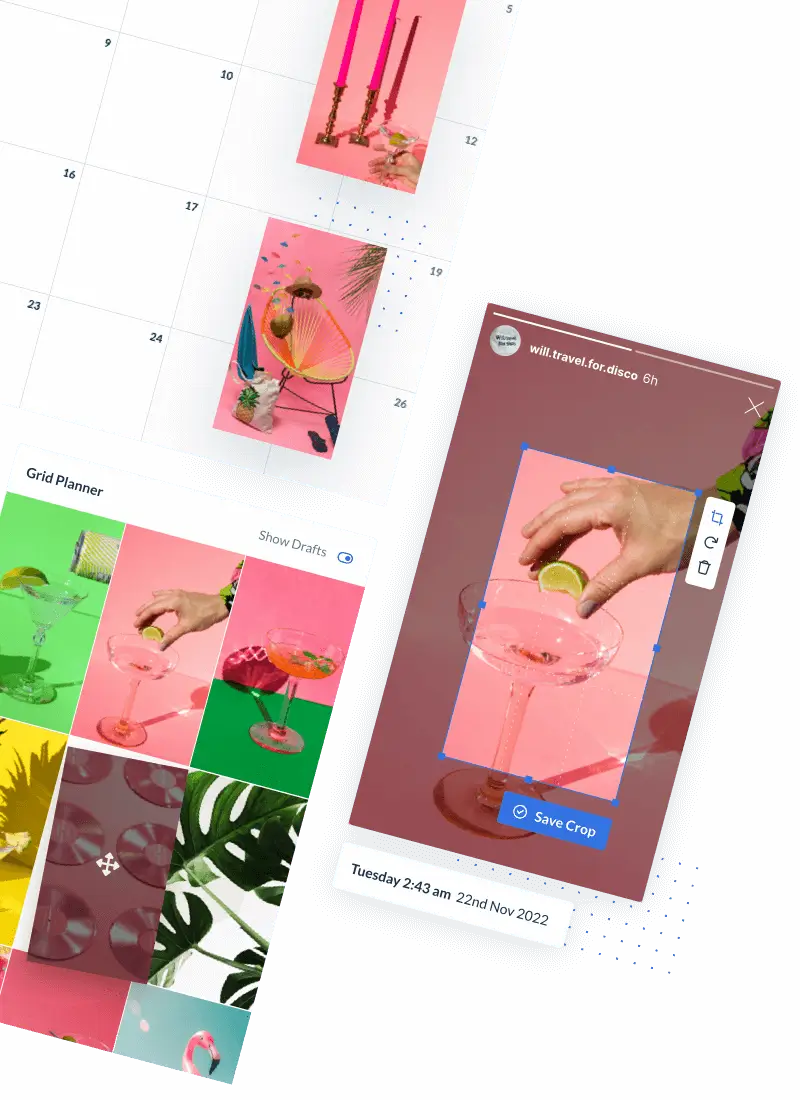
An Instagram feed planner is a visual design tool that shows how your posts will look together in your Instagram profile’s 3-column layout.
It helps you:
- See your feed before posting
- Rearrange posts by drag-and-drop
- Maintain consistent color palettes and themes
- Plan patterns like checkerboards, borders, or content categories
In short, it turns your feed into a strategic visual experience — not random content.
Why planning your instagram feed matters
A well-planned feed doesn’t just look good. It helps you:
1. Strengthen your brand identity
When your visuals are consistent — from colors to style — visitors instantly understand who you are and what you stand for. That builds trust and encourages follows.
2. Make better first impressions
People often discover you through Reels, hashtags, or shares — but when they land on your profile, it’s the grid layout that decides whether they stay.
3. Post strategically (not randomly)
Planning gives you a big-picture view so you can align your visuals with seasonal campaigns, launches, and content goals — without scrambling each day.
4. Save time and reduce stress
Rather than posting on the fly, you organize your content ahead of time. That leaves space to focus on engagement, storytelling, and community building — the real drivers of growth.
Step by step: how to plan your Instagram feed
Here’s a practical workflow that any business or creator can follow:
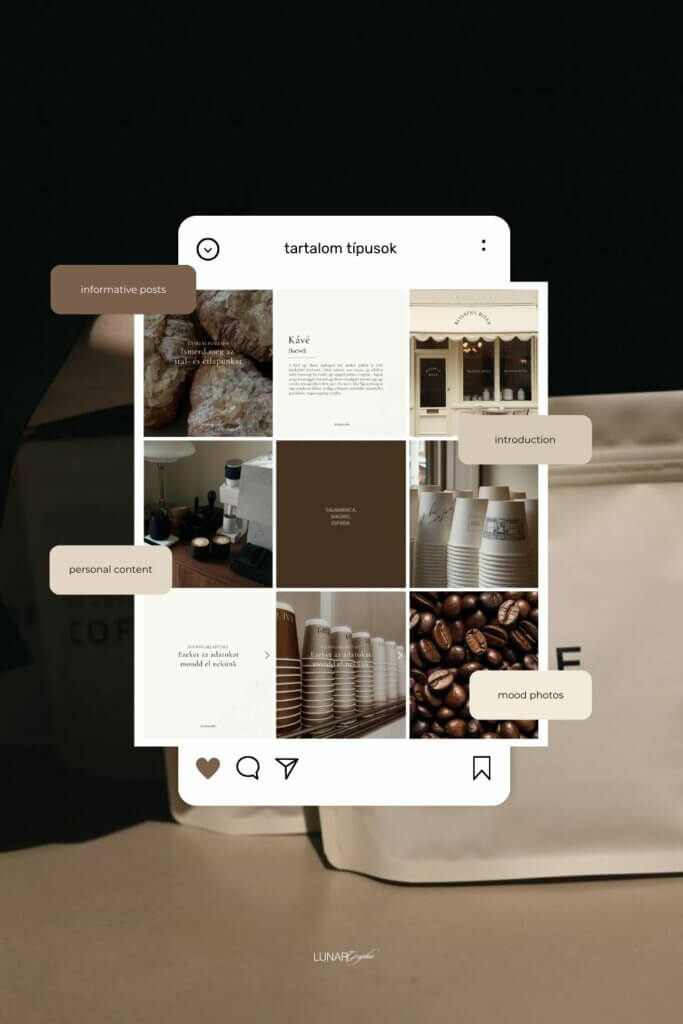
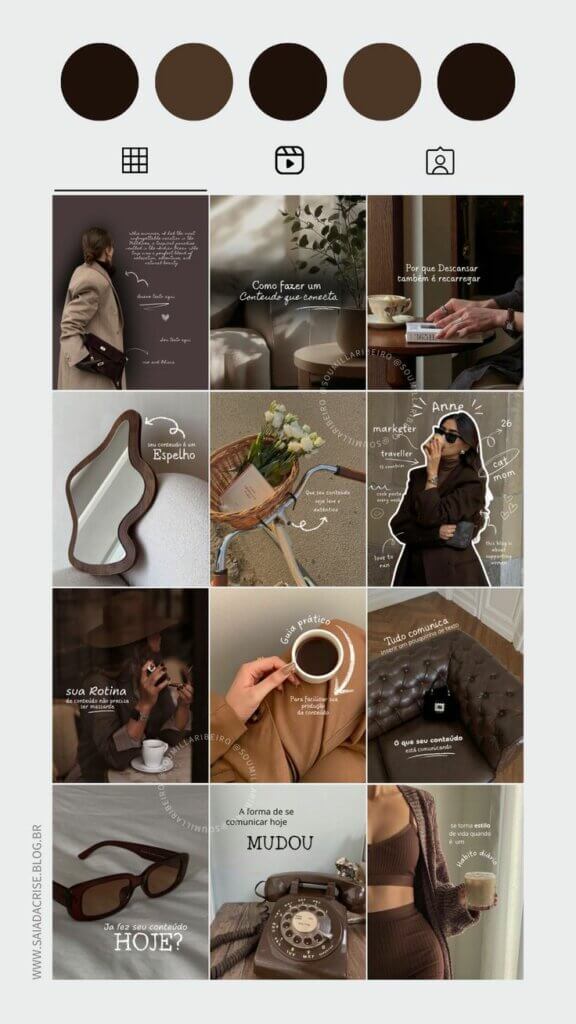
1) Pick a visual theme
Decide on a consistent color palette and visual identity — whether it’s bold tones, soft pastels, or a minimalist look. This sets the tone for your feed and ensures harmony across posts. Hopper HQ.
2) Decide on a grid style
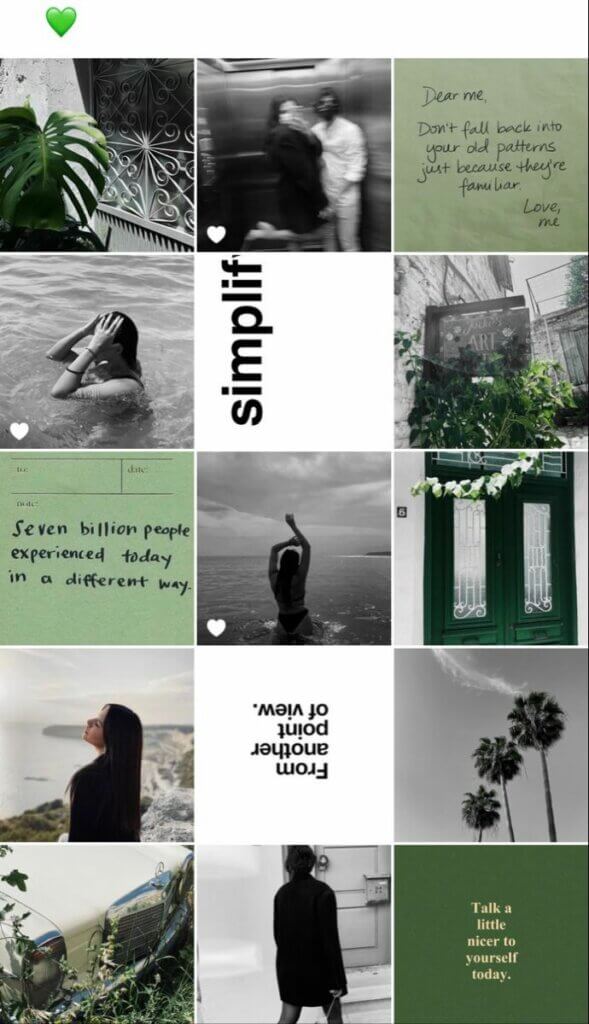
Popular grid styles include:
- checkerboard: alternating visuals and text posts
- rows/columns: grouping three posts with a theme
- full-image mosaics: splitting one large photo into multiple posts
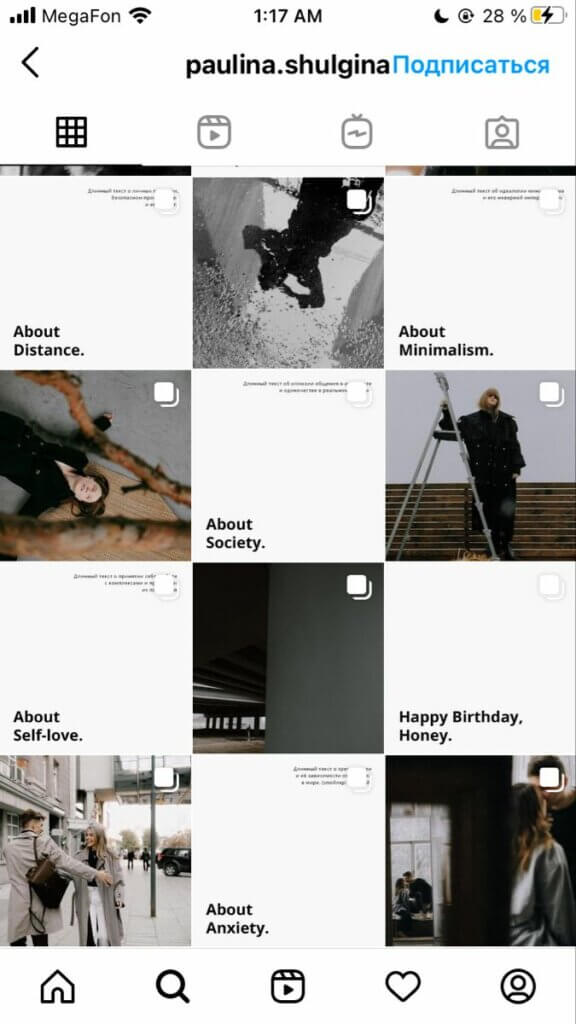
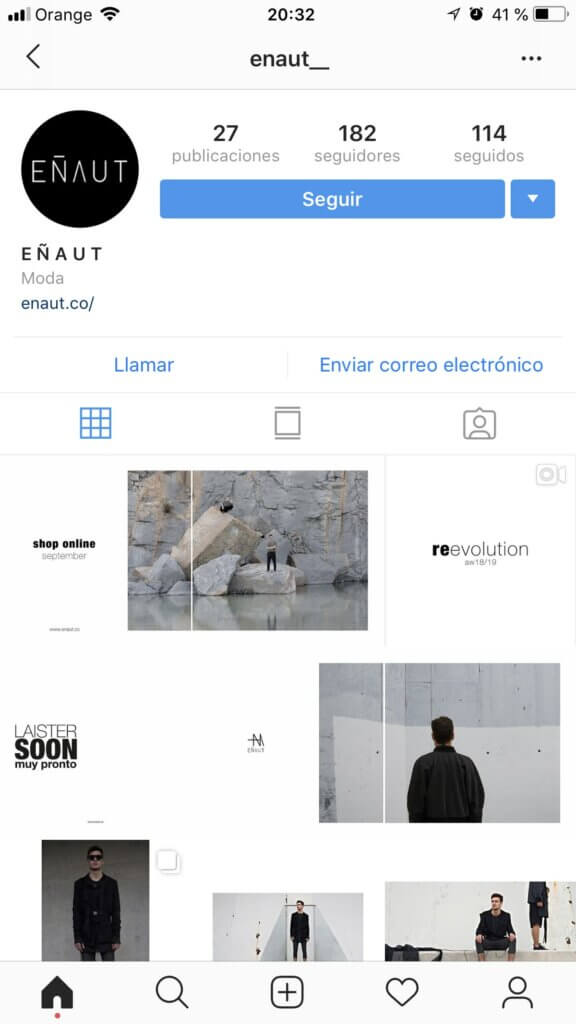
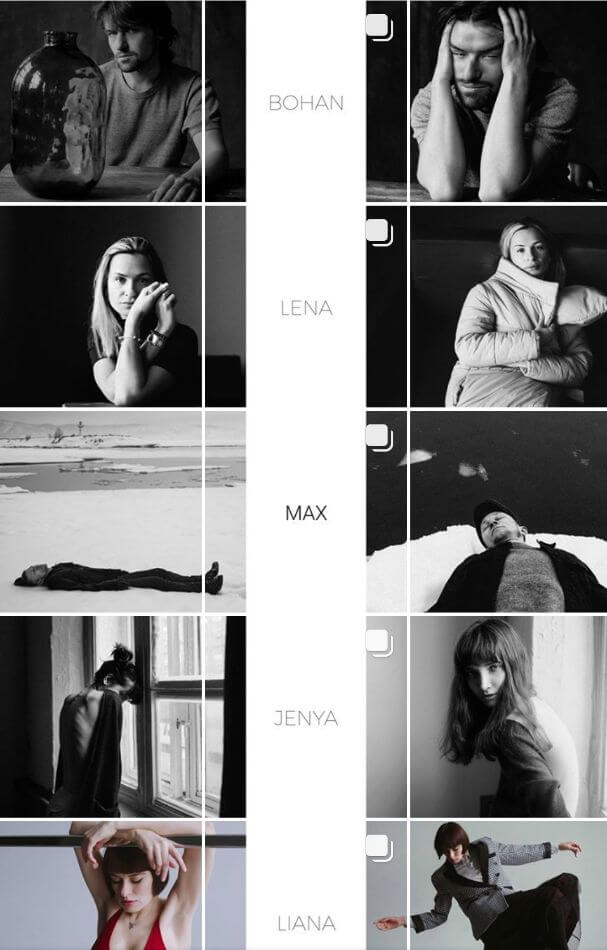
Whatever style you choose, make sure it serves your content strategy and reinforces recognizability.
3) Use a planner to preview and rearrange
Upload your photos and drag them into a planner to test different orders. This lets you experiment without publishing anything live — you’ll see exactly how your feed flows.
4) Align content types
Plan your instagram feed where Reels, carousels, quotes, testimonials, and product photos fit best so your feed remains varied yet cohesive — not repetitive or chaotic.
5) Schedule content in advance
Once your visual strategy is ready, schedule posts so they publish in the right sequence. This ensures your layout stays intact.
Instagram grid templates you can plan in advance
Use simple repeatable templates so you’re not reinventing your feed every week.
Example weekly grid template
Row 1
• Educational tip
• Branded quote
• Lifestyle or behind-the-scenes photo
Row 2
• Carousel (how-to or value post)
• Reel (reach + discovery)
• Testimonial or social proof
This structure:
✔ keeps your grid visually balanced
✔ mixes formats (Reels + posts)
✔ works beautifully with a grid planner preview
How Hopper HQ makes planning easier
With Hopper HQ’s Instagram grid planner, you can:
- Upload and recombine up to 50 posts at once
- Test different visuals before posting
- Plan your instagram feed around seasons, campaigns, and launches
- Schedule posts so your carefully crafted layout stays perfect
- Manage multiple accounts all in one place
Whether you’re a health coach, an fashion maker, or a visual creator, a grid planner helps you tell your brand story with intention.
Pro tips for a standout Instagram feed
Keep a consistent voice — visuals and captions should reinforce one another.
Use borders & white space to add structure and break up heavy visuals.
Align visuals with important dates — e.g., launches, holidays, promotions.
Ready to elevate your Instagram feed?
A planned grid turns your profile into a brand experience — one that people actually enjoy scrolling through. Try the Hopper HQ Instagram grid planner to design your feed with clarity and confidence.