The 10 Best Buffer Alternatives in 2026

Buffer is one of the most recognizable schedulers around, and for good reason. It’s clean, approachable, and quick to learn. But it isn’t the right fit for everyone. If you’re reading this, you probably want something Buffer doesn’t quite give you, whether that’s visual, feed-first planning, stronger Instagram scheduling, deeper analytics, or true auto-publishing instead of reminders.
This is an honest look at the best Buffer alternatives in 2026. We lead with Hopper HQ because it’s what we make, and we’ll be clear about where it wins and where another tool is the better call. Buffer itself is still a fine choice for simple scheduling, and we’ll say so.
One thing worth settling before you read on: switching tools only pays off if you know what you’re switching for. “Something better” is hard to shop for. “A calendar I’ll actually open, and Stories that publish without me” is a decision you can make in an afternoon.
Start your free 14-day trial →
What Buffer is genuinely good at
Buffer earned its reputation on simplicity. The interface is uncluttered, the free tier is approachable, and publishing queues make it straightforward to keep a steady drip of posts going across a handful of channels. Its Start Page link-in-bio and browser extension are handy touches.
That simplicity is a real design choice, not a gap. Buffer decided early that most people don’t need a command center, they need a queue that works. If you post a few times a week, mostly text and single images, and you want to spend five minutes a day on it, Buffer does that job reliably and there may be no reason to move.
Where people tend to outgrow it is visual planning, depth of analytics, and hands-off publishing for formats like Reels and Stories. That’s usually what sends them looking.
Why people actually leave Buffer
In our experience there are four reasons, and they rarely arrive alone.
They think in feeds, not lists. A queue tells you what’s going out next. It doesn’t tell you whether your grid will look right in a week’s time. Once your feed is part of how people judge your brand, a list view stops being enough.
Reminders stopped being acceptable. Getting a phone notification telling you to go and post a Story yourself is fine once. It’s not fine on a Friday evening, on holiday, or when you’re the only person who can do it.
The reporting ran out. Post-level stats answer “how did that do?” They don’t answer “what should we do more of?” Teams that have to show their work eventually need more.
The bill stopped matching the value. Tiered pricing bundles accounts into brackets. Adding one more channel can mean paying for a whole new bracket you didn’t ask for.
If none of those describe you, save yourself the migration. If two or more do, keep reading.
How we compared these tools
We’re the makers of one of the tools on this list, so here’s how we’ve tried to keep this useful rather than self-serving.
We compare on things that don’t change every quarter: whether a tool plans visually, whether it publishes on its own, which networks it covers, how deep its reporting goes, and how its pricing is shaped. We deliberately don’t list prices. They move constantly, and a comparison table full of out-of-date numbers is worse than no table at all. Check each tool’s pricing page for current figures before you commit.
We also say plainly where another tool beats us. If you need enterprise social listening, we’ll point you at the platforms built for it rather than pretend simplicity covers everything.
What to look for in a Buffer alternative
Before comparing tools, work out which of these actually matter to you. Most people need three of the six, and paying for all six is how you end up with a dashboard nobody opens.
Visual planning. A drag-and-drop calendar, and a grid preview you can trust before anything goes live. This is the single biggest difference between a queue-led tool and a feed-led one, and it’s usually the thing people miss most after they switch away from a visual planner.
True auto-publishing. Posts, Reels, and Stories that publish automatically, rather than a phone reminder to post manually. Worth checking format by format and network by network, because support varies more than marketing pages suggest.
Channel coverage. The networks you actually use, including short-form video. Count the ones you post to weekly, not the ones you might try someday.
Analytics depth. From simple post stats through to custom reports, remembering that advanced listening is usually an add-on or a higher-tier product rather than something included with a standard plan. Be honest about whether anyone reads the reports you’d be paying for.
Collaboration. Approvals, team roles, and client access if you work with others. A single approval step saves more embarrassment than any other feature on this list.
Pricing model. Flat tiers, per-seat, or per-account, and whether key features sit behind higher plans. Two tools at the same headline price can differ enormously once you add a second brand or a third teammate.
Buffer alternatives at a glance
| Tool | Best for | What stands out |
|---|---|---|
| Hopper HQ | Simple, visual planning | Grid preview, auto-publishing, no feature gating |
| Later | Instagram-first planning | Visual calendar and link-in-bio |
| Metricool | Analytics and ads together | Reporting plus ad management |
| Loomly | Guided content planning | Post ideas and approval workflows |
| SocialBee | Category-based posting | Content categories and recycling |
| Publer | Value and breadth | Broad platform support and recycling |
| Hootsuite | Enterprise monitoring | Monitoring streams and team workflows |
| Sprout Social | Premium analytics | Custom reports, with listening as an add-on |
| Agorapulse | Engagement and inbox | Unified social inbox |
| SocialPilot | Agencies on a budget | Bulk scheduling and client management |
Pricing note: this guide compares on durable features rather than prices, which change often. Check each tool’s pricing page for current numbers.
The 10 best Buffer alternatives
1. Hopper HQ, best for simple, visual planning
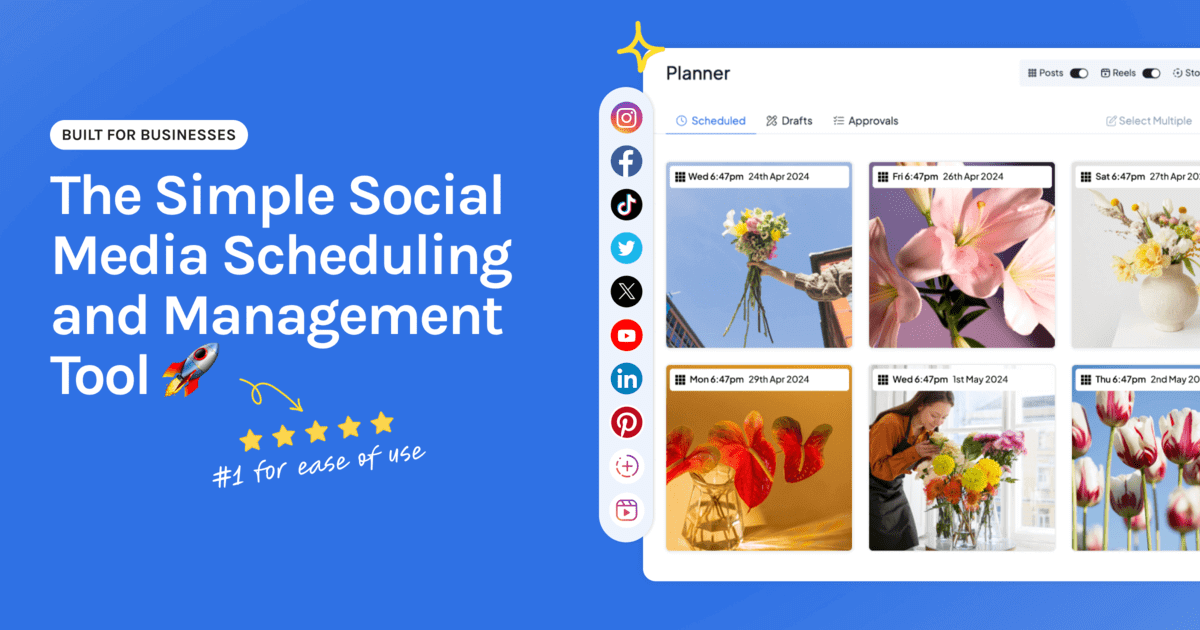
Where Buffer is text-led, Hopper HQ leads with the visual. You plan a feed, not a list.
Key features: drag-and-drop calendar, a grid preview you can trust, bulk upload, true auto-publishing for posts, Reels and Stories, a link-in-bio tool, hashtag explorer, an AI assistant and saved captions, plus iOS and Android apps.
Best for: solo creators, small business owners and lean agencies who want to plan a great-looking feed and never think about posting again.
Pricing model: per account, so you add the accounts you need rather than moving up a tier to unlock a bracket.
Hopper HQ vs Buffer: both are straightforward, but Hopper HQ is visual-first and publishes Reels and Stories for you, and it doesn’t gate analytics, link-in-bio, hashtags or AI behind a higher tier. See the full Hopper HQ vs Buffer comparison.
Watch for: if you need advanced social listening or deep custom reporting, a premium suite goes further, usually through add-ons or higher-tier products.
The honest summary: if your feed is a shop window and you’re the one keeping it stocked, planning it visually and letting it publish itself is worth more than another dashboard. If you mostly post links and text to two channels, Buffer already does that.
2. Later, best for Instagram-first planning
Later helped define visual Instagram planning, and its link-in-bio tool is one of the best known in the category.
Key features: visual content calendar, media library, best-time-to-post suggestions, hashtag tools and a well-known link-in-bio product, with support for the major networks.
Best for: creators and brands whose main channel is Instagram.
Later vs Buffer: Later is far more visual than Buffer and stronger on Instagram, while Buffer keeps things simpler across a few text-led channels. See Later alternatives.
Watch for: post limits and pricing can bite as you scale, and it’s strongest on Instagram rather than across every network.
Later and Hopper HQ are the closest comparison on this list, because both start from the feed rather than the queue. The question is usually breadth. If Instagram is essentially the whole job, Later is a strong pick. If Instagram is the most important of six networks you post to, planning them all on one calendar saves more time than any single feature.
3. Metricool, best for analytics and ads together
Metricool is an analytics-led all-in-one that folds scheduling, reporting and ad management into one place.
Key features: cross-network analytics, competitor tracking, scheduling, ad campaign management and a link-in-bio tool.
Best for: people who want reporting and paid campaigns alongside their scheduling.
Metricool vs Buffer: Metricool goes deeper on ads and cross-network reporting, where Buffer’s Insights reporting is more streamlined. Buffer is simpler to pick up.
Watch for: the planning experience is less visual than a dedicated planner.
This is the pick for the person who runs organic and paid and is tired of two tabs. If nobody at your company touches ad spend, most of what you’d be paying for goes unused.
4. Loomly, best for guided content planning
Loomly is calendar-first and leans into helping you decide what to post.
Key features: content calendar, post ideas and optimization tips, post previews, approval workflows and an asset library.
Best for: teams that want structure and sign-off around their content.
Loomly vs Buffer: Loomly adds approvals and content guidance that Buffer doesn’t focus on, while Buffer is quicker for simple solo scheduling.
Watch for: it’s scheduling-centric, and its engagement and inbox tools are less extensive than an inbox-led platform’s.
Loomly suits the team whose bottleneck isn’t publishing, it’s deciding and agreeing. If you’ve ever lost two days waiting for a client to say yes to a caption, that’s the problem it solves.
5. SocialBee, best for category-based posting
SocialBee organizes posts into content categories and keeps them recycling, so your queue never runs dry.
Key features: content categories and queues, evergreen recycling, an AI copilot and workspaces for multiple brands.
Best for: solopreneurs and agencies who post consistently across recurring themes.
SocialBee vs Buffer: SocialBee’s category and recycling model is more powerful for evergreen content than Buffer’s simple queue.
Watch for: the interface has more of a learning curve, and it’s less visual.
Recycling is genuinely useful if your content has a long shelf life, think tips, quotes, and service explainers. It’s the wrong model if your content is timely, visual, and tied to a moment.
6. Publer, best for value and breadth
Publer packs a lot of features across a wide set of networks at a friendly price.
Key features: broad platform support, bulk scheduling, post recycling, workspaces, watermarks and AI tools.
Best for: value-focused users who want plenty of features across many channels.
Publer vs Buffer: Publer offers more features and networks for the money, while Buffer is more polished and simpler.
Watch for: breadth comes before polish, and analytics are lighter than premium tools.
Worth a look if you post to networks the bigger names treat as afterthoughts. Feature count and pleasant daily use aren’t the same thing, so trial it with your real content before committing.
7. Hootsuite, best for enterprise monitoring
Hootsuite is one of the oldest, broadest suites, built for larger organizations.
Key features: wide channel support, monitoring streams, bulk scheduling, team roles and approvals, and an inbox, with advanced listening capabilities available depending on the plan or product package.
Best for: bigger teams that need monitoring and workflows across many accounts.
Hootsuite vs Buffer: Hootsuite goes far deeper on monitoring and team features, at more cost and complexity than Buffer. See Hootsuite alternatives.
Watch for: it’s more than most small teams need.
If you’re moving from Buffer because you outgrew it, Hootsuite is a big step in the other direction. Sensible when you have compliance requirements, many accounts, and people whose whole job is social. Overkill when you don’t.
8. Sprout Social, best for premium analytics
Sprout Social is a premium platform for teams that live in reporting.
Key features: strong native analytics and reporting, a polished Smart Inbox and approval workflows, with more advanced listening and premium analytics available as additional products.
Best for: mid-market teams and agencies with the budget for premium reporting.
Sprout Social vs Buffer: Sprout goes deeper on analytics, with more advanced listening and premium analytics sold separately, while Buffer is simpler and much lighter on cost. See Sprout Social alternatives.
Watch for: premium pricing that most small teams will not need.
Before you price this up, check which parts of the reporting you’re actually buying. The headline plan and the deeper analytics and listening products are not the same purchase.
9. Agorapulse, best for engagement and inbox
Agorapulse centers on a unified social inbox alongside scheduling and reporting.
Key features: social inbox, scheduling, reporting and team collaboration, with listening capabilities varying by plan and more advanced listening available separately.
Best for: teams that spend real time replying and managing conversations.
Pricing model: per user, so the cost tracks your headcount rather than your account count.
Agorapulse vs Buffer: Agorapulse is stronger for engagement and team inbox work, where Buffer focuses on publishing.
Watch for: per-user pricing that adds up as the team grows, above Buffer’s entry tiers.
The deciding question is who does the replying. If comments and DMs are a daily job for two or three people, a shared inbox stops things falling through the cracks. If you reply from your phone in the app, you don’t need one.
10. SocialPilot, best for agencies on a budget
SocialPilot is agency-friendly, with bulk scheduling and client management at a team price.
Key features: bulk scheduling, client management, approvals and support for many accounts, with white-label report branding on eligible plans.
Best for: agencies and SMBs managing lots of accounts affordably.
SocialPilot vs Buffer: SocialPilot is built for managing many client accounts, where Buffer is aimed more at individuals and small teams. See SocialPilot alternatives.
Watch for: planning is less visual, and analytics are adequate rather than deep.
Client count is the thing to weigh here. Agencies running fifteen accounts need bulk tools and clean client separation more than they need a beautiful calendar. Agencies running three often want the opposite.
How to switch from Buffer without losing momentum
Migrations stall when they’re treated as projects. Treat this as an afternoon.
- Empty the queue first, or write it down. Published posts live on the networks and aren’t affected. Anything still queued in Buffer won’t transfer, so export or screenshot it before you cancel.
- Connect your accounts. Reconnecting is a few minutes per network. Do the ones you post to weekly and ignore the rest for now.
- Bulk upload a month. This is the step that makes a new tool feel worth it. Pull together the images and captions you already have and load them in one sitting rather than posting daily.
- Check auto-publish format by format. Confirm that posts, Reels, and Stories each publish the way you expect on the networks you care about, before you rely on it.
- Keep both tools for two weeks. Run the new calendar alongside your old queue until you’ve seen a full cycle publish without you. Then cancel with confidence.
Questions to ask before you commit
Take these to any trial, including ours.
- Will I open this calendar on a Monday morning, or avoid it?
- Do posts, Reels, and Stories publish on their own, on the networks I use?
- What happens to the price when I add one more account, or one more teammate?
- Which features sit behind a higher tier, and are any of them the reason I’m switching?
- Can I plan a month in one sitting, or does it expect me to work day by day?
- If I need to hand this over to someone else, could they pick it up without training?
How to choose
- Want more visual planning and hands-off publishing? Hopper HQ.
- Instagram-first with link-in-bio? Later.
- Analytics and ads in one place? Metricool.
- Guided planning with approvals? Loomly.
- Evergreen, category-based posting? SocialBee.
- Maximum features for the money? Publer.
- Enterprise monitoring across many channels? Hootsuite.
- Deep analytics and reporting? Sprout Social.
- Engagement and inbox management? Agorapulse.
- Managing many client accounts on a budget? SocialPilot.
- Happy with simple text scheduling on a free tier? Buffer may already be right.
The short version
If your priority is visual, feed-first planning that publishes for you, without paying extra to unlock the basics, Hopper HQ is the simplest way there. You can schedule posts, Reels and Stories, plan every network from one calendar, and let it publish automatically.
Compare the whole field in our best social media scheduler guide, or see plans and pricing.
Frequently asked questions
What is the best Buffer alternative?
It depends on what you want more of. If you want visual, feed-first planning with a grid preview and true auto-publishing for Reels and Stories, Hopper HQ is built for that. If you need advanced reporting look at Sprout Social, bearing in mind that its more advanced listening and premium analytics are separate products; for enterprise monitoring look at Hootsuite; and for agency bulk work look at SocialPilot or Sendible.
What is Buffer best at?
Buffer is known for a clean, simple interface and an approachable free tier. If you want plain, lightweight scheduling across a few channels without a learning curve, it does that well and reliably.
Why do people switch from Buffer?
The most common reasons are wanting more visual planning, a proper grid preview, stronger Instagram-native scheduling, deeper analytics, or hands-off auto-publishing rather than reminders. If simple text scheduling is all you need, Buffer may still be the right fit.
Is there a free Buffer alternative?
Several tools offer limited free plans, and most, Hopper HQ included, offer a free trial so you can test the full workflow before you pay. Meta Business Suite is free if you only post to Facebook and Instagram. Check the current limits on each pricing page.
Which Buffer alternative is best for Instagram?
Hopper HQ and Later both lean into Instagram-first visual planning with a grid preview. Hopper HQ extends that visual approach across every major network from one calendar, while Later is strongest when Instagram and link-in-bio are your main focus.
Which Buffer alternative is best for agencies?
For managing many client accounts, look at SocialPilot, Sendible or Agorapulse. Hopper HQ also suits lean agencies that want simple visual planning with content approvals and team permissions included on the team plan.
How long does it take to move off Buffer?
Plan for an afternoon rather than a project. Reconnecting your accounts takes minutes, and the real work is rebuilding whatever sits in your Buffer queue. If you bulk upload a month of content in one sitting, most people are running normally the same day.
Will I lose my scheduled posts if I switch?
Your published posts stay on the networks themselves, so nothing already live is affected. Anything still sitting in a queue is worth exporting or screenshotting before you cancel, because queued drafts do not transfer between tools automatically.
Do I have to pay for a whole new plan tier just to add one account?
That depends on the pricing model. Tiered tools bundle a set number of accounts per plan, so adding one more can push you up a whole tier. Hopper HQ prices per account instead, so you add the account you need without buying a bracket you do not.
Take your social game further with Hopper HQ.
Plan, schedule and auto-post to every channel in one place. Free for 14 days · Cancel anytime.