How to Repurpose Instagram Reels Across Platforms

Short-form video now dominates every major social platform. Instagram Reels, TikTok, and YouTube Shorts all reward fast, vertical, engaging content. That means creators and brands don’t need to start from scratch every time they post.
Instead, the smartest growth strategy is repurposing one strong Reel across multiple platforms.
But can you actually post the same video across those platforms without hurting performance on each? Here’s exactly how cross-posting works, and what to change for every platform.
Can I use the same video for Reels, TikTok, and Shorts?
Yes. You can repurpose the same vertical video across Instagram Reels, TikTok, and YouTube Shorts as long as it’s exported in a 9:16 (1080x1920) format with no platform watermarks. For best performance, adjust the caption, hashtags, cover image, and opening hook to match each platform’s style and algorithm.
Repurposing the same short-form video helps you:
- Save production time
- Increase reach without extra filming
- Test performance across different audiences
Because each platform has a unique algorithm and user behavior, one strong video can succeed in several places at once. The goal isn’t making more content. It’s optimizing what you already created.
Do I need to resize videos for different platforms?
Usually no, but formatting still matters. Most short-form platforms prefer:
- Aspect ratio: 9:16 vertical
- Resolution: 1080 x 1920
Length is where the platforms differ:
- Instagram Reels: up to 3 minutes, though 90 seconds or less performs best
- TikTok: up to 60 minutes, but shorter performs best
- YouTube Shorts: up to 3 minutes, with 30–60 seconds ideal
Exporting in 1080x1920 vertical keeps your video compatible across:
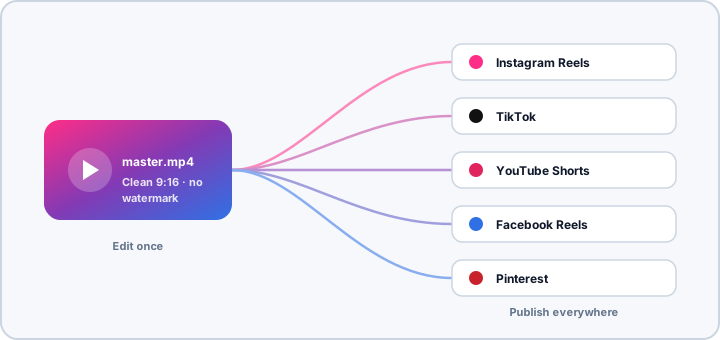
- Instagram Reels
- TikTok
- YouTube Shorts
- Facebook Reels
- Pinterest (video Pins)
For the full spec breakdown, see our Instagram Reel size guide.
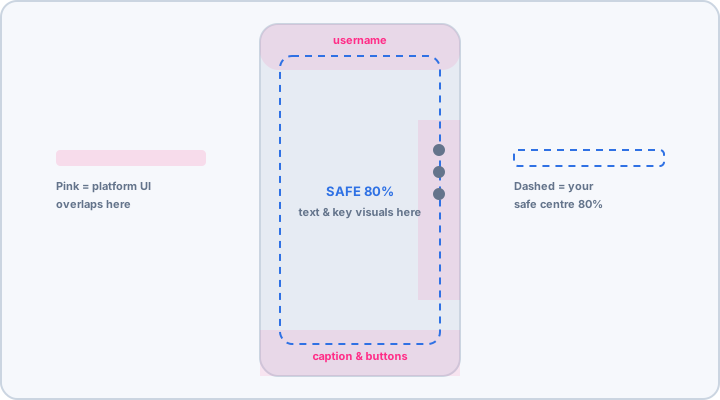
What matters more than resizing is safe-zone spacing. Each platform places captions, buttons, and usernames in slightly different areas. Keep important visuals and text within the center 80% of the frame to avoid overlap.
What should I change when reposting a Reel?
You don’t need a new video, but small tweaks noticeably improve performance.
Rewrite the caption
Each platform rewards a different tone:
- Instagram: conversational, emoji-friendly, storytelling
- TikTok: fast, hook-driven, trend-aware
- YouTube Shorts: keyword-focused and searchable
Using identical hashtags everywhere can limit each platform’s reach, so tailor them too.
Short on time? Draft a fresh caption with the free Instagram caption generator, then pull platform-specific tags from the TikTok hashtag generator or YouTube hashtag generator.
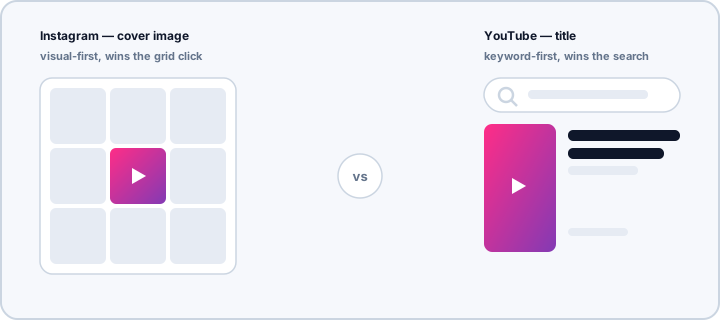
Change the cover image or title
This affects:
- Instagram grid clicks
- YouTube Shorts browsing
- Pinterest discovery
A platform-specific hook or title can significantly increase click-through rate without editing the video itself.
Fine-tune the opening hook
Every tiny edit matters:
- TikTok: rewards action in the first 1–2 seconds
- Instagram: allows slightly slower storytelling
- YouTube Shorts: favors immediate topic clarity
Trimming even half a second can change performance.
Repurposing Reels to YouTube Shorts: what to change
YouTube Shorts is one of the simplest places to reuse a Reel, because it rewards search as well as swipes. A few quick changes help:
- Write a searchable title. Say what the video is about in plain words, like “3 quick lunch ideas for work”.
- Add a short description with one or two keywords and a few relevant hashtags.
- Swap out Instagram music. Tracks licensed inside Instagram don’t carry over, so use your own audio or YouTube’s audio library.
- Pick a clear thumbnail frame that shows the topic at a glance.
Want Shorts to go out on autopilot? Here’s how to schedule YouTube Shorts.
Will watermarks hurt performance?
Yes, on most platforms. Videos showing another platform’s watermark or interface are often deprioritized in distribution.
- TikTok watermark on an Instagram Reel: reduced reach
- Instagram UI on a TikTok post: weaker visibility
- Any obvious cross-posting signal: lower algorithm preference
Best practice
Always export a clean, watermark-free master video before uploading anywhere. You can do this by:
- Saving the original edited file
- Exporting directly from your editing software (CapCut, Premiere Pro, etc.)
- Avoiding downloads from social platforms
Think of the workflow as: edit once → export clean → publish everywhere.
How do I post a TikTok to Reels without the watermark?
Don’t download the posted video from TikTok, because that copy carries the watermark. Instead, export the edited file straight from your editing app and upload it to Instagram as a new Reel. Edited everything inside TikTok? Our guide on how to remove a TikTok watermark walks through your options.
A simple workflow for repurposing short-form video
High-growth creators and brands typically follow this process.
1. Create one strong vertical video
Focus on:
- A clear hook in the first 2 seconds
- Fast pacing
- Subtitles for silent viewing
- A clear value or entertainment payoff
If it performs well on one platform, it can work on others.
2. Export a clean master file
Remove:
- Watermarks
- Platform UI
- Built-in music overlays tied to one app
Keep a neutral, reusable final video.
3. Customize for each platform
Only adjust the caption, hashtags, cover or title, and optional hook timing. This takes minutes instead of hours.
If you’re turning the same idea into carousels and text posts too, our guide to repurposing social media content across Instagram, TikTok, and LinkedIn has a repurposing matrix and a weekly calendar template.
4. Schedule across platforms consistently
Posting to multiple platforms multiplies reach without multiplying effort. Distributing to Instagram, TikTok, YouTube Shorts, Facebook and Pinterest helps your content reach entirely new audiences.
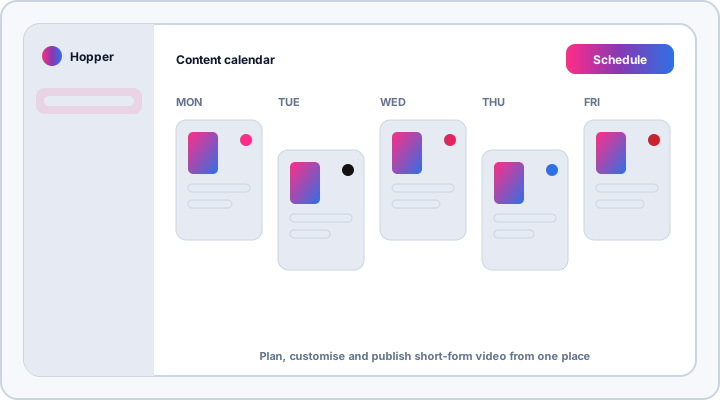
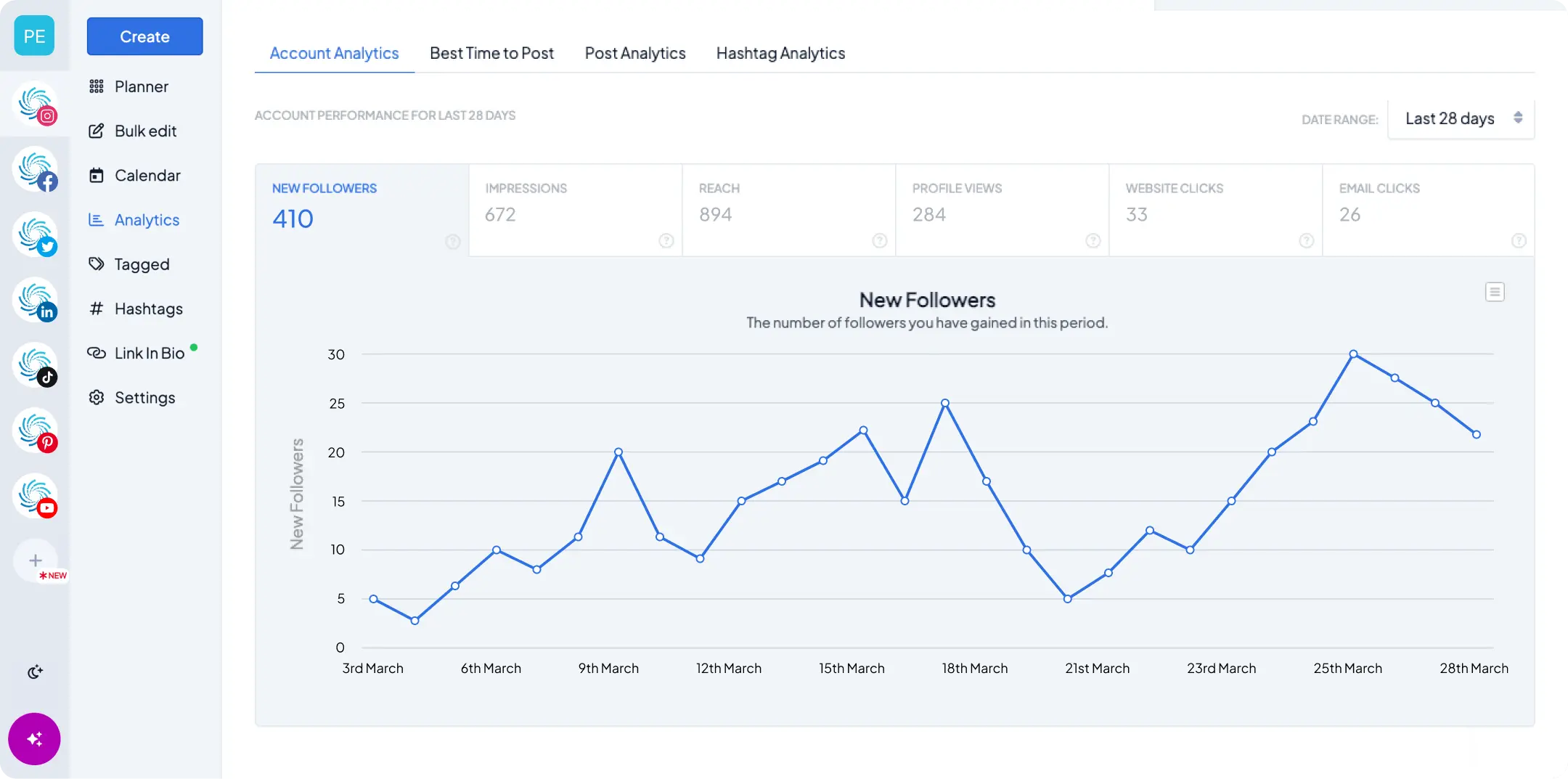
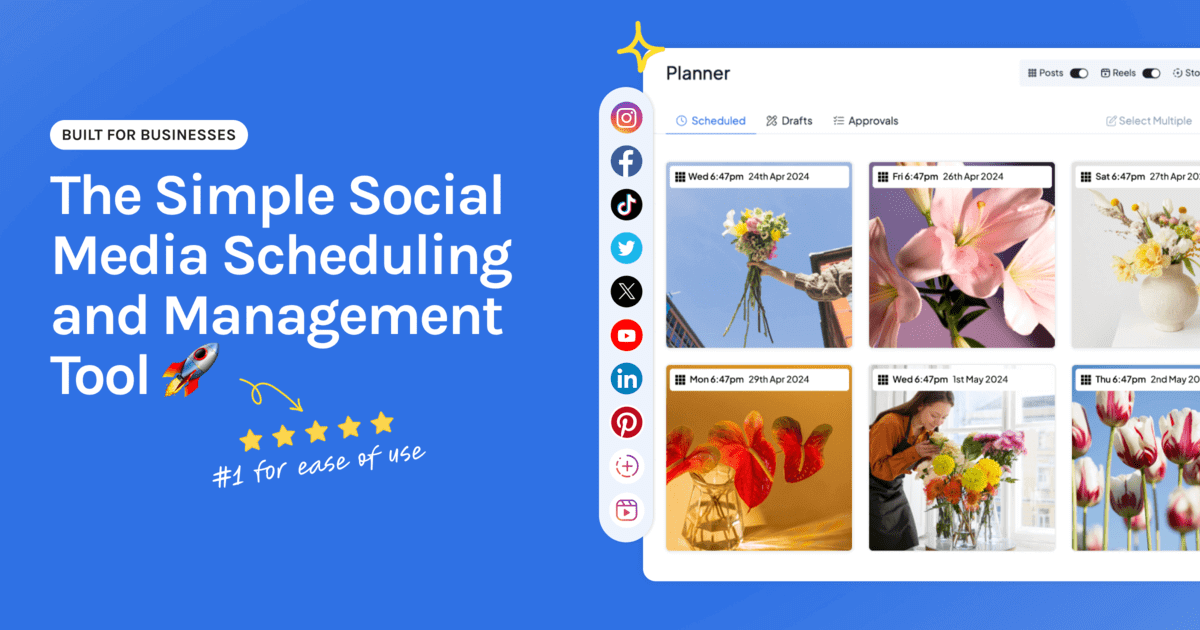
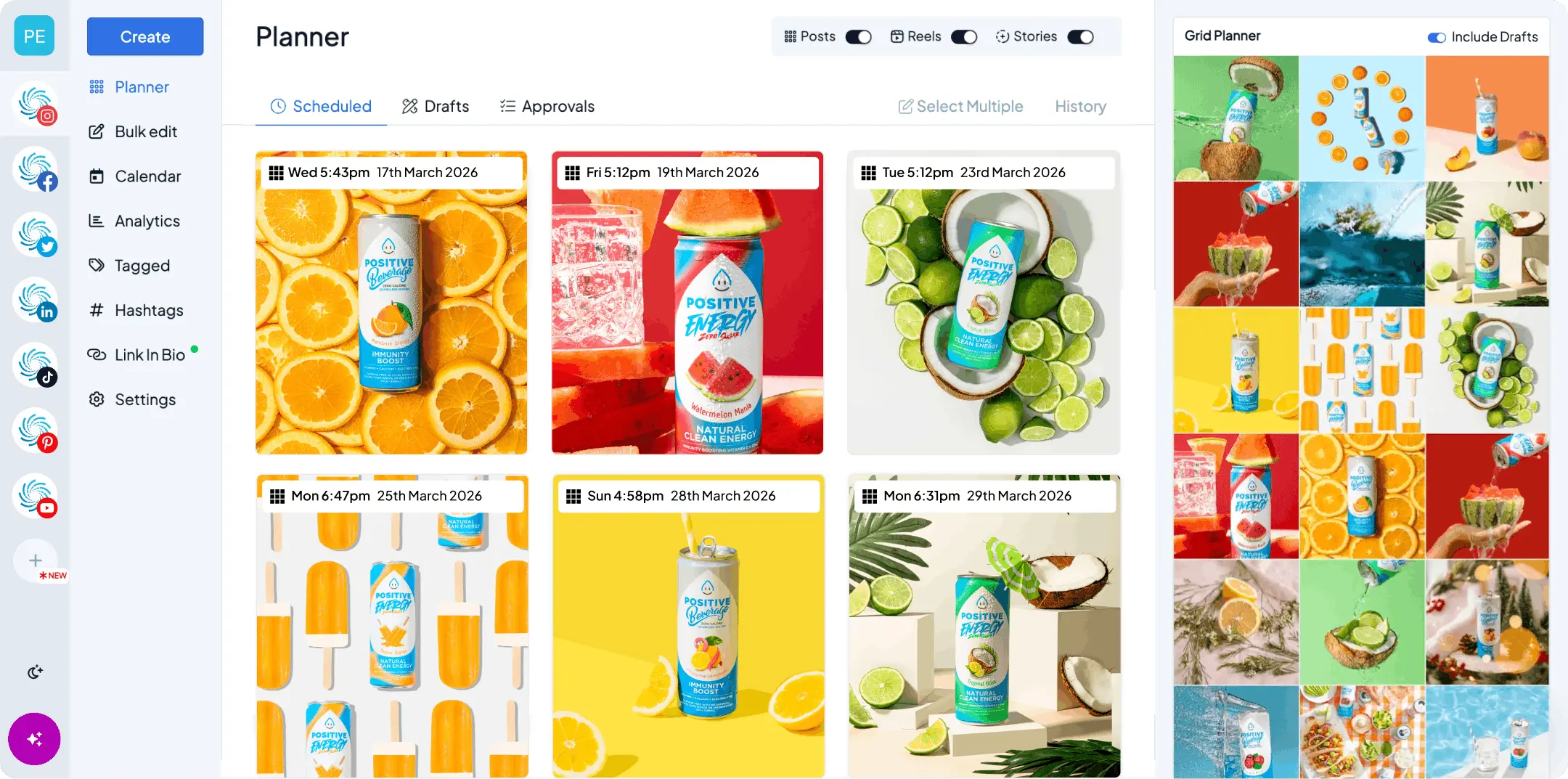
Social media scheduling tools like Hopper HQ make this scalable. They let you plan, customize and publish short-form video across platforms from one dashboard. With cross-posting, you upload your clean master file once, tweak the caption for each network, and schedule it to Instagram, TikTok, YouTube Shorts and more in one go. For more on this, see how to post on multiple platforms at once.
Final thoughts
Yes, you should absolutely repurpose Instagram Reels across platforms. As long as your video is vertical, watermark-free and slightly optimized per platform, one piece of content can drive reach across every major short-form network.
Repurposing isn’t a shortcut anymore. It’s the default growth strategy for modern social media.
Ready to put one Reel to work everywhere? Try Hopper HQ free for 14 days. Cancel anytime.
Happy posting!
Frequently asked questions
Can I use the same video for Reels, TikTok and Shorts?
Yes. You can repurpose the same vertical video across Instagram Reels, TikTok and YouTube Shorts as long as it's exported in a 9:16 (1080x1920) format with no platform watermarks. For best performance, adjust the caption, hashtags, cover image and opening hook to match each platform.
Do I need to resize videos for different platforms?
Usually no. A 1080x1920 (9:16) vertical export is compatible with Instagram Reels, TikTok, YouTube Shorts, Facebook Reels and Pinterest. What matters more than resizing is safe-zone spacing. Keep important text and visuals within the center 80% of the frame so captions, buttons and usernames don't overlap them.
Do watermarks hurt performance when cross-posting?
Yes, on most platforms. Videos showing another platform's watermark or interface are often deprioritized in distribution. Always export a clean, watermark-free master file before uploading anywhere.
How do I post a TikTok to Instagram Reels without the watermark?
Don't download the posted video from TikTok, because that copy carries the watermark. Export the edited file straight from your editing app instead, then upload it to Instagram Reels as a new post with its own caption and cover.
How long can short-form videos be in 2026?
Instagram Reels allow up to 3 minutes (90 seconds or less performs best), TikTok allows up to 60 minutes (shorter still performs best), and YouTube Shorts allow up to 3 minutes (30–60 seconds is ideal).
Take your social game further with Hopper HQ.
Plan, schedule and auto-post to every channel in one place. Free for 14 days · Cancel anytime.