


Is Meta Business Suite Enough, or Do You Need a Paid Scheduler?
Meta Business Suite is free, it’s made by the company that owns Facebook and Instagram, and it schedules posts. So it’s fair to ask why anyone pays for a scheduler at all.
The honest answer is that plenty of people shouldn’t. If Meta’s tool covers what you do, keep using it. This guide helps you work out which side of the line you’re on, and we’ll be upfront that we make a paid scheduler, Hopper HQ.
The short answer
| Your situation | What to use |
|---|---|
| You post to Facebook and Instagram only, a few times a week | Meta Business Suite |
| You also post to TikTok, LinkedIn, Pinterest, or YouTube | A paid scheduler |
| Your Instagram grid is your shop window | A paid scheduler with a grid preview |
| You batch a month of content in one sitting | A paid scheduler with bulk upload |
| A colleague or client approves your posts | A paid scheduler with approvals |
| You mainly need the inbox and ad tools | Meta Business Suite |
What Meta Business Suite does well
It’s free. There’s no plan to choose and no trial to watch.
It’s first-party. It’s built by Meta, so new Facebook and Instagram features tend to arrive there early.
It schedules the main formats. Posts, Reels, and Stories for Facebook and Instagram.
It includes an inbox and ad tools. Messages and comments from both networks, plus ad management, in one place.
For a business that lives on Facebook and Instagram, that’s a lot for nothing.
Where Meta Business Suite stops
Two networks only. The moment you add TikTok, LinkedIn, Pinterest, or YouTube Shorts, you’re planning in more than one tool.
No grid preview. You can’t see how your Instagram feed will look before posts go live.
Planning in bulk is slow. Scheduling a month of posts means a lot of repeated steps.
Limited planning view. It’s a tool for scheduling posts more than for shaping a month of content.
Light team features. There’s no simple approval step for a client or manager.
None of this makes it a bad tool. It’s a free one, built to manage Meta’s own networks.
Five signs you’ve outgrown it
- You’ve added a third network. Now you have two calendars and no single view of your month.
- You rearrange posts by guesswork. You care how the grid looks and can’t preview it.
- Scheduling takes an evening. You batch your content but add it one post at a time.
- You copy captions between tools. The same post goes to several networks by hand.
- Approval happens over email. Screenshots go back and forth before anything is scheduled.
One sign is a nudge. Two or three mean the free tool is costing you time.
What a paid scheduler adds
| What you need | Meta Business Suite | A paid scheduler such as Hopper HQ |
|---|---|---|
| Facebook and Instagram scheduling | Yes | Yes |
| Other networks in the same calendar | No | Yes |
| Instagram grid preview | No | Yes |
| Bulk upload | Limited | Yes |
| One post adapted per network | No | Yes |
| Approvals | Limited | Yes, on team plans |
| Inbox and ad management | Yes | Varies by tool |
| Cost | Free | From a few dollars a month |
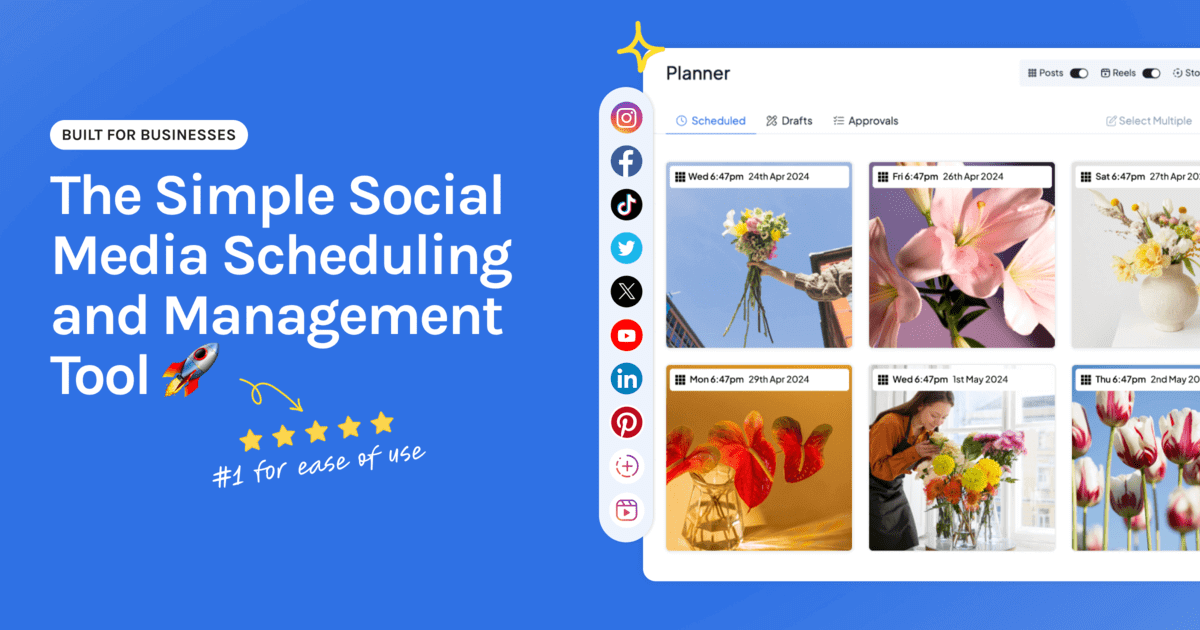
On Hopper HQ, that means one visual calendar for Instagram, Facebook, TikTok, LinkedIn, X, Pinterest, Threads, Bluesky, and YouTube Shorts, a grid preview, bulk upload, cross-posting with a caption for each network, and auto-publishing.
What it costs to move
Hopper HQ is $5 per connected social account per month on Grow, billed annually, or $6 billed monthly. Every feature is included.
| Accounts | Monthly cost on Grow, billed annually |
|---|---|
| Facebook and Instagram | $10 |
| Add TikTok | $15 |
| Add LinkedIn and Pinterest | $25 |
Scale is $10 per account and adds unlimited users, team permissions, and content approvals. Every plan starts with a free 14-day trial.
You can use both
Moving your scheduling doesn’t mean leaving Meta Business Suite. A common setup is:
- Plan and publish from a scheduler, across every network.
- Reply and run ads in Meta Business Suite.
Schedule each post in one place only, so nothing publishes twice.
How to decide in five minutes
- Count the networks you post to. More than two points to a paid tool.
- Ask whether your Instagram grid affects sales. If yes, you want a preview.
- Time your last scheduling session. Over an hour for a month of posts is a sign.
- Check whether anyone else signs off. If so, you want approvals.
- If none of those apply, stay on Meta Business Suite and keep your money.
Ready to compare options? Our Meta Business Suite alternatives guide covers the main tools, and free social media schedulers covers other ways to schedule without paying. For one person’s experience of switching, read our case study on leaving Meta Business Suite.
Frequently asked questions
Is Meta Business Suite good enough for scheduling?
Yes, if you only post to Facebook and Instagram and your routine is simple. It's free, made by Meta, and schedules posts, Reels, and Stories. It stops being enough when you add other networks, want to preview your Instagram grid, or need to upload a month of content at once.
Is Meta Business Suite free?
Yes. Meta Business Suite is free to use for scheduling and managing Facebook and Instagram. You only pay if you run ads.
What can't Meta Business Suite do?
It only covers Facebook and Instagram, so TikTok, LinkedIn, Pinterest, YouTube, and other networks need a separate tool. It has no Instagram grid preview, and planning a large batch of posts is slower than in a dedicated scheduler.
When should I pay for a social media scheduler?
When you post to networks beyond Facebook and Instagram, when how your grid looks matters to your business, when you batch content monthly, or when someone else needs to approve posts. Any one of those usually justifies a few dollars a month.
How much does a paid scheduler cost compared with Meta Business Suite?
Meta Business Suite is free. Paid schedulers for small setups start at a few dollars a month. Hopper HQ costs $5 per connected account per month on Grow, billed annually, so Facebook and Instagram together are $10 a month with every feature included.
Can I use Meta Business Suite and a paid scheduler together?
Yes. Many people plan and publish from a scheduler and keep Meta Business Suite for its inbox and ad tools. Just schedule each post in one place only, so nothing goes out twice.
Take your social game further with Hopper HQ.
Plan, schedule and auto-post to every channel in one place. Free for 14 days · Cancel anytime.