






Free Social Media Schedulers in 2026: What You Get, and Where They Stop
You can schedule social media posts without paying anything. The honest question is how far free will take you before it starts costing you time instead of money.
This guide sorts the free options into three kinds, shows what each one covers, and is upfront about where each one stops. We make a paid scheduler, Hopper HQ, and it doesn’t have a free plan. So we’ll tell you when a free tool is the right answer, and when a few dollars a month is the better deal.
Free schedulers at a glance
| Option | What it costs | Best for | Where it stops |
|---|---|---|---|
| Built-in schedulers (Meta Business Suite, TikTok Studio, LinkedIn, Pinterest, YouTube Studio) | Free | Posting to one network | Each one only covers its own network, so you plan in several places |
| Free plans (Buffer, Metricool, Publer, Pallyy) | Free, with limits | A few accounts and a light posting schedule | Caps on accounts, monthly posts, or features |
| Free trials (Hopper HQ and most paid tools) | Free for a set period | Testing the full workflow before you commit | The trial ends, then you pay or leave |
| Hopper HQ after the trial | $5 per account per month, billed annually | Visual planning and auto-publishing on every network | No free plan |
Pricing note: Hopper HQ is $5 per connected social account per month on Grow, or $10 on Scale with unlimited users and approvals, billed annually ($6 and $12 billed monthly), with every feature on every plan. Free plan limits on other tools change often, so this guide describes the kind of limit each one has instead of printing numbers that go out of date. Check each tool’s pricing page for current details. Hopper HQ prices verified October 27, 2026.
The three kinds of free
1. Schedulers built into each network
Most networks now let you schedule a post from inside their own app or website. They cost nothing and need no extra account.
- Meta Business Suite schedules Facebook and Instagram posts, and it’s the strongest of the built-in options.
- TikTok Studio lets you schedule videos from a desktop browser.
- LinkedIn, Pinterest, and YouTube Studio each have a schedule option when you create a post.
Best for: anyone who posts to one network, or to Facebook and Instagram only.
Where it stops: each tool only knows about its own network. Post to four networks and you have four places to plan, four logins, and no single view of your month. There’s no grid preview for Instagram, no bulk upload worth the name, and no way to adapt one post for several networks in one go. If Meta’s tool is the one you’re outgrowing, our Meta Business Suite alternatives guide picks up from here.
2. Free plans from multi-network schedulers
Several schedulers keep a free plan alongside their paid ones. You get one calendar for more than one network, which is the thing the built-in tools can’t do.
- Buffer is known for a clean interface and an approachable free tier. See our Buffer alternatives guide.
- Metricool leans into analytics, with scheduling alongside. Its free plan covers one brand, with LinkedIn and X kept for paid plans. See Metricool alternatives.
- Publer covers a long list of networks and lets you try real scheduling before paying. See Publer alternatives.
- Pallyy is a visual, Instagram-friendly planner. Its free plan covers one social set and schedules image posts only. See Pallyy alternatives.
Best for: a solo creator or small business with two or three accounts and a few posts a week.
Where it stops: free plans are limited on purpose. The limits usually fall in one of five places:
- Accounts. A cap on how many social profiles you can connect.
- Posts. A cap on how many posts you can schedule per month, or have queued at once.
- Formats and networks. Some networks or formats, such as Stories or video, may sit on paid plans.
- Analytics. Little or no reporting, or a short history.
- People. One user only, with no approvals.
None of that is a criticism. It’s a fair trade for a free product. It does mean a free plan suits a light, steady routine and struggles with a launch month.
3. Free trials of paid schedulers
A trial gives you everything for a short time, so you can find out whether a tool fits how you work before you spend anything.
Hopper HQ’s trial lasts 14 days and includes every feature. You add a payment method when you sign up, it’s only charged when the trial ends, and you can cancel anytime before then.
Best for: anyone who already knows free plans are too tight and wants to test the real thing with real posts.
Where it stops: it ends. A trial is a test drive, so treat it like one. Schedule a full week of actual content across every network you use, and watch it publish.
When a free scheduler is enough
Free is the right answer more often than paid tools like to admit. Stay on free if:
- You post to one network, or to Facebook and Instagram only.
- You post a few times a week and rarely plan more than a week ahead.
- Your content is mostly single images or text, with few Reels, Stories, or videos.
- It’s just you, with nobody else who needs to review or approve posts.
If that’s you, Meta Business Suite or a free plan will do the job, and you should keep your money.
When free starts costing you time
The signs are usually practical, and they tend to arrive together.
- You’ve added a third or fourth network. Planning in several places means you can’t see your month in one view, and gaps appear.
- You hit a post cap mid-month. It always happens during the busy period, which is when you can least afford it.
- You’re finishing posts by hand. If a Reel or Story sends a phone reminder instead of publishing on its own, you’re still on call.
- You’re uploading one post at a time. Batch a month of content and a form-per-post tool will eat the hour you saved.
- Someone else needs to check posts. Free plans are almost always single-user.
When two or three of those are true, the free plan has stopped being free. You’re paying in time.
What paying a little gets you
The gap between free and paid is smaller than most people expect. On Hopper HQ:
| Accounts | Grow, billed annually | What’s included |
|---|---|---|
| 1 | $5 a month | Every feature, unlimited posts |
| 3 | $15 a month | Every feature, unlimited posts |
| 5 | $25 a month | Every feature, unlimited posts |
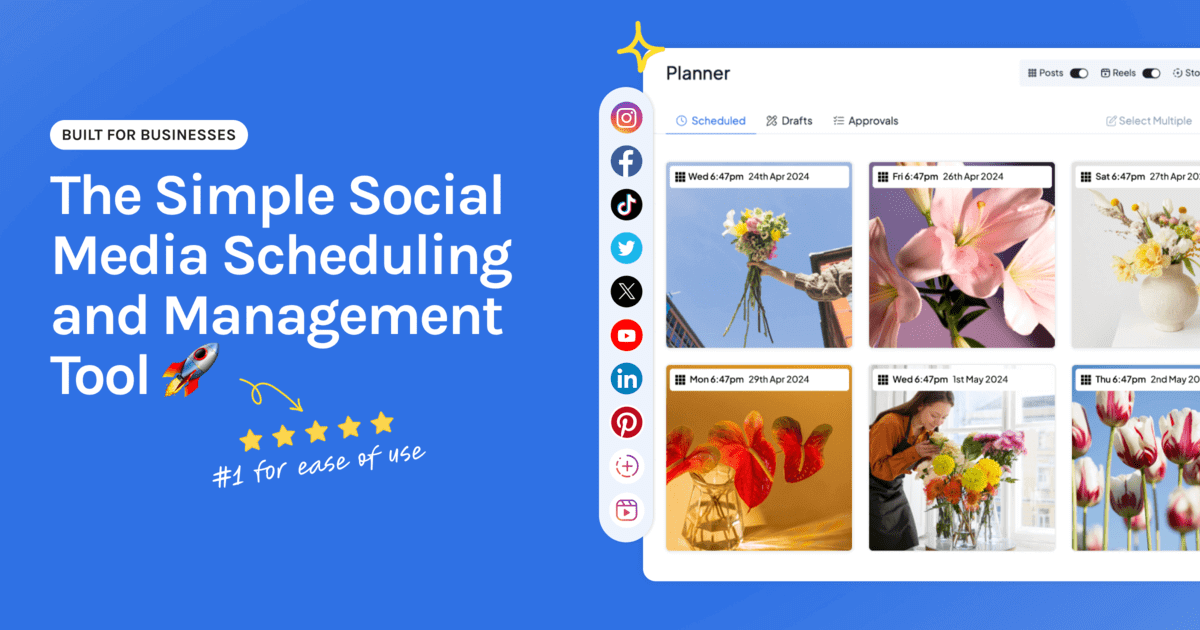
Every plan includes the visual calendar, a grid preview for Instagram, bulk upload, auto-publishing for posts, Reels, Stories, and videos, analytics, and a link in bio page. There are no post caps, and adding a network means adding one account at the same rate.
Want to compare paid options on cost alone? Our guide to the cheapest social media schedulers explains how each pricing model grows as you add accounts and people.
Free tools you can use without an account
Not ready for a scheduler at all? These Hopper HQ tools are free and need no login:
- Content planner, to sketch a month of posts.
- Instagram grid planner, to see how your feed will look before you post.
- Caption generator, for a first draft when the words won’t come.
They pair well with any free scheduler on this page.
How to choose
- One network, or Facebook and Instagram only: use the built-in scheduler.
- Two or three accounts, a few posts a week: start with a free plan from Buffer, Metricool, Publer, or Pallyy.
- Several networks, visual planning, or hands-off publishing: try a paid tool on a free trial.
- Not sure yet: start free, and move when the limits start making decisions for you.
If you’re at the point where free is costing you time, try Hopper HQ free for 14 days or see plans and pricing. For the whole field, paid and free, see our best social media scheduler comparison.
Frequently asked questions
What is the best free social media scheduler?
It depends on where you post. If you only use Facebook and Instagram, Meta Business Suite is free and made by Meta. If you post to a few networks and want one calendar, a free plan from a scheduler such as Buffer, Metricool, Publer, or Pallyy is the usual starting point. Free plans cap accounts, posts, or features, so check the current limits before you build a routine around one.
Is there a completely free social media scheduler with no limits?
The schedulers built into each network are free without a subscription, but each one only covers its own network. Free plans from multi-network schedulers always carry limits, usually on the number of accounts, the number of scheduled posts, or features such as analytics and team access.
Does Hopper HQ have a free plan?
No. Hopper HQ has a free 14-day trial with every feature included, then costs $5 per connected social account per month on Grow, billed annually ($6 billed monthly). You add a payment method when you start the trial, and you can cancel anytime before it ends.
When is it worth paying for a social media scheduler?
Usually when one of three things happens: you post to more networks than a free plan covers, you hit a monthly post cap during a busy period, or you need Reels, Stories, and videos to publish on their own without a phone reminder. At that point a few dollars a month costs less than the time you spend working around the limits.
Can I schedule Instagram posts for free?
Yes. Meta Business Suite schedules Instagram and Facebook posts for free, and the Instagram app has basic scheduling for professional accounts. What you don't get is a visual grid preview, planning for other networks in the same calendar, or bulk uploading.
Are free schedulers safe to connect to my accounts?
Tools that publish through each network's official API are safe to connect, whether they're free or paid. Be wary of any tool that asks for your password directly instead of sending you to the network's own login screen to approve access.
Take your social game further with Hopper HQ.
Plan, schedule and auto-post to every channel in one place. Free for 14 days · Cancel anytime.