The 8 Best Meta Business Suite Alternatives in 2026

Meta Business Suite is free, it’s made by Meta, and for Facebook and Instagram it does a reasonable job. That’s a genuinely strong starting position, and if those two networks are your whole social presence you may not need anything else.
Most people don’t stay there, though. They add TikTok. A client asks about LinkedIn. Someone wants to know which posts actually worked, across every channel, in one report. At that point a tool built around Meta’s own networks can only ever do part of the job.
This is an honest look at the best Meta Business Suite alternatives in 2026. We lead with Hopper HQ because it’s what we make, and we’ll be clear about where it wins and where another tool suits you better. We’ll also say plainly when staying put is the right call, because free is a real advantage and it’s worth taking seriously.
Start your free 14-day trial →
What Meta Business Suite is genuinely good at
It’s free, and it’s first-party. Posts go through Meta’s own systems rather than an API integration, your Pages and professional accounts are already connected, and there’s no extra bill to justify to anyone. For a single person running a Facebook Page and an Instagram account, that combination is hard to beat.
The Planner gives you a calendar view of what’s scheduled, Insights covers the basics of how your content performed on Meta’s surfaces, and the inbox pulls Facebook and Instagram messages into one place. None of that is deep, but all of it is included.
So be clear about what you’re buying before you pay for anything. Moving to a paid tool should buy you networks Meta doesn’t cover, planning that works the way you think, or hours back in your week. If it only buys you a slightly nicer calendar, stay where you are.
Why people outgrow it
Four reasons come up again and again, and they tend to arrive together.
Their audience moved off Meta’s networks. This is the big one, and it’s structural rather than a missing feature. Meta Business Suite covers Facebook and Instagram because that’s what it’s for. TikTok, LinkedIn, Pinterest, X and YouTube will never appear in it, so the moment one of them matters you’re planning the same content week twice in two different tools.
Planning a feed is hard inside it. You can see what’s scheduled. It’s much harder to see what your Instagram grid will look like next Thursday, and for a lot of brands the grid is the shop window.
The reporting stops at Meta’s edge. Insights tells you how a Facebook post did. It can’t tell you whether your Reels outperformed your TikToks, because half the answer lives somewhere else entirely.
More than one person got involved. As soon as you need someone to approve a caption before it goes out, or a client to sign off on next month, you need approvals and roles. That’s not what Meta Business Suite is built around.
If none of those describe you, save yourself the migration. If two or more do, keep reading.
How we compared these tools
We make one of the tools on this list, so here’s how we’ve tried to keep this useful rather than self-serving.
We compare on things that don’t change every quarter: which networks a tool covers, whether it plans visually, whether it publishes on its own, how deep its reporting goes, how it handles collaboration, and how its pricing is shaped. We deliberately don’t list prices. They move constantly, and a comparison full of out-of-date numbers is worse than no comparison at all. Check each tool’s pricing page for current figures before you commit.
We also say plainly where another tool beats us. If you need enterprise social listening or a full social CRM, we’ll point you at the platforms built for that rather than pretend simplicity covers everything.
What to look for in a Meta Business Suite alternative
Work out which of these actually matter to you before you start comparing. Most people need three or four, and paying for all six is how you end up with a dashboard nobody opens.
Channel coverage. The networks you post to weekly, not the ones you might try someday. This is the main reason you’re leaving, so count carefully and check short-form video specifically.
True auto-publishing. Posts, Reels, and Stories that publish on their own rather than sending you a phone reminder to do it manually. Worth checking format by format, because support varies more than marketing pages suggest.
Visual planning. A drag-and-drop calendar and a grid preview you can trust before anything goes live. If your feed is part of how people judge your brand, this is the thing you’ll use every day.
Analytics that span every network. One report covering everywhere you post, not one report per platform. Be honest about whether anyone will read the depth you’d be paying for, because advanced listening is usually a separate product rather than something included.
Collaboration. Approvals, team roles, and client access if anyone else is involved. A single approval step prevents more embarrassment than any other feature here.
Pricing model. Flat tiers, per-seat, or per-account, and whether key features sit behind higher plans. Two tools at the same headline price can differ enormously once you add a second brand or a third teammate.
Meta Business Suite alternatives at a glance
| Tool | Best for | What stands out |
|---|---|---|
| Hopper HQ | Simple, visual planning | Grid preview, auto-publishing, no feature gating |
| Later | Instagram-first planning | Visual calendar and link-in-bio |
| Buffer | Simple, clean scheduling | Approachable queues and Start Page |
| Agorapulse | Engagement and inbox | Unified social inbox, on per-user pricing |
| Sprout Social | Premium analytics | Custom reports, with listening as an add-on |
| Loomly | Guided content planning | Post ideas and approval workflows |
| SocialBee | Category-based posting | Content categories and recycling |
| Planable | Multi-brand approvals | Side-by-side previews and approval layers |
Pricing note: this guide compares on durable features rather than prices, which change often. Check each tool’s pricing page for current numbers.
The 8 best Meta Business Suite alternatives
1. Hopper HQ, best for simple, visual planning
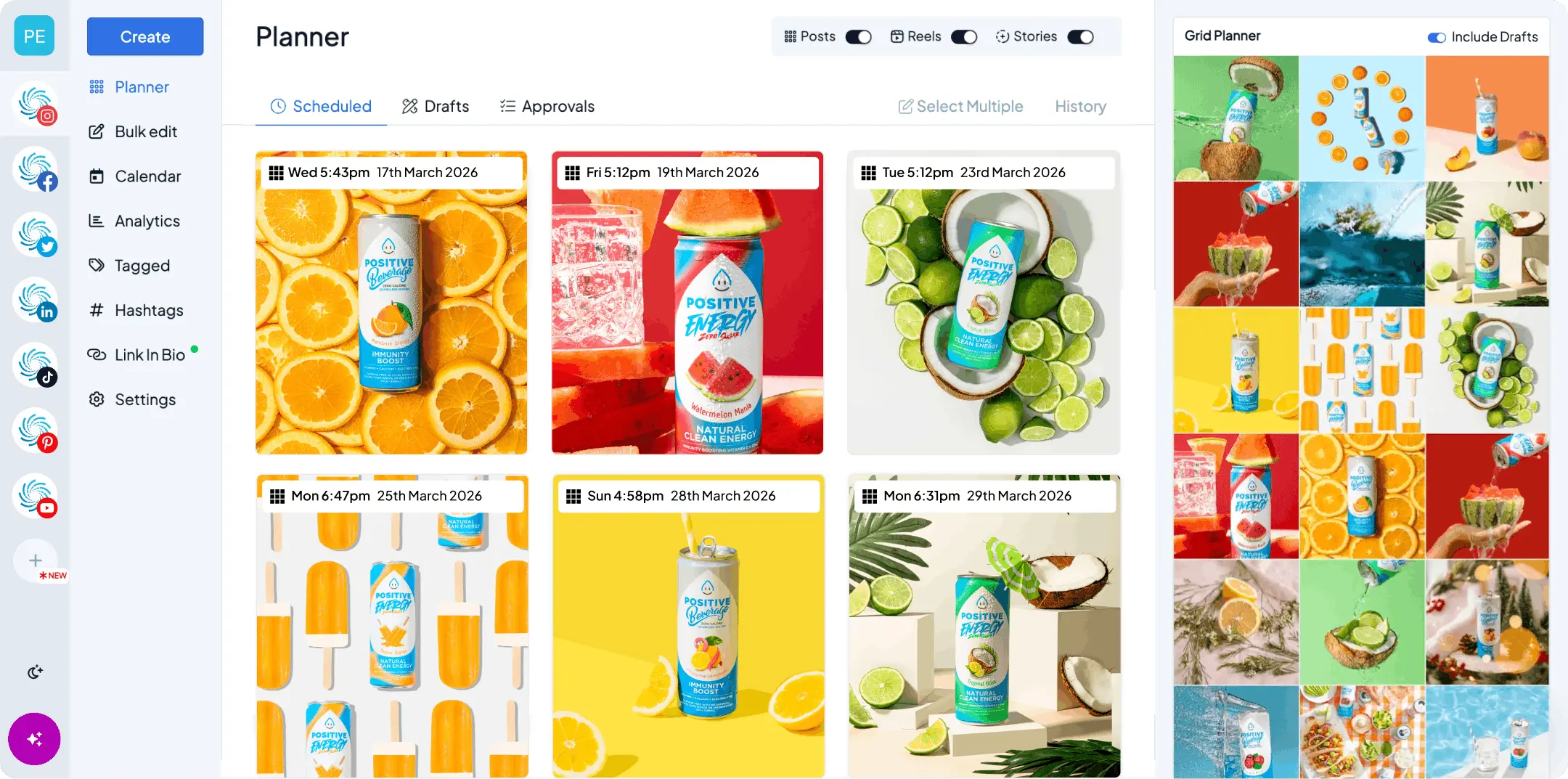
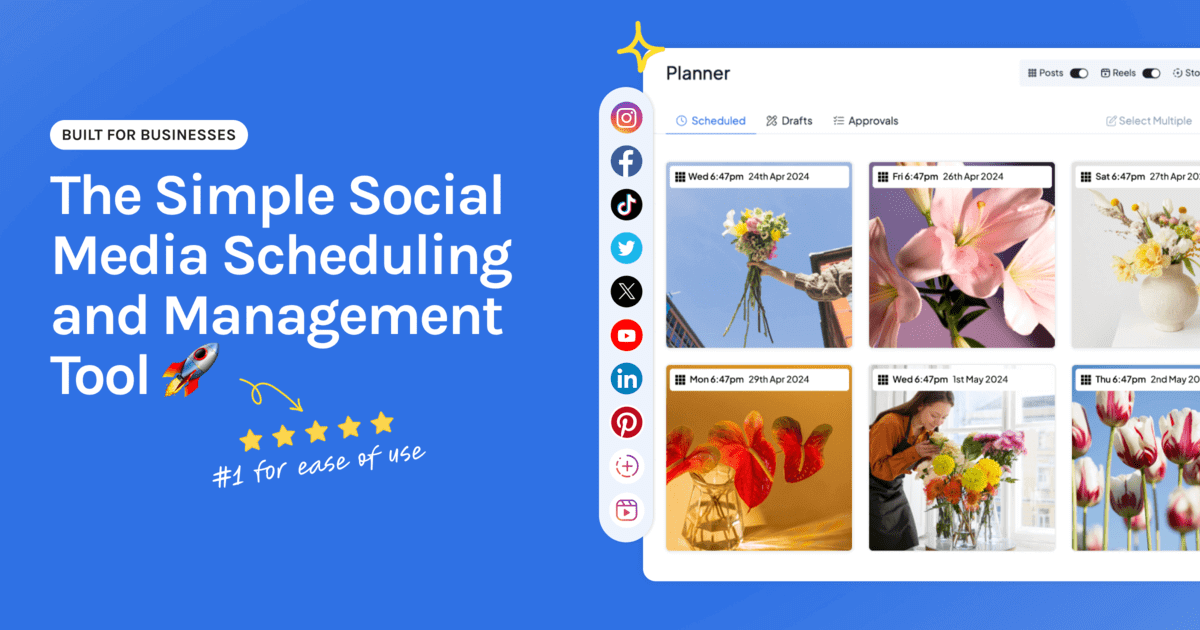
Meta Business Suite plans two networks. Hopper HQ plans all of them, from one visual calendar, and publishes for you.
Key features: drag-and-drop calendar, a grid preview you can trust, bulk upload, true auto-publishing for posts, Reels and Stories, a link-in-bio tool, hashtag explorer, an AI assistant and saved captions, plus iOS and Android apps and free tools such as an Instagram grid maker.
Best for: solo creators, small business owners, and lean agencies who want to plan a good-looking feed across every network and never think about posting again.
Pricing model: per account, so you add the accounts you need rather than moving up a tier to unlock a bracket.
Hopper HQ vs Meta Business Suite: you keep Facebook and Instagram, and gain TikTok, LinkedIn, X, Pinterest, YouTube Shorts, and more on the same calendar. Analytics, link-in-bio, hashtags, and AI are included rather than gated behind a higher tier. See how we schedule Facebook posts and Instagram posts, Reels and Stories.
Watch for: if you need enterprise social listening or deep custom reporting, a premium suite goes further, usually through add-ons or higher-tier products.
The honest summary: if you’re leaving Meta Business Suite because your presence outgrew Facebook and Instagram, the thing you want is one calendar for everywhere, publishing by itself. That’s the job Hopper HQ is built for. If Facebook and Instagram genuinely are your whole world and one person runs them, free still wins.
2. Later, best for Instagram-first planning
Later helped define visual Instagram planning, and its link-in-bio tool is one of the best known in the category.
Key features: visual content calendar, media library, best-time-to-post suggestions, hashtag tools, and a well-known link-in-bio product, with support for the major networks.
Best for: creators and brands whose main channel is Instagram.
Later vs Meta Business Suite: far more visual, with real planning tools and broader network support, where Meta Business Suite stops at Facebook and Instagram.
Watch for: post limits and pricing can bite as you scale, and it’s strongest on Instagram rather than evenly across every network.
Later and Hopper HQ are the closest comparison here, because both start from the feed rather than the queue. The question is usually breadth. If Instagram is essentially the whole job, Later is a strong pick. See Later alternatives for the full comparison.
3. Buffer, best for simple, clean scheduling
Buffer built its reputation on being uncluttered and quick to learn, which makes it a gentle first step away from a free tool.
Key features: clean publishing queues, a drag-and-drop calendar, the Start Page link-in-bio tool, an engagement inbox, and reporting through the newer Buffer Insights product.
Best for: people who want straightforward scheduling across a handful of channels without a learning curve.
Buffer vs Meta Business Suite: Buffer covers far more networks and is pleasanter to use daily, though it’s queue-led rather than feed-led.
Watch for: it’s text-led rather than visual, and hands-off publishing for formats like Stories is worth checking against your own needs.
Buffer is the safe pick if what you disliked about Meta Business Suite was the interface rather than the network limit. If you think in grids, a visual planner will suit you better. See Buffer alternatives.
4. Agorapulse, best for engagement and inbox
Agorapulse is built around conversations, pulling messages, comments, and mentions from across your networks into one place.
Key features: unified social inbox, engagement workflows, team collaboration and approvals, reporting with branded reporting options, and competitor tracking.
Best for: brands and agencies handling a high volume of comments and messages every day.
Agorapulse vs Meta Business Suite: the inbox is the reason to move. Meta’s covers Facebook and Instagram, Agorapulse covers everywhere you post.
Watch for: it’s priced per user, so the value depends heavily on your seat count. Do the math at the team size you’ll actually have.
This is the pick when community management is the job and publishing is the side quest. If nobody on your team spends their morning in the inbox, you’d be paying for the wrong strength.
5. Sprout Social, best for premium analytics
Sprout Social is a premium platform with strong native analytics and reporting, aimed at larger teams with the budget to match.
Key features: Smart Inbox, comprehensive native analytics and reporting, team workflows and approvals, and contact management, with more advanced listening and premium analytics available as additional products.
Best for: larger teams where reporting is central and someone genuinely reads it.
Sprout Social vs Meta Business Suite: an enormous step up in reporting depth and workflow, at a price that only makes sense once reporting is part of somebody’s job.
Watch for: the cost is real, and listening and premium analytics are separate products rather than included. Price the configuration you’d actually buy.
If you’re moving off a free tool, Sprout Social is probably two steps further than you need right now. It’s the right answer when you have to defend social spend in a board pack. See Sprout Social alternatives.
6. Loomly, best for guided content planning
Loomly is calendar-first and leans into helping you decide what to post, not just when.
Key features: content calendar, post ideas and optimization tips, post previews, approval workflows, an asset library, and campaign labels with UTM tracking.
Best for: teams that want structure and sign-off around their content.
Loomly vs Meta Business Suite: adds the content guidance and approvals that a free first-party tool has no reason to build.
Watch for: it’s scheduling-centric, and its inbox tools are less extensive than Sprout’s Smart Inbox rather than absent.
Loomly suits the team whose bottleneck isn’t publishing, it’s deciding and agreeing. If you’ve ever lost two days waiting for someone to approve a caption, that’s the problem it solves.
7. SocialBee, best for category-based posting
SocialBee organizes posts into content categories and keeps them recycling, so your queue never runs dry.
Key features: content categories and queues, evergreen recycling, an AI assistant, workspaces for multiple brands, exportable reports, and a broad set of integrations.
Best for: solo owners and agencies posting consistently across recurring themes.
SocialBee vs Meta Business Suite: the category and recycling model keeps a presence ticking over with far less weekly effort.
Watch for: the interface has more of a learning curve, and it’s less visual than a dedicated planner.
Recycling genuinely helps if your content has a long shelf life, think tips, quotes, and service explainers. It’s the wrong model if your content is timely, visual, and tied to a moment.
8. Planable, best for multi-brand approvals
Planable is built around review and sign-off, with previews that show a post as it will actually appear before anyone approves it.
Key features: real-time collaboration and commenting, side-by-side post previews per network, multi-level approval workflows, version history, and integrated media management.
Best for: agencies and in-house teams running several brands through a proper review process.
Planable vs Meta Business Suite: approvals are the whole point. If your content needs a client’s yes before it publishes, this is a different category of tool.
Watch for: analytics and engagement are lighter than the inbox-led and reporting-led platforms here, so you may still need something alongside it.
Worth a look if the painful part of your week is chasing approvals over email. Less compelling if you approve your own work and want reporting in the same place.
How to move off Meta Business Suite without losing anything
Reconnecting takes minutes. The bit people forget takes longer, so do it in this order.
Export what’s in the Planner first. Anything already published stays on Facebook and Instagram, so your live content is safe. Drafts and queued posts are the risk, because they don’t transfer between tools. Screenshot or copy them out before you switch.
Keep your Meta accounts exactly as they are. Third-party tools publish through Meta’s official API, so your Pages and professional accounts stay with Meta. Don’t disconnect or restructure anything.
Connect the networks you’re actually adding. The whole reason you’re moving is coverage, so set up TikTok, LinkedIn, or wherever else on day one rather than recreating a Facebook-and-Instagram setup you already had.
Bulk upload a month before you judge it. A tool feels completely different when it’s holding four weeks of real content instead of two test posts.
Plan an afternoon rather than a project. Most people are running normally the same day.
Questions to ask before you commit
Use the trial for these, because marketing pages won’t answer them.
Does it publish Reels and Stories on its own, for every account you connect? Ask about formats specifically, not “Instagram support” in general.
What does one report look like across all your networks? Generate a real one during the trial. If you can’t get the numbers you’d need for a monthly update, deeper analytics won’t help.
What happens when you add a second brand? Watch whether the price steps up a whole bracket or scales with what you added.
Who else needs to touch this, and can they? Add a teammate or a client during the trial and run one post through approval.
How to choose
- Everything on one calendar, publishing by itself? Hopper HQ.
- Instagram is basically the whole job? Later.
- Simple queues, gentle learning curve? Buffer.
- The inbox is the job? Agorapulse.
- Reporting has to stand up in a board pack? Sprout Social.
- You need help deciding what to post? Loomly.
- Evergreen content on repeat? SocialBee.
- Client approvals across several brands? Planable.
The short version
Meta Business Suite is free and it’s fine, right up to the day your social presence stops being only Facebook and Instagram. That’s the line. Everything on this list crosses it in a different direction, so pick the one that matches why you’re leaving rather than the one with the longest feature list.
If the answer is “I want every network on one calendar, planned visually, publishing without me”, that’s what we built. You can plan every network from one calendar, see your grid before it goes live, and let posts, Reels, and Stories publish automatically. Try it free for 14 days and see whether it saves you the afternoon it promises.
Frequently asked questions
What is the best Meta Business Suite alternative?
It depends on what you need beyond Facebook and Instagram. If you want visual planning across every network with true auto-publishing for Reels and Stories, Hopper HQ is built for that. If you need advanced reporting look at Sprout Social, bearing in mind that its more advanced listening and premium analytics are separate products. For high-volume engagement look at Agorapulse, and for multi-brand approvals look at Planable.
What is Meta Business Suite best at?
It's free, it comes from Meta itself, and it handles the basics for Facebook and Instagram in one place. If those two networks are your whole social presence and one person runs them, it may be all you need. Nothing else on this list beats free.
Why do people move off Meta Business Suite?
Almost always because their social presence grew past Meta's own networks. The moment TikTok, LinkedIn, Pinterest, X or YouTube matters, Meta Business Suite can only ever cover part of the job, and you end up planning the same week twice in two different places.
Is there a free Meta Business Suite alternative?
Several tools offer limited free plans, and most, Hopper HQ included, offer a free trial so you can test the full workflow before you pay. Check the current limits on each pricing page, because free tiers in this category tend to cap the things you'll need most, like connected accounts and scheduled posts.
Can I schedule Instagram Reels and Stories without Meta Business Suite?
Yes. Several third-party tools publish Reels and Stories automatically through Instagram's official API, so nothing sits waiting on a phone notification. Support does vary by tool and by format, so check Reels and Stories specifically rather than assuming they're covered.
Which Meta Business Suite alternative is best for agencies?
For client approvals and side-by-side previews across several brands, Planable is built for exactly that. Agorapulse and Sprout Social both suit teams handling heavy engagement and reporting, though Agorapulse charges per user so the value depends on your seat count. Hopper HQ suits lean agencies that want visual planning with approvals and team permissions included.
Will I lose my scheduled posts if I stop using Meta Business Suite?
Anything already published stays on Facebook and Instagram, so your live content is safe. Anything still sitting in the Planner is worth exporting or screenshotting before you move, because drafts and queued posts don't transfer between tools automatically.
Do I still need a Meta Business account if I use another tool?
Yes. Third-party schedulers publish to Facebook and Instagram through Meta's official API, which means your Pages and professional accounts still live with Meta. You're changing the tool you plan and publish from, not leaving Meta's ecosystem.
Is a paid scheduler worth it when Meta Business Suite is free?
It's worth it when it saves you more time than it costs, and the honest answer depends on your cadence. If you post twice a week to two Meta accounts, free is hard to argue with. If you plan a month ahead across five networks, doing that by hand across separate tools costs more hours than any plan on this list.
Take your social game further with Hopper HQ.
Plan, schedule and auto-post to every channel in one place. Free for 14 days · Cancel anytime.