The 9 Best Publer Alternatives in 2026
Publer is one of the best-value schedulers around. It covers a long list of networks, offers a free plan, and bundles bulk scheduling, post recycling, workspaces, and watermarking at a price that’s hard to argue with on day one. But it isn’t the only option, and it isn’t always the right one. People usually look for Publer alternatives when the per-account and per-member add-ons start to stack up, when they want fuller analytics without moving tiers, or when they want planning that feels more visual.
This is an honest look at the best Publer alternatives in 2026. We lead with Hopper HQ because it’s what we build, and we’ll be straight about where Publer or another tool is the better fit. Publer remains a genuinely good value choice, and we’ll say so.
The pattern we see most often: people don’t leave Publer because it stopped being good value. They leave because the value was calculated on day one, with one account and one user, and the business grew.
Start your free 14-day trial →
What Publer is genuinely good at
Publer’s strength is how much it covers. The network list is one of the longest in the category, the free plan lets you try real scheduling before paying, and features like post recycling, bulk upload, and watermarking are the kind of practical tools that save time every week. Reviewers rate it highly on Capterra and G2, and the ratings have stayed high for years, which says something about how dependable the core scheduling is.
It’s also worth crediting the pricing model. Paying per account rather than for a tier of accounts you don’t need is the right idea, and it’s one we share.
Where people tend to move on is when the add-ons for extra accounts and members start to change the math, when they want the analytics and AI tools without stepping up a tier, or when they want a calendar they can plan visually, feed-first.
Why people leave Publer
The price climbs with scale. Pricing-at-scale is the most common complaint in G2 reviews. Each extra account and each extra member is an add-on, and the fuller feature set lives on the higher tier, so an agency with many accounts and a few collaborators can end up well above what the entry price suggested.
Analytics are lighter than they wanted. Limited analytics is the second most common note from reviewers. Reporting exists, but the fuller version sits on the higher plan, and even then it’s lighter than what analytics-led tools offer.
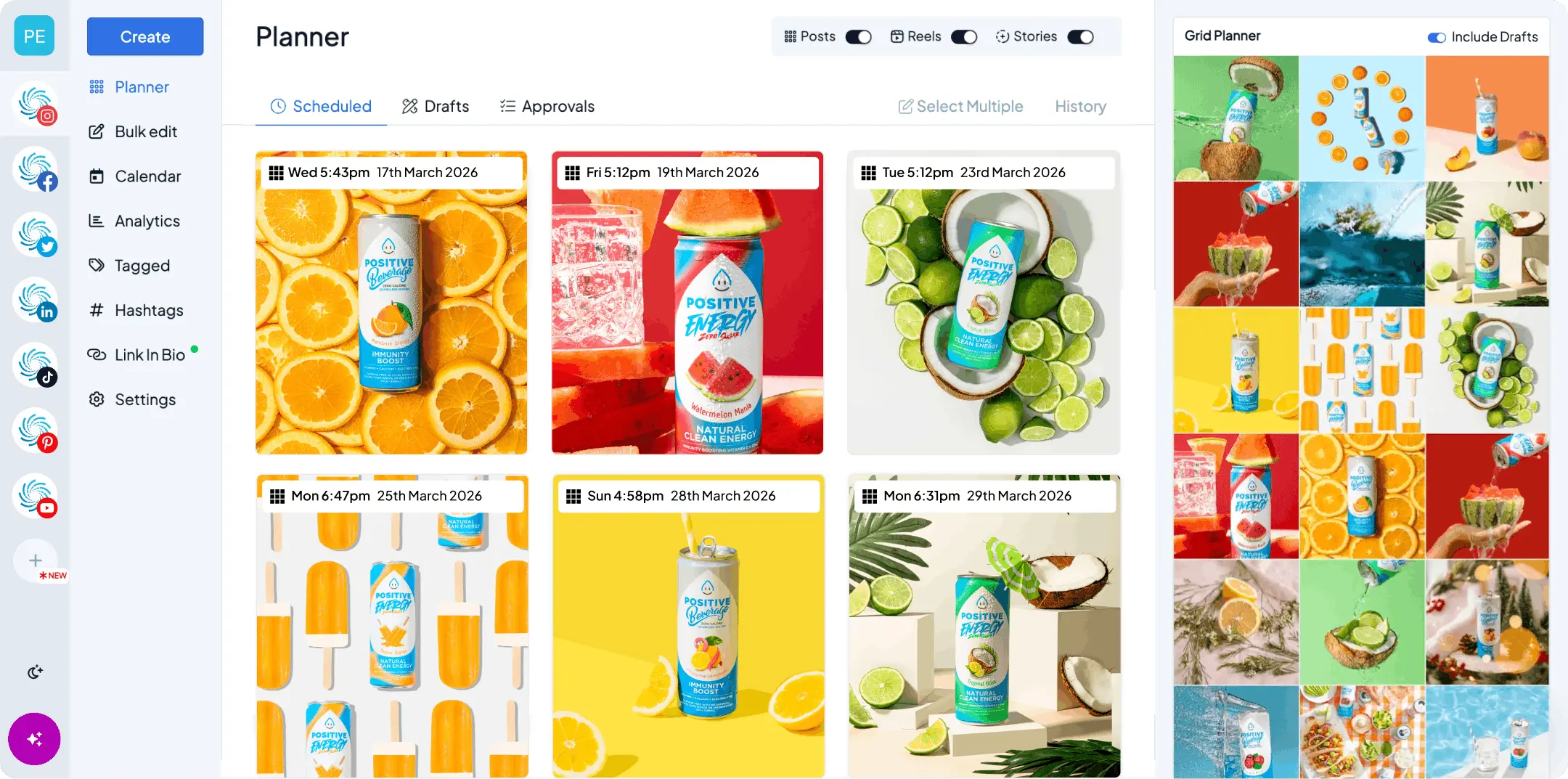
The planning isn’t visual. Publer’s calendar is practical rather than feed-first. If you plan Instagram by looking at the grid, you’ll notice the difference.
The free plan has real limits. It caps accounts, scheduled posts, and history, and X isn’t included on it. That’s reasonable for a free tier, but it means the free plan is a trial in all but name.
How we compared these tools
We make one of these tools, so here’s the method. We compare on things that hold true for more than a quarter: how visual the planning is, how many networks you can genuinely plan from one calendar, whether publishing is hands-off, whether analytics and link-in-bio are included or gated, and how limits and pricing scale as you add accounts and people.
We don’t print competitor prices. They change often, and in this part of the market the limits and add-ons attached to a price matter more than the number itself. Check each tool’s pricing page, and look at the caps as carefully as the cost.
What to look for in a Publer alternative
Everything on every plan. If you’re leaving because the features you wanted were a tier up, make “what’s gated?” the first question you ask of the alternative.
Pricing that stays predictable. Per-account pricing is good. Per-account pricing plus per-member add-ons plus a feature tier is where it gets hard to forecast. Work out the price at the account and user count you’ll have next year.
Analytics included. You should be able to see what’s working on the plan you’d buy, not the plan above it.
Visual planning. A grid preview and a drag-and-drop week. Test it with your real images, not a demo.
True auto-publishing. Posts, Reels, Stories, and Shorts that go live without a reminder notification. Check format by format.
The networks you actually use. Publer’s list is long. Make sure the alternative covers the ones you post to, which for most small businesses is Instagram, TikTok, LinkedIn, Facebook, X, Pinterest, Threads, Bluesky, and YouTube.
Publer alternatives at a glance
| Tool | Best for | What stands out |
|---|---|---|
| Hopper HQ | Every feature on every plan | Grid preview, auto-publishing, analytics and link-in-bio included |
| Buffer | Simple, clean scheduling | Approachable free tier |
| Metricool | Analytics and ads together | Reporting plus ad management |
| SocialBee | Evergreen content categories | Category queues and recycling |
| SocialPilot | Agencies on a budget | Bulk scheduling and client management |
| Later | Instagram-first visual planning | Grid preview and link-in-bio |
| Loomly | Guided content planning | Post ideas and approvals |
| Sendible | Agencies that need white-label | Client dashboards and reporting |
| Hootsuite | Enterprise monitoring | Monitoring streams and team workflows |
Pricing note: Hopper HQ is $5 per connected social account per month on Grow, or $10 on Scale with unlimited users and approvals, billed annually ($6 and $12 billed monthly), with every feature on every plan. Other tools change their prices often, so this guide compares them on durable features instead. Check each tool’s pricing page for current numbers. Hopper HQ prices verified October 27, 2026.
The 9 best Publer alternatives
1. Hopper HQ, best for every feature on every plan
Hopper HQ shares Publer’s per-account pricing and then removes the tiers. Analytics, link-in-bio, hashtag tools, and the AI assistant are on every plan, and Scale adds unlimited users and approvals at a flat per-account price.
Key features: a drag-and-drop social media calendar, a grid preview you can trust, bulk upload, true auto-publishing for posts, Reels and Stories, analytics and a link-in-bio tool included on every plan, a hashtag explorer, an AI assistant, and iOS and Android apps, plus free tools like an Instagram grid planner.
Best for: small businesses, creators, and agencies who want to plan every major network from one calendar and know exactly what the bill will be as they grow.
Pricing model: per account, with no feature tiers and no per-member add-ons. Scale includes unlimited users.
Pricing: $5 per connected social account per month on Grow, or $10 on Scale with unlimited users and approvals, billed annually ($6 and $12 billed monthly). Every feature is on every plan, and every plan starts with a free 14-day trial.
Hopper HQ vs Publer: both price per account. Publer’s network list is longer and it has a free plan. Hopper HQ is more visual, includes analytics and link-in-bio on every plan, and doesn’t charge per extra team member on Scale. Do the math at your own account and user count.
Watch for: if you post to niche networks outside the main nine, check Publer’s list first.
The honest summary: if you liked per-account pricing but not the tiers and add-ons on top of it, this is the shortest move. If you need a very long network list above all else, Publer may still be the right fit.
2. Buffer, best for simple, clean scheduling
Buffer is the calm option.
Key features: a clean queue and calendar, an approachable free tier, light analytics, and a straightforward publishing flow.
Best for: solo users and small teams who want scheduling to feel tidy.
Buffer vs Publer: Buffer is more polished and simpler to pick up. Publer offers more features and networks for the money.
Watch for: the free tier is limited, and the analytics are light. See our Buffer alternatives guide and the Hopper HQ vs Buffer comparison.
3. Metricool, best for analytics and ads together
If analytics are the reason you’re leaving Publer, Metricool is the opposite shape.
Key features: cross-network analytics, competitor tracking, ad campaign management, scheduling, and a link-in-bio tool.
Best for: people who run organic and paid and want the numbers in one place.
Metricool vs Publer: Metricool reports far more. Publer plans and publishes more cheaply and across more networks.
Watch for: pricing moves in bands by brand count and X costs extra. If the reporting is more than you need, our Metricool alternatives guide covers the lighter options.
4. SocialBee, best for evergreen content categories
SocialBee is the closest match for Publer’s recycling feature, built around it rather than beside it.
Key features: category-based queues, evergreen recycling, bulk import, and client workspaces.
Best for: consultants and agencies with a library of evergreen content to keep in rotation.
SocialBee vs Publer: SocialBee’s category system is deeper. Publer is broader on networks and cheaper to start.
Watch for: recycling can look repetitive to an audience that sees every post.
5. SocialPilot, best for agencies on a budget
SocialPilot is built for managing many client accounts without a premium price.
Key features: bulk scheduling, client management, white-label options, and team roles.
Best for: agencies that need to handle volume.
SocialPilot vs Publer: both are value plays. SocialPilot is more agency-shaped, with client management and white-label. Publer is friendlier for a single business.
Watch for: the planning experience is practical rather than visual. Our SocialPilot alternatives guide goes deeper.
6. Later, best for Instagram-first visual planning
Later is the visual planner.
Key features: a visual calendar, media library, grid preview, and a well-known link-in-bio tool.
Best for: creators and brands who plan Instagram as a feed.
Later vs Publer: Later is far more visual. Publer covers more networks and costs less to start.
Watch for: if Instagram is one channel of several, Later can feel like half a solution. Our Later alternatives guide covers that.
7. Loomly, best for guided content planning
Loomly helps teams decide what to post and get it approved.
Key features: post ideas and prompts, an approval workflow, a content library, and a team calendar.
Best for: teams that need sign-off and want help filling the calendar.
Loomly vs Publer: Loomly guides and approves. Publer schedules more, more cheaply.
Watch for: if you already know what to post, the guidance can feel like extra steps.
8. Sendible, best for agencies that need white-label
Sendible is agency-first, with client dashboards and reporting built for handing over.
Key features: client workspaces, white-label reporting, scheduling, and a shared inbox.
Best for: agencies that present work to clients under their own brand.
Sendible vs Publer: Sendible is built around clients. Publer is built around value.
Watch for: it’s priced for agencies, so a single business will pay for things it doesn’t use.
9. Hootsuite, best for enterprise monitoring
The incumbent for large organizations.
Key features: monitoring streams, team permissions, scheduling across many networks, and enterprise support.
Best for: large teams that need governance and monitoring.
Hootsuite vs Publer: Hootsuite is broader and built for scale. Publer is leaner and far cheaper.
Watch for: it’s a lot of tool for a small team. See our Hootsuite alternatives guide.
How to switch from Publer without breaking your queue
The risk when leaving a recycling-led tool is the queue and the media.
- Export your post library. Evergreen queues live inside Publer, so get your captions and assets out before you cancel. A spreadsheet export is the quickest route back in elsewhere.
- Download your media library. Anything you watermarked or edited inside Publer exists only there.
- Save your link-in-bio links. If you used Publer’s bio page, copy the links and labels so you can rebuild the page quickly.
- Rebuild with bulk upload. Load a month of content in one sitting so the new calendar looks like a plan rather than an empty grid.
- Watch one full week publish. Confirm posts, Reels, and Stories all go out as expected before you cancel the old plan.
Questions to ask before you switch
- What’s included on the plan I’d buy, and what’s a tier up?
- What does the price look like with my accounts and my team next year?
- Are analytics included, or an add-on?
- Can I plan every network I post to from one calendar?
- Does it plan visually, with a grid preview I’d trust?
- Do Reels, Stories, and Shorts publish on their own?
How to choose
- Want per-account pricing with every feature on every plan? Hopper HQ.
- Simple, clean scheduling on a free tier? Buffer.
- Analytics and ads in one place? Metricool.
- Evergreen content on rotation? SocialBee.
- Managing many client accounts on a budget? SocialPilot.
- Instagram-first visual planning? Later.
- Guided planning with approvals? Loomly.
- White-label client reporting? Sendible.
- Enterprise monitoring across many channels? Hootsuite.
The short version
If you liked Publer’s per-account pricing but not the tiers and add-ons that came with it, Hopper HQ keeps the model and removes the gating. You can schedule posts, Reels and Stories, plan every network from one calendar, and see what’s working on every plan.
Compare the whole field in our best social media scheduler guide, or see plans and pricing.
Frequently asked questions
What is the best Publer alternative?
If you want the same per-account pricing but with every feature on every plan, including analytics, link in bio, and the AI assistant, Hopper HQ is built for that. Publer is a fair choice if you post to a very wide list of networks and mostly need bulk scheduling and recycling. Hopper HQ starts at $5 per connected account per month, billed annually.
What is Publer best at?
Breadth and value. Publer supports a long list of networks, offers a free plan, and packs in bulk scheduling, post recycling, workspaces, and watermarking at a friendly entry price.
Why do people switch from Publer?
The two things reviewers raise most on G2 and Capterra are that the price climbs quickly as you add accounts and team members, and that the analytics are lighter than they'd like, with the fuller reporting and AI tools sitting on a higher tier. Others simply want planning that feels more visual.
Is Hopper HQ cheaper than Publer?
Both price per account, so the comparison depends on how many accounts and users you have and which features you need. The difference is what's included. Hopper HQ puts analytics, link in bio, hashtag tools, and the AI assistant on every plan, and the Scale plan adds unlimited users and approvals at a flat $10 per account. Do the math at your own account count on both pricing pages.
Does Publer have a free plan?
Yes, with limits on accounts, scheduled posts, and history, and X isn't included on it. Most paid tools, Hopper HQ included, offer a free trial instead so you can test the full workflow before you pay. Hopper HQ's trial lasts 14 days.
Which Publer alternative is best for Instagram?
Hopper HQ and Later both plan Instagram visually with a grid preview. Hopper HQ carries that planning across every other network from the same calendar, and Later is the pick if Instagram and link-in-bio are your whole world.
Will my recycled posts carry over?
No. Evergreen queues live inside the tool that runs them, so export your post library before you cancel. Most tools can bulk upload from a spreadsheet, which is the quickest way to rebuild a queue elsewhere.
Do I lose my media library when I move?
The library is the tool's copy of your images and videos, so it doesn't transfer. Download anything you still need, especially files you edited or watermarked inside Publer rather than in your own folders.
Take your social game further with Hopper HQ.
Plan, schedule and auto-post to every channel in one place. Free for 14 days · Cancel anytime.