The 9 Best Metricool Alternatives in 2026
Metricool is an all-in-one that leads with analytics. Scheduling, competitor tracking, ad management, and a link-in-bio tool all sit around one reporting dashboard, and for people who live in the numbers it’s a lot of capability in one login. But it isn’t the right shape for everyone. People usually look for Metricool alternatives when the planning side feels like an afterthought, when pricing bands by brand count start to pinch, or when most of the toolkit sits unused because what they really needed was a straightforward way to plan and publish.
This is an honest look at the best Metricool alternatives in 2026. We lead with Hopper HQ because it’s what we build, and we’ll be straight about where Metricool or another tool is the better fit. Metricool remains a strong analytics-first choice, and we’ll say so.
The pattern we see most often: people don’t leave Metricool because the reporting stopped being useful. They leave because they realized they only opened the reports once a month, and they were paying for an analytics platform to do a scheduling job.
Start your free 14-day trial →
What Metricool is genuinely good at
Metricool built its name on measurement. Organic performance, paid campaigns, and competitor benchmarks sit in one place, and the reports are designed to be exported and shared. If you run ads as well as organic posts and want one dashboard for both, that’s a real advantage, and it’s one most planning-first tools don’t try to match.
It also covers a wide list of networks and includes a free plan, which makes it a common first stop for freelancers and small agencies who want to see everything before they commit to anything.
Where people tend to move on is when they want planning that feels visual and quick, pricing that tracks the accounts they manage rather than bands of brands, and a tool that stays out of the way on the days when they just need to get the week scheduled.
Why people leave Metricool
The planning feels secondary. Metricool’s calendar does the job, but it was designed around reporting, not around looking at a feed and arranging it. Creators and small businesses who plan visually often find themselves wanting a grid preview and a drag-and-drop week.
Pricing moves in bands. Plans step up by the number of brands you manage. Add one brand past a band and you move to the next tier, whether or not you need anything else in it. Connecting X is charged on top, which surprises people who assumed every network was included.
Billing friction. Reviewers on G2, Capterra, and Trustpilot rate Metricool well overall, but the recurring complaint across 2025 and 2026 reviews is about billing and auto-renewals. A smaller number mention scheduled posts that showed as published but didn’t appear. Neither is universal, but both come up often enough to be worth knowing before you commit.
Most of the toolkit goes unused. If nobody on your team touches ad spend or competitor benchmarking, a large part of what you’re paying for never gets opened.
How we compared these tools
We make one of these tools, so here’s the method. We compare on things that hold true for more than a quarter: how visual and quick the planning is, how many networks you can genuinely plan from one calendar, whether publishing is hands-off, whether analytics and link-in-bio are included or gated, and how limits and pricing scale as you add accounts.
We don’t print competitor prices. They change often, and in this part of the market the limits attached to a price matter more than the number itself. Check each tool’s pricing page, and look at the caps as carefully as the cost.
What to look for in a Metricool alternative
Planning you’ll actually enjoy. A calendar you can see a week at a time, a grid preview for Instagram, and drag-and-drop that works. If you’re leaving because planning felt like admin, test this first with your real content.
The networks you use, from one place. Instagram, TikTok, LinkedIn, Facebook, X, Pinterest, Threads, Bluesky, and YouTube. Check that each is included on the plan you’d buy, not just on the top tier.
True auto-publishing. Posts, Reels, Stories, and Shorts that go live without a reminder notification. Check format by format, since support genuinely varies.
Analytics that are included. You’re leaving an analytics tool, so make sure the alternative still answers “what’s working?” without charging extra for the answer.
Pricing that scales with you. Per-account pricing means a second brand costs a second account. Banded pricing means a second brand can cost a whole new tier. Work out what next year looks like, not just this month.
Metricool alternatives at a glance
| Tool | Best for | What stands out |
|---|---|---|
| Hopper HQ | Planning-first scheduling on every network | Grid preview, auto-publishing, analytics and link-in-bio on every plan |
| Buffer | Simple, clean scheduling | Approachable free tier |
| Later | Instagram-first visual planning | Grid preview and link-in-bio |
| Publer | Value and breadth | Many networks, recycling, bulk tools |
| Loomly | Guided content planning | Post ideas and approvals |
| SocialBee | Evergreen content categories | Category queues and recycling |
| Agorapulse | Inbox and reporting together | Unified inbox with reporting |
| Sprout Social | Premium analytics | Custom reports, with listening as an add-on |
| Hootsuite | Enterprise monitoring | Monitoring streams and team workflows |
Pricing note: Hopper HQ is $5 per connected social account per month on Grow, or $10 on Scale with unlimited users and approvals, billed annually ($6 and $12 billed monthly), with every feature on every plan. Other tools change their prices often, so this guide compares them on durable features instead. Check each tool’s pricing page for current numbers. Hopper HQ prices verified October 27, 2026.
The 9 best Metricool alternatives
1. Hopper HQ, best for planning-first scheduling on every network
Hopper HQ flips Metricool’s shape around. Planning and publishing come first, and the analytics sit behind them, included rather than gated.
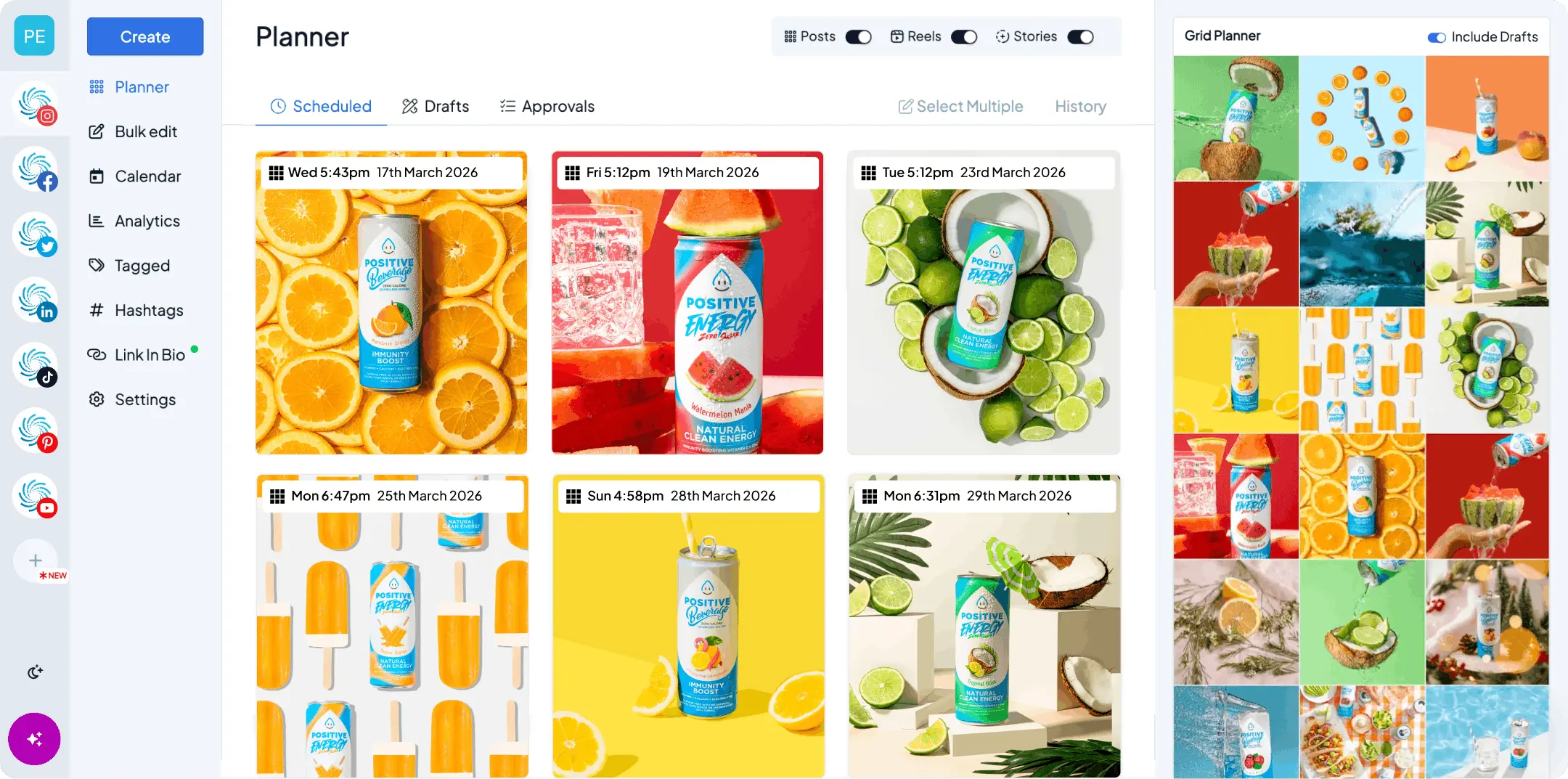
Key features: a drag-and-drop social media calendar, a grid preview you can trust, bulk upload, true auto-publishing for posts, Reels and Stories, analytics and a link-in-bio tool included on every plan, a hashtag explorer, an AI assistant, and iOS and Android apps.
Best for: small businesses, creators, and agencies who want to plan every major network from one calendar and get the week scheduled without opening a reporting suite.
Pricing model: per account, so a second brand costs a second account rather than a new tier.
Pricing: $5 per connected social account per month on Grow, or $10 on Scale with unlimited users and approvals, billed annually ($6 and $12 billed monthly). Every feature is on every plan, and every plan starts with a free 14-day trial.
Hopper HQ vs Metricool: Metricool goes deeper on paid campaigns and competitor benchmarking. Hopper HQ is quicker to plan in, more visual, includes analytics and link-in-bio on every plan, and prices per account rather than in bands.
Watch for: if ad management or competitor reports are the main reason you log in, Metricool still does more of that in one place.
The honest summary: if you want a scheduler that happens to have good analytics, this is the shortest move. If you want an analytics platform that happens to schedule, stay where you are.
2. Buffer, best for simple, clean scheduling
Buffer is the tool people reach for when they want scheduling to feel calm.
Key features: a clean queue and calendar, an approachable free tier, light analytics, and a straightforward publishing flow across the main networks.
Best for: solo users and small teams who want a tidy, no-fuss scheduler and don’t need deep reporting.
Buffer vs Metricool: Buffer is simpler and more pleasant to plan in. Metricool reports far more. If you left for simplicity, Buffer delivers it.
Watch for: the free tier is limited, and the analytics are lighter than what you’re used to.
A good fit if Metricool felt like too much tool. See how it compares in our Buffer alternatives guide and the Hopper HQ vs Buffer comparison.
3. Later, best for Instagram-first visual planning
Later built the visual planning category and still does it well.
Key features: a visual calendar, media library, grid preview, and a well-known link-in-bio tool.
Best for: creators and brands whose profile is a shop window and who plan Instagram as a feed, not a list.
Later vs Metricool: Later is far more visual and Instagram-focused. Metricool covers more networks and reports more.
Watch for: if Instagram is one of four channels rather than the channel, Later can feel like half a solution. Our Later alternatives guide covers that gap.
4. Publer, best for value and breadth
Publer packs a wide network list and plenty of features into a friendly price.
Key features: broad platform support, bulk scheduling, post recycling, workspaces, watermarks, and AI tools.
Best for: value-focused users who post to networks the bigger names treat as afterthoughts.
Publer vs Metricool: Publer is cheaper to start and broader on networks. Metricool is deeper on analytics, which Publer keeps lighter and on a higher tier.
Watch for: per-account and per-member add-ons mean the price climbs with scale, and reviewers consistently note the analytics are thin.
5. Loomly, best for guided content planning
Loomly helps people who stare at a blank calendar.
Key features: post ideas and prompts, an approval workflow, a content library, and a calendar built for teams.
Best for: teams that need sign-off and want help deciding what to post.
Loomly vs Metricool: Loomly guides the planning and handles approvals cleanly. Metricool measures more.
Watch for: the guidance is the product, so if you already know what to post it can feel like extra steps.
6. SocialBee, best for evergreen content categories
SocialBee organizes your content into categories and recycles it on a schedule.
Key features: category-based queues, evergreen recycling, bulk import, and client workspaces.
Best for: agencies and consultants with a library of evergreen content they want to keep in rotation.
SocialBee vs Metricool: SocialBee is about keeping a queue full with minimal effort. Metricool is about measuring what happened.
Watch for: recycling suits evergreen businesses, but it can look repetitive for brands whose audience sees every post.
7. Agorapulse, best for inbox and reporting together
Agorapulse combines a unified inbox with scheduling and reporting.
Key features: a shared social inbox, scheduling, reporting, and team assignment.
Best for: teams that spend as much time replying as publishing.
Agorapulse vs Metricool: Agorapulse wins on engagement and inbox management. Metricool wins on ad reporting and competitor tracking.
Watch for: it sits in a higher price band than planning-first tools, so make sure the inbox is a real need.
8. Sprout Social, best for premium analytics
If you’re leaving Metricool because you want more reporting, not less, Sprout Social is the step up.
Key features: custom reports, team workflows, a unified inbox, and social listening as an add-on.
Best for: mid-market teams and agencies that present reporting to stakeholders.
Sprout Social vs Metricool: Sprout reports deeper and presents better. Metricool is more affordable and includes ad management.
Watch for: premium pricing per user. Our Sprout Social alternatives guide is worth a read before you commit.
9. Hootsuite, best for enterprise monitoring
The incumbent, and still the tool large organizations default to.
Key features: monitoring streams, team permissions, scheduling across many networks, and enterprise support.
Best for: large teams that need monitoring and governance more than planning.
Hootsuite vs Metricool: Hootsuite is broader and built for scale. Metricool is leaner and cheaper.
Watch for: it’s a lot of tool for a small team. See our Hootsuite alternatives guide if that’s you.
How to switch from Metricool without losing anything
The risk when leaving an analytics-led tool isn’t the scheduling, it’s the history.
- Export the reports you’ll need. Anything you’ve shared with a client or a manager should be downloaded before you cancel. The native insights on each network will still be there, but Metricool’s compiled reports won’t.
- Note your link-in-bio links. If you used Metricool’s bio page, copy the links and labels so you can rebuild the page quickly.
- Pick a changeover date. Schedule everything up to that date in Metricool, then build the new calendar from that date onward.
- Reconnect every account before you cancel. Connect each network to the new tool while the old one is still live, so you’re never without a working scheduler.
- Watch one full week publish. Confirm posts, Reels, and Stories all go out as expected, then cancel the old plan.
Questions to ask before you switch
- Will I plan faster here than I do today, with my actual content?
- Can I plan every network I post to from one calendar?
- Are analytics included on the plan I’d buy, or a tier up?
- How does the price change when I add a second brand, and a fifth?
- Is X included, or charged on top?
- Do Reels, Stories, and Shorts publish on their own?
How to choose
- Want planning-first scheduling with analytics included? Hopper HQ.
- Simple, clean scheduling on a free tier? Buffer.
- Instagram-first visual planning? Later.
- Many networks on a budget? Publer.
- Guided planning with approvals? Loomly.
- Evergreen content on rotation? SocialBee.
- Inbox and reporting together? Agorapulse.
- Deeper reporting than Metricool? Sprout Social.
- Enterprise monitoring across many channels? Hootsuite.
The short version
If you liked having everything in one place but found yourself paying for reports you rarely opened, Hopper HQ keeps the analytics and puts the planning first. You can schedule posts, Reels and Stories, plan every network from one calendar, and see what’s working without a separate tier for it.
Compare the whole field in our best social media scheduler guide, or see plans and pricing.
Frequently asked questions
What is the best Metricool alternative?
If you want planning-first scheduling with a visual calendar, true auto-publishing, and every feature on every plan, Hopper HQ is built for that. Metricool is the stronger choice if deep cross-network reporting and ad management are the main reason you log in. Hopper HQ starts at $5 per connected account per month, billed annually, with analytics and link in bio included on every plan.
What is Metricool best at?
Measurement. Metricool pulls organic and paid performance into one dashboard, tracks competitors, and schedules on top of that. If reporting is the job and scheduling is the add-on, it does a lot in one place.
Why do people switch from Metricool?
The reasons we hear most are that the planning experience feels built for analysts rather than creators, that pricing steps up in bands by brand count, and that connecting X costs extra. Some reviewers also mention billing friction around renewals. If you mostly need organic scheduling, a planning-first tool can be simpler and cheaper.
Does Hopper HQ have analytics?
Yes. Analytics are included on every Hopper HQ plan rather than gated behind a higher tier, alongside link in bio, hashtag tools, and the AI assistant. Metricool goes deeper on paid and competitor reporting, so if those matter to you, compare the two reports side by side.
Which Metricool alternative is best for Instagram-first planning?
Later is the most visual Instagram-first option, and Hopper HQ gives you the same grid preview while planning every other network from the same calendar. If Instagram is your whole world, Later is a fair choice. If it's one of several, Hopper HQ keeps you to one tool.
Is there a free Metricool alternative?
Buffer and Publer both offer limited free plans, and most tools, Hopper HQ included, offer a free trial so you can test the full workflow before you pay. Hopper HQ's trial lasts 14 days, then plans start at $5 per connected account per month, billed annually.
Can I keep my reports if I switch?
Historical reports live inside the tool that made them, so export anything you'll need before you cancel. Most networks also keep their own native insights, which is where every scheduler pulls its data from in the first place.
Does switching affect my scheduled posts?
Only the posts you've queued in the old tool, which won't carry over. The simplest approach is to pick a changeover date, schedule everything up to that date in Metricool, and build the new calendar from that date onward before you cancel.
Take your social game further with Hopper HQ.
Plan, schedule and auto-post to every channel in one place. Free for 14 days · Cancel anytime.