Best Social Media Scheduler for Small Business in 2026
The best social media scheduler for a small business is the one you’ll actually open every week. Not the most powerful one. Not the one with the longest feature list. The one that fits into the 20 minutes you have between customers, orders, or client calls.
Most comparison guides are written for marketing teams with a dedicated social manager and a budget to match. This one is written for the business owner who is the marketing team, or the one-person operation trying to stay visible on Instagram, TikTok, and LinkedIn without it becoming a second job.
The short version: Hopper HQ is the strongest overall pick for small businesses that need visual planning, true auto-publishing, and multi-network support in a tool that doesn’t require onboarding training. If you’re Instagram-only, Later is worth a look. If you need the lowest possible entry price and can live with a simpler feature set, there are free-tier options. The sections below break it down by what actually matters when you’re running a small operation.
Start your free 14-day trial →
What this guide covers
- The five features that matter most to small businesses, and which tools deliver them
- A side-by-side comparison of the leading schedulers
- Individual breakdowns of each tool, including who it suits and where it falls short
- A decision framework based on your situation, not a generic ranking
- Answers to the questions small businesses ask most about scheduling tools
What small businesses actually need from a scheduler
Most feature comparisons list everything a tool can do. The more useful question for a small business is: what can you not afford to be missing?
Five things separate a scheduler that saves you time from one that quietly adds to your workload.
1. True auto-publishing, not push notifications
Some tools still need you to be on your phone at the scheduled time to tap “publish”. That isn’t scheduling. That’s a reminder app. True auto-publishing means the post goes live on its own, Reels, Stories, and TikTok videos included, with nothing required from you.
2. A visual calendar you’ll actually use
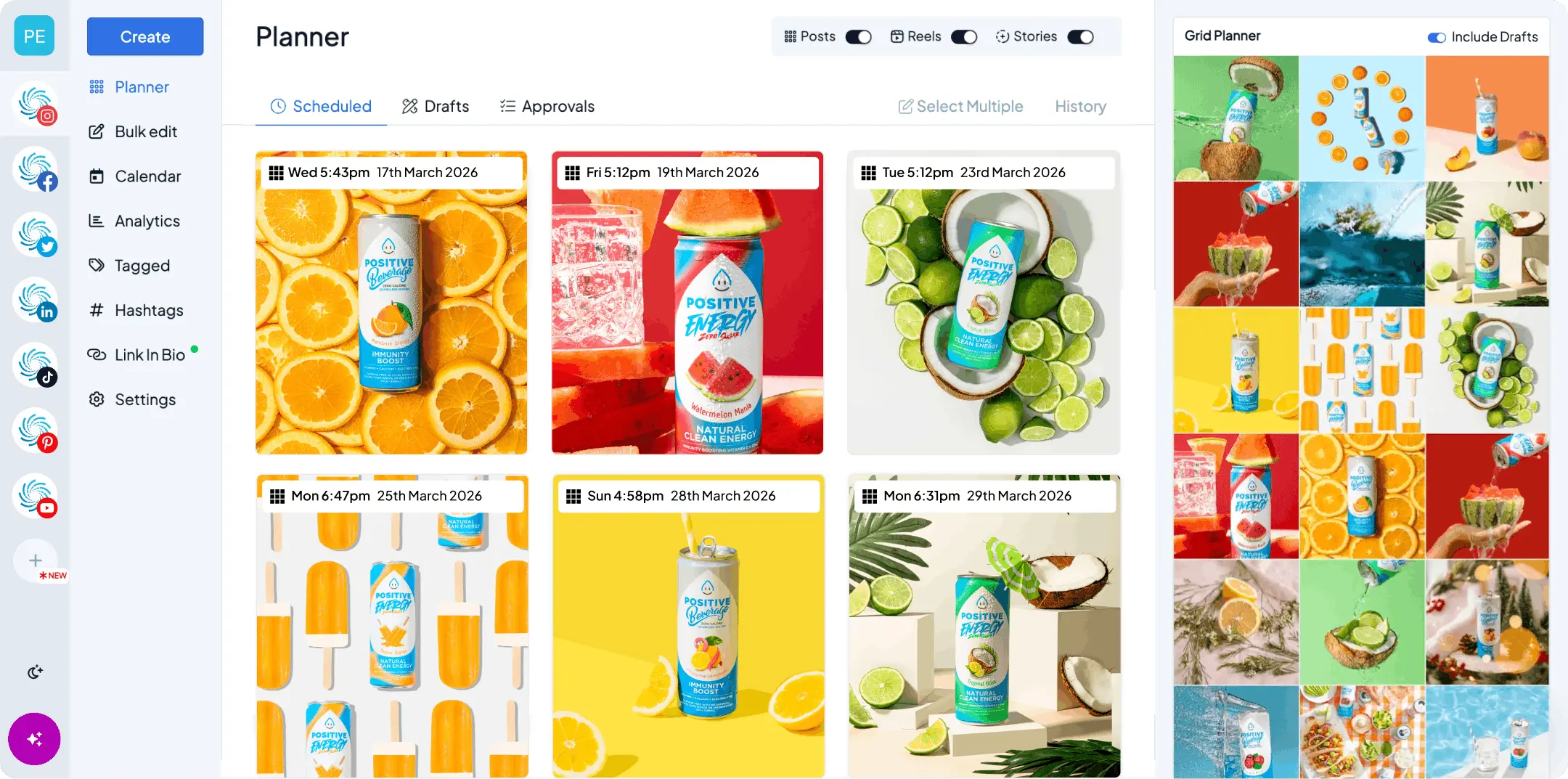
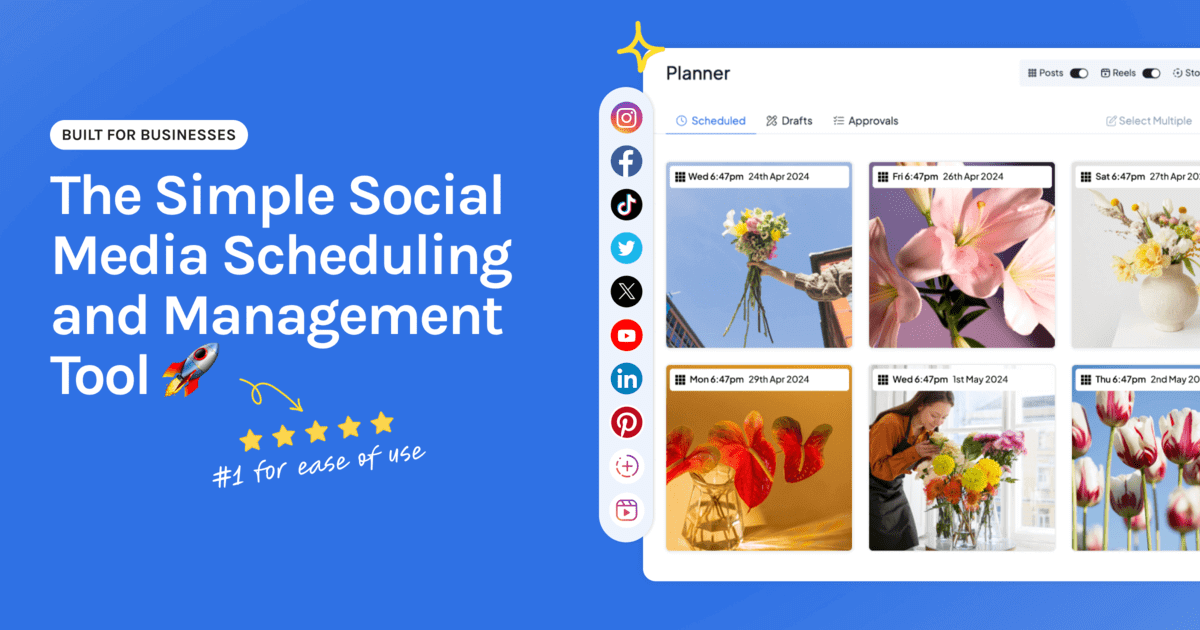
If planning feels like filling out a spreadsheet, you won’t keep it up. A drag-and-drop calendar that shows your content the way it will appear, with the ability to reorder, reschedule, and preview your feed, is the difference between planning once a week and posting reactively every day.
3. Multi-network support from one place
Most small businesses post to at least two or three networks. Logging into each one separately to post the same content is one of the biggest time drains in social media management. A good scheduler lets you create once and publish everywhere, with per-network tweaks to captions and formats.
4. Bulk uploading
Uploading a week or a month of content in one session changes how social media fits into your week. Instead of a daily task you keep putting off, it becomes one session you book in. Bulk upload is consistently one of the first things small business owners look for when they outgrow posting natively.
5. Simplicity over depth
A tool with 40 features you don’t use is harder to work with than a tool with 10 you use every day. For a solo operator or a small team, the learning curve has a real cost. Every hour spent figuring out a dashboard is an hour not spent running the business.
The question worth asking before you choose anything: will I actually open this every week, or will it become another subscription I forget about?
Best social media scheduler for small business: the options compared
The table below compares the tools small businesses use most, across the five criteria above. Hopper HQ details were verified on October 27, 2026. Check each competitor’s own site for its current plans.
| Tool | Auto-publish | Visual calendar | Networks supported | Bulk upload | Best for |
|---|---|---|---|---|---|
| Hopper HQ | Yes, all formats | Yes, drag-and-drop grid | 9 (Instagram, TikTok, LinkedIn, Facebook, Pinterest, X, Threads, Bluesky, YouTube) | Yes, CSV and media | Visual planning, multi-network, solo to small team |
| Later | Yes, on paid plans | Yes, visual grid | Instagram-first, plus major networks | Limited on lower tiers | Instagram-first visual brands |
| Buffer | Yes | List view, no grid | Major networks | Yes | Simple scheduling, low-cost entry |
| Hootsuite | Yes | Calendar view | Widest coverage of any tool here | Yes | Larger teams, monitoring |
| Sprout Social | Yes | Calendar view | Major networks | Yes | Analytics-heavy teams, enterprise |
| SocialPilot | Yes | Calendar view | Major networks | Yes | Agencies, multi-client management |
A note on pricing. All of these tools have changed their pricing in the past year, so this guide compares on features that hold their shape rather than numbers that go stale. Check each tool’s pricing page and look specifically at three things: how many social accounts are included, whether your networks are supported, and what the per-account cost looks like as you grow.
Tool-by-tool breakdown
Each tool below is assessed against the five small-business criteria, with an honest take on who it suits and where it falls short. Hopper HQ is what we make, and we’ll be straight about the cases where something else is the better call.
Hopper HQ, best for visual planning and multi-network auto-publishing
Best for: small business owners, solo creators, and lean teams who want to plan a good-looking feed across several networks and have it publish on its own, without a steep learning curve.
Hopper HQ was built for small businesses and creators rather than enterprise marketing departments. The visual-first calendar lets you drag, drop, and preview your feed before anything goes live. Bulk uploading means you can schedule a month of content in one sitting, and true auto-publishing covers posts, Reels, Stories, and TikTok videos across all nine supported networks.
The hashtag research tool searches a database of over 10 million tags, and an AI caption generator handles first drafts when you’re stuck. Analytics show you which posts performed best and when your audience is actually around, in a form you can read without a data background.
Where it falls short: it isn’t the right tool if you need enterprise social listening, inbox monitoring at scale, or the layered approval workflows a large organization runs on.
Pricing: $5 per connected social account per month on Grow, or $10 on Scale with unlimited users and approvals, billed annually ($6 and $12 billed monthly). Every feature is on every plan, and every plan starts with a free 14-day trial.
Rated 4.7 out of 5 on Capterra and GetApp, with ease of use and customer support the two things reviewers mention most.
See plans and pricing or start your free 14-day trial.
Later, best for Instagram-first visual brands
Best for: brands and creators whose main channel is Instagram, especially those who lean on link-in-bio to drive traffic or sales.
Later pioneered the visual Instagram grid planner and is still strong for Instagram-focused work. Its link-in-bio tool is one of the more developed in the category. Network coverage is narrower than Hopper HQ’s, and bulk uploading is limited on lower-tier plans.
Where it falls short: if you post regularly to LinkedIn, Pinterest, Threads, Bluesky, or YouTube, Later’s coverage may not stretch far enough.
Compare directly in Hopper HQ vs Later, or see our Later alternatives guide.
Buffer, best for simple, low-friction scheduling
Best for: solo operators who want the lowest barrier to getting started and don’t need visual grid planning.
Buffer is known for a clean, uncluttered interface and an approachable entry price. It’s a solid choice for straightforward scheduling across a handful of channels. The trade-off is a list-based queue rather than a visual calendar, and no drag-and-drop grid planner.
Where it falls short: no grid preview, which matters if your Instagram look is part of how people judge your brand. Analytics are thinner on lower tiers.
Compare directly in Hopper HQ vs Buffer, or see our Buffer alternatives guide.
Hootsuite, best for larger teams that need monitoring
Best for: businesses that have grown to the point of needing team workflows, social listening, and monitoring streams alongside scheduling.
Hootsuite covers the widest range of networks here and includes monitoring that smaller tools don’t match. The trade-off is price and complexity. For a solo operator or a small team, it’s likely more tool than you need, and the cost reflects that.
Where it falls short: pricing puts it out of reach for most solo operators, and the interface takes longer to learn than a visual-first tool.
Compare directly in Hopper HQ vs Hootsuite, or see our Hootsuite alternatives guide.
Sprout Social, best for analytics-driven teams
Best for: teams where reporting drives decisions, usually businesses with a dedicated social media manager or a marketing department.
Sprout Social’s analytics depth is among the best available. It’s a premium product at a premium price, built for teams that have to justify social spend with detailed reporting. For a business owner checking in on their own posts, it’s more than you need.
Where it falls short: the starting price sits well above everything else on this list, and the more advanced listening features come as separate products on top of the base plan.
Compare directly in Hopper HQ vs Sprout Social, or see our Sprout Social alternatives guide.
SocialPilot, best for agencies managing multiple clients
Best for: small agencies or freelancers running social for several clients at once, where bulk scheduling and client management matter more than feed aesthetics.
SocialPilot handles multi-account management well at a team-friendly price. It suits someone managing accounts for other people more than a business owner managing their own.
Where it falls short: the interface is functional rather than visual, which slows down planning if you want to see how a feed looks before publishing.
See our SocialPilot alternatives guide, or our tools for agencies and larger brands.
How to choose the right scheduler for your business
Rather than one recommendation for everyone, the right choice comes down to four things about your situation.
Which networks do you actually post to?
Start here. If you post to Instagram, TikTok, LinkedIn, and Pinterest, you need a tool that covers all four with true auto-publishing. Check this before anything else. A tool that needs a manual step for even one of your networks will cost you time every single week.
How much does your visual feed matter?
If your brand lives or dies on how your Instagram grid looks, a grid preview isn’t optional. Hopper HQ and Later both offer one. Most other tools don’t. And when you want one photo to span the grid, a free Instagram grid maker cuts it into tiles for you.
Are you managing your own accounts or someone else’s?
If you’re a business owner running your own social presence, optimize for simplicity and speed. If you’re a freelancer or agency managing client accounts, you’ll want approval workflows and multi-client management, which moves the shortlist toward the agency-focused tools.
What’s your honest time budget for social media?
- Under two hours a week. You need bulk upload and a simple visual calendar. This is exactly the workflow Hopper HQ is built around.
- Two to five hours a week. Most tools will work. Focus on which networks you need and whether analytics matter to you.
- Five or more hours a week with a team. Look at tools with collaboration and approval features.
The short version, by situation
| Your situation | Best pick |
|---|---|
| Visual brand, multiple networks, solo or small team | Hopper HQ |
| Instagram is the only channel that really matters | Later |
| Lowest possible entry price, simple scheduling | Buffer |
| Team of five or more, deep reporting required | Sprout Social |
| Agency managing multiple clients | SocialPilot |
| Social listening and monitoring | Hootsuite |
The bottom line
The best social media scheduler for a small business is the one that takes friction away rather than adding it. A tool you open every week and actually use beats a more powerful one you avoid because it takes too long to work out.
For most small businesses, that means visual planning, true auto-publishing across every network you post to, and bulk uploading so you can batch your content in one session and get back to running the business.
Start your free 14-day trial of Hopper HQ and test it with your real accounts, your real content, and your real networks. 14 days free, cancel anytime.
Want to go deeper on a specific comparison? We have honest head-to-head breakdowns for Hopper HQ vs Buffer, Hopper HQ vs Later, Hopper HQ vs Hootsuite, and Hopper HQ vs Sprout Social. If you want the wider view beyond small business, see our guide to the best social media schedulers in 2026, and for the strategy side, social media strategy for small business.
Frequently asked questions
Which social media scheduler is best for small businesses?
Hopper HQ is a strong choice for small businesses that need visual planning, true auto-publishing, and multi-network support without a steep learning curve. For Instagram-only businesses, Later is also worth considering. The right choice depends on which networks you use and how much time you have for weekly content planning.
What is the most affordable social media scheduler for a one-person team?
It depends on how many accounts and networks you manage. Some platforms offer limited free plans. Hopper HQ costs $5 per connected social account per month on its Grow plan, billed annually, with every feature included and a free 14-day trial. For a one-person team posting regularly across multiple networks, a paid scheduling tool can be more cost-effective than managing every post manually.
Can I schedule Instagram Stories and Reels automatically?
Yes, with a scheduler that supports true auto-publishing for those formats. Hopper HQ can auto-publish Instagram posts, Reels, and Stories without requiring a phone notification at the scheduled time. Before choosing a tool, confirm that it supports auto-publishing for the specific content formats you use.
Does scheduling posts hurt engagement on Instagram or TikTok?
No. Scheduling content through an approved social media management tool does not inherently reduce reach or engagement. Content quality, relevance, audience response, and posting time have a much larger effect on performance than whether a post was scheduled in advance.
How many social accounts can I manage from one scheduler?
The number of accounts you can manage depends on the platform and subscription plan. Hopper HQ supports multiple accounts across Instagram, TikTok, LinkedIn, Facebook, Pinterest, X, Threads, Bluesky, and YouTube from one calendar. Hopper HQ prices per connected account, at $5 a month each on Grow or $10 on Scale, billed annually, so adding an account never pushes you up a tier.
Is there a free trial available before I commit?
Yes. Hopper HQ offers a 14-day free trial so you can test the workflow with your real accounts and content before committing, and you can cancel anytime. Other scheduling platforms may offer a free trial or limited free plan, but available features and account limits vary.
Take your social game further with Hopper HQ.
Plan, schedule and auto-post to every channel in one place. Free for 14 days · Cancel anytime.