


The 8 Best Pallyy Alternatives in 2026
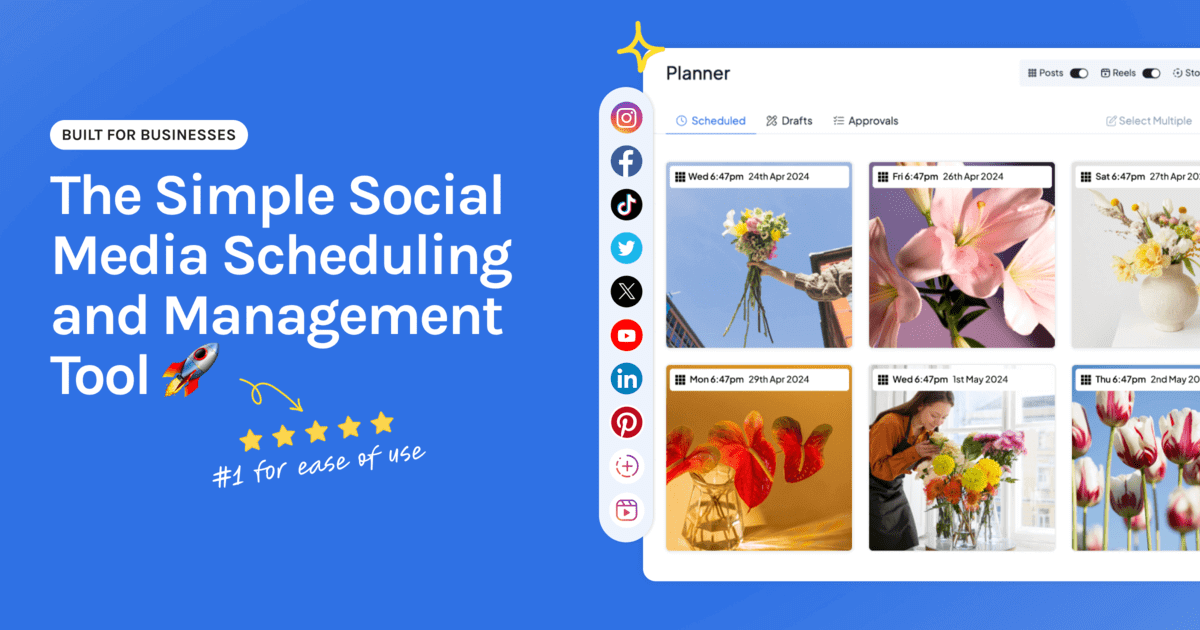
Pallyy has earned its following. It’s visual, it’s friendly to use, and it’s a natural fit for Instagram-led brands on a budget. If you’re looking for an alternative, it’s usually because your setup has changed: more accounts, more people, or a need the plan you’re on doesn’t cover.
This is an honest look at the best Pallyy alternatives in 2026. We lead with Hopper HQ because it’s what we build, and we’ll say plainly where Pallyy or another tool is the better fit.
Start your free 14-day trial →
What Pallyy is good at
Pallyy is built around visual planning. You can lay out an Instagram grid, plan from a calendar, and keep an eye on comments and messages in one place. It supports the main image and video networks, includes a link in bio tool, and has a limited free plan that lets you try real scheduling before paying.
For a solo creator or a small brand with one profile per network, that’s a lot of value in a tidy package.
Why people move on from Pallyy
A second brand arrived. Plans built around social sets suit one brand neatly. A second brand, or a second profile on the same network, changes the math.
The free plan ran out of room. Limits are fair on a free product, and they tend to show up in your busiest month.
The team grew. Once someone else needs to draft or approve posts, user limits and approval features start to matter.
They wanted a different feel. Planning tools are personal. Some people want a bigger calendar view, some want deeper analytics, some want fewer screens.
If none of those is true for you, Pallyy may still be the right tool.
Pallyy alternatives at a glance
| Tool | Best for | What stands out |
|---|---|---|
| Hopper HQ | Visual planning on every network | Grid preview, auto-publishing, every feature on every plan |
| Later | Instagram-first brands | Visual planner and link in bio |
| Planoly | Instagram-focused grid planning | Tight grid and link in bio |
| Plann | Planning with strategy prompts | Guidance on what to post |
| Buffer | Simple, clean scheduling | Approachable free tier |
| Metricool | Analytics and ads together | Reporting plus ad management |
| Publer | Many networks on a budget | Long network list, free plan |
| SocialPilot | Agencies with many clients | Bulk scheduling and client management |
Pricing note: Hopper HQ is $5 per connected social account per month on Grow, or $10 on Scale with unlimited users and approvals, billed annually ($6 and $12 billed monthly), with every feature on every plan. Other tools change their prices often, so this guide compares them on durable features instead. Check each tool’s pricing page for current numbers. Hopper HQ prices verified October 27, 2026.
What to look for in a Pallyy alternative
Visual planning. A grid preview and a drag-and-drop calendar. This is what you’ll miss most if it’s gone, so test it with your own images.
A pricing model that fits your accounts. Per account, per set, per user, or tiered. Our guide to the cheapest social media schedulers explains how each one grows.
True auto-publishing. Posts, Reels, Stories, and videos that go out on their own.
What’s included. Analytics, link in bio, and team features are often where plans differ.
The 8 best Pallyy alternatives
1. Hopper HQ, best for visual planning on every network
Hopper HQ offers the same feed-first planning style, with one calendar for every network and no feature tiers.
Key features: drag-and-drop calendar, a grid preview, bulk upload, auto-publishing for posts, Reels, Stories, and videos, analytics, a hashtag explorer, an AI assistant, a link in bio page, and iOS and Android apps.
Best for: creators, small businesses, and lean agencies who plan visually and post to several networks.
Pricing: $5 per connected social account per month on Grow, or $10 on Scale with unlimited users and approvals, billed annually ($6 and $12 billed monthly). Every feature is on every plan, and every plan starts with a free 14-day trial.
Hopper HQ vs Pallyy: both are visual and straightforward to learn. Hopper HQ prices per account instead of per set, so a second brand or an extra profile costs one more account at the same rate. Pallyy has a free plan, and Hopper HQ doesn’t.
Watch for: if you need a free plan long term, Pallyy or Buffer suits you better.
2. Later, best for Instagram-first brands
Later is one of the best-known visual planners, with a strong link in bio tool.
Key features: visual calendar, media library, grid preview, and link in bio.
Best for: brands where Instagram is the main channel.
Later vs Pallyy: both plan visually and both sell social sets. Later is the bigger, more established product. Compare limits on each plan.
Watch for: post limits on lower tiers. See Later alternatives.
3. Planoly, best for Instagram-focused grid planning
Planoly is a dedicated visual planner for Instagram and Pinterest.
Key features: grid preview, visual planning, and a link in bio tool.
Best for: creators who mainly care about a considered Instagram grid.
Planoly vs Pallyy: close on Instagram planning, so it often comes down to interface and price.
Watch for: a narrower network focus. See Planoly alternatives.
4. Plann, best for planning with strategy prompts
Plann pairs grid planning with content guidance.
Key features: visual grid planning, strategy tools, link in bio, and analytics.
Best for: creators whose blocker is what to post.
Watch for: Instagram-centric.
5. Buffer, best for simple, clean scheduling
Buffer is the plain, reliable option, with an approachable free tier.
Key features: publishing queues, a clean interface, and a link in bio page.
Best for: text-led posting across a few channels.
Buffer vs Pallyy: Buffer is simpler and less visual. If your content is mostly images, you’ll notice.
Watch for: light visual planning. See Buffer alternatives.
6. Metricool, best for analytics and ads together
Metricool is an analytics-led tool that also schedules.
Key features: cross-network analytics, competitor tracking, ad reporting, and scheduling.
Best for: people who want reporting and paid campaigns next to their plan.
Watch for: a less visual planning experience. See Metricool alternatives.
7. Publer, best for many networks on a budget
Publer covers a long list of networks and has a free plan.
Key features: bulk scheduling, post recycling, and workspaces.
Best for: freelancers who want breadth at a low entry price.
Watch for: check how extra users are charged. See Publer alternatives.
8. SocialPilot, best for agencies with many clients
SocialPilot is built for managing lots of accounts.
Key features: bulk scheduling, client management, and approvals.
Best for: agencies whose account count drives the bill.
Watch for: planning is less visual. See SocialPilot alternatives.
How to switch without breaking your feed
- Download your media. Anything edited or captioned inside the tool lives only there.
- Save your link list. Copy the links and labels from your link in bio page.
- Rebuild the bio page first. Get the new one live, then swap the link in your profile.
- Bulk upload your queue. Load a few weeks of posts in one sitting.
- Watch one week publish. Confirm posts, Reels, and Stories go out before you cancel the old plan.
How to choose
- Visual planning on every network, with nothing gated: Hopper HQ.
- Instagram first, link in bio central: Later.
- Instagram-focused grid planning: Planoly or Plann.
- Plain scheduling on a free tier: Buffer.
- Analytics and ads in one place: Metricool.
- Many networks, low entry price: Publer.
- Many client accounts: SocialPilot.
Compare the whole field in our best social media scheduler guide.
Frequently asked questions
What is the best Pallyy alternative?
If you like Pallyy's visual planning and want it across every network with nothing held back for a higher plan, Hopper HQ is the closest move. It has a drag-and-drop calendar, an Instagram grid preview, auto-publishing, analytics, and link in bio on every plan, from $5 per connected account per month, billed annually. Later and Planoly are the nearest Instagram-first options.
What is Pallyy best at?
Pallyy is a visual scheduler that's strongest on Instagram and other image-led networks. It's known for grid planning, a clean interface, and an affordable entry point with a limited free plan.
Why do people look for Pallyy alternatives?
The usual reasons are needing more than one brand or profile per network, outgrowing the free plan's limits, wanting more team features, or wanting a different planning feel. If Pallyy's set-based pricing fits your accounts and the limits don't bite, staying is a sensible choice.
Is there a free alternative to Pallyy?
Buffer, Metricool, and Publer all have limited free plans, and Meta Business Suite is free for Facebook and Instagram. Most paid tools, Hopper HQ included, offer a free trial instead. Hopper HQ's trial lasts 14 days with every feature included.
How does Hopper HQ pricing compare with Pallyy?
Hopper HQ charges per connected account at the same rate for every account, with every feature on every plan. Pallyy sells plans by social set. Which costs less depends on how many profiles you have on each network, so price your exact setup on both pricing pages.
What should I check before switching from Pallyy?
Download any media you only have inside the tool, save the links from your link in bio page, and make a note of posts still in your queue. Then run both tools side by side for one week before you cancel.
Take your social game further with Hopper HQ.
Plan, schedule and auto-post to every channel in one place. Free for 14 days · Cancel anytime.