


The 7 Best TikTok Schedulers in 2026 (Compared)
Posting to TikTok at the right moment used to mean being on your phone at the right moment. A scheduler fixes that: you upload the video when it suits you, and it goes out when your audience is around.
There are two real choices. Use TikTok’s own free scheduler, or use a tool that plans TikTok alongside everything else you post. This guide compares both, including where the free option is all you need.
Start your free 14-day trial →
TikTok schedulers at a glance
| Tool | Best for | What stands out |
|---|---|---|
| Hopper HQ | Planning TikTok with your other networks | Visual calendar, auto-publishing from desktop, per-account pricing |
| TikTok Studio | TikTok only, for free | Built by TikTok, no extra tool |
| Later | Instagram-first brands adding TikTok | Visual planning and link in bio |
| Buffer | Simple scheduling on a free tier | Clean interface, approachable free plan |
| Metricool | TikTok analytics and ads | Reporting alongside scheduling |
| Publer | Lots of networks on a budget | Long network list, free plan |
| SocialPilot | Agencies with many client accounts | Bulk scheduling and client management |
Pricing note: Hopper HQ is $5 per connected social account per month on Grow, or $10 on Scale with unlimited users and approvals, billed annually ($6 and $12 billed monthly), with every feature on every plan. Other tools change their prices often, so this guide compares them on durable features instead. Check each tool’s pricing page for current numbers. Hopper HQ prices verified October 27, 2026.
What to look for in a TikTok scheduler
Auto-publishing, not reminders. The video should go live on its own. If the tool sends a notification and asks you to finish in the app, you haven’t really scheduled anything.
Desktop upload. Most edited videos live on a computer. Uploading from desktop saves sending files to your phone.
One calendar for every network. TikTok is rarely your only channel. Seeing it next to Instagram and YouTube Shorts shows you the gaps and the pile-ups.
Bulk upload. If you film in batches, you want to schedule in batches.
Captions per network. The same video needs a different caption on TikTok than on LinkedIn.
The 7 best TikTok schedulers
1. Hopper HQ, best for planning TikTok with your other networks
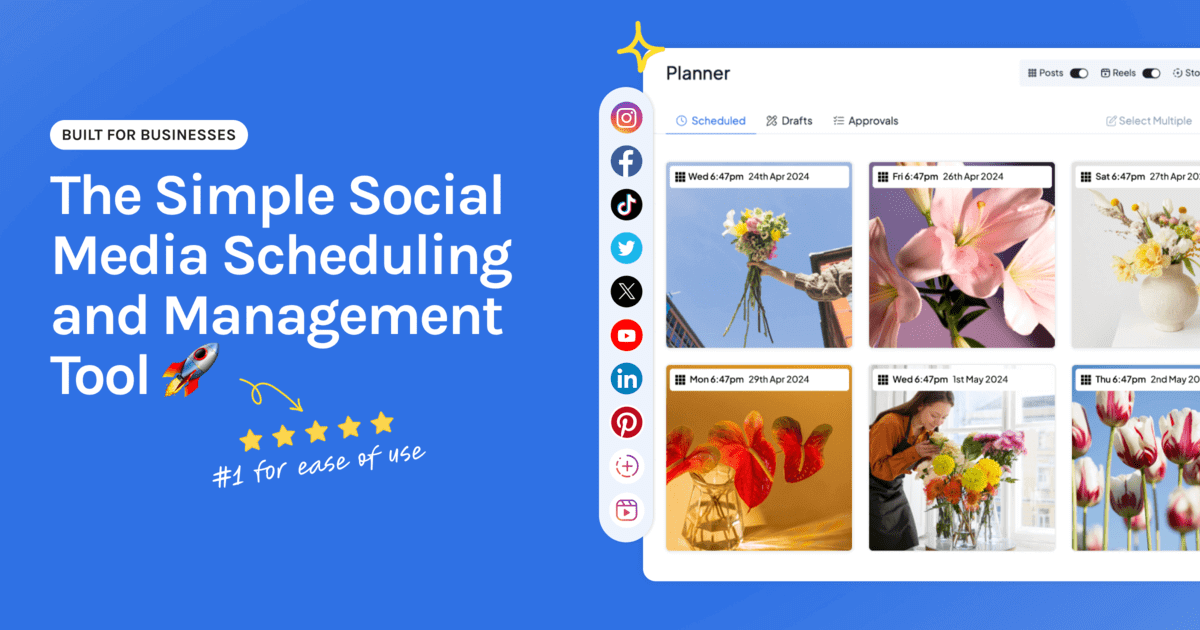
Hopper HQ schedules and auto-publishes TikTok videos from your desktop, in the same drag-and-drop calendar as Instagram, Facebook, LinkedIn, X, Pinterest, Threads, Bluesky, and YouTube Shorts.
Key features: TikTok scheduling with auto-publishing, a visual calendar, bulk upload, cross-posting with a caption for each network, analytics with best time to post, and an AI caption assistant.
Best for: small businesses, creators, and lean agencies who post the same short videos to TikTok, Reels, and Shorts and want one place to plan them.
Pricing: $5 per connected social account per month on Grow, or $10 on Scale with unlimited users and approvals, billed annually ($6 and $12 billed monthly). Every feature is on every plan, and every plan starts with a free 14-day trial.
Watch for: there’s no free plan, and you can’t pick a trending TikTok sound while scheduling, so add your audio in a video editor first. If TikTok is your only network, the free option below may be all you need.
2. TikTok Studio, best free option for TikTok only
TikTok has its own scheduler, available in TikTok Studio on a desktop browser. It’s free and needs no other tool.
Key features: upload from desktop, pick a date and time, and TikTok publishes the video.
Best for: anyone who only posts to TikTok.
Watch for: it covers TikTok and nothing else, so every other network is planned somewhere different. Check TikTok’s help pages for how far ahead you can schedule and what you can edit afterward, since those details change.
3. Later, best for Instagram-first brands adding TikTok
Later built its name on visual Instagram planning and added TikTok alongside it.
Key features: visual calendar, media library, link in bio, and TikTok scheduling.
Best for: brands whose main channel is Instagram, with TikTok as the second.
Watch for: plans are sold as social sets with post limits on lower tiers. See Hopper HQ vs Later and Later alternatives.
4. Buffer, best for simple scheduling on a free tier
Buffer keeps scheduling plain and uncluttered, and supports TikTok alongside the other major networks.
Key features: publishing queues, a clean interface, and an approachable free tier.
Best for: individuals who want straightforward scheduling without visual planning.
Watch for: the free tier is limited, and planning is list-led. See Buffer alternatives.
5. Metricool, best for TikTok analytics and ads
Metricool is an analytics-led tool that also schedules.
Key features: cross-network analytics, competitor tracking, ad campaign reporting, and scheduling. TikTok Business accounts can choose a trending track while scheduling.
Best for: people who want TikTok numbers and paid campaigns in the same place as their plan.
Watch for: the planning experience is less visual. See Metricool alternatives.
6. Publer, best for lots of networks on a budget
Publer covers one of the longest network lists in the category, TikTok included.
Key features: bulk scheduling, post recycling, workspaces, and a free plan to start on.
Best for: freelancers who post to many networks and want a low entry price.
Watch for: check how users and extra features are charged as you grow. See Publer alternatives.
7. SocialPilot, best for agencies with many client accounts
SocialPilot is built for managing a lot of accounts at once.
Key features: bulk scheduling, client management, and approvals.
Best for: agencies posting TikTok videos for many clients.
Watch for: planning is less visual. See SocialPilot alternatives.
Free or paid: which do you need?
Use TikTok Studio if TikTok is your only network and you post a few times a week. It’s free, and it works.
Move to a multi-network scheduler when any of these is true:
- You post the same videos to Reels or YouTube Shorts and want to schedule them together.
- You want to see TikTok next to your other networks in one calendar.
- You batch a month of videos and want to upload them in one sitting.
- Someone else needs to review posts before they go out.
Three things to know before you schedule a TikTok
- Sort out the sound first. Some schedulers let you pick a trending track as you schedule, depending on your TikTok account type. With the rest, add your audio, text, and effects in a video editor, then schedule the finished file.
- Export a clean file. Upload the original video, not one saved from another platform with a watermark on it. Our TikTok dimensions guide has the sizes.
- Pick the time on purpose. Start with our best time to post on TikTok guide, then adjust using your own analytics.
For a step-by-step walkthrough, see how to schedule TikTok posts.
How to choose
- TikTok alongside other networks, planned visually: Hopper HQ.
- TikTok only, for free: TikTok Studio.
- Instagram first, TikTok second: Later.
- Plain scheduling on a free tier: Buffer.
- Analytics and ads matter most: Metricool.
- Many networks, low entry price: Publer.
- Many client accounts: SocialPilot.
Compare the whole field in our best social media scheduler guide.
Frequently asked questions
What is the best TikTok scheduler?
If TikTok is the only network you post to, TikTok's own scheduler in TikTok Studio is free and does the job. If you plan TikTok alongside Instagram, LinkedIn, or other networks, a multi-network scheduler saves you from planning in several places. Hopper HQ schedules and auto-publishes TikTok videos from desktop in the same visual calendar as your other networks, from $5 per connected account per month, billed annually.
Can you schedule TikTok videos for free?
Yes. TikTok Studio lets you schedule videos from a desktop browser at no cost. It only covers TikTok, so it suits people who don't need to plan other networks in the same place.
Do scheduled TikTok videos get fewer views?
There's no evidence that TikTok limits the reach of videos published through its official API, which is how approved schedulers post. Views depend on the video itself and on whether it goes out when your audience is active.
Can a scheduler auto-publish to TikTok, or will I get a reminder?
It depends on the tool. Some publish the video for you at the scheduled time. Others send a notification and ask you to finish posting in the TikTok app. Check which one you're getting before you commit, because reminders mean you're still on call.
Can I add a trending sound when I schedule a TikTok?
Sometimes. It depends on your TikTok account type and the scheduler. Metricool, for example, lets TikTok Business accounts pick from TikTok's trending tracks when scheduling. With other tools, add the audio in your video editor first and schedule the finished file.
Can I schedule the same video to TikTok, Reels, and YouTube Shorts?
Yes, with a multi-network scheduler. Upload the video once, adjust the caption for each network, and schedule all three. Use a clean export without another platform's watermark.
Take your social game further with Hopper HQ.
Plan, schedule and auto-post to every channel in one place. Free for 14 days · Cancel anytime.